Your Ultimate Guide to WordPress Plugin Chat for Ecommerce
At its core, a WordPress plugin chat is a tool you add to your site to have real-time conversations with visitors. For an ecommerce business, these plugins are much more than a simple chat box. They turn your website into a live sales and support floor, letting you answer questions instantly and guide customers all the way to checkout.
Why Your Ecommerce Site Needs a WordPress Plugin Chat
In the world of online shopping, patience is a thing of the past. Customers don't just want answers; they want them now. That pause while they wait for an email reply? That’s often the moment a sale is lost and a cart is abandoned. This is exactly where a WordPress chat plugin becomes one of the most valuable assets for your store.
It’s all about meeting customers in the exact moment they have a question or a hint of doubt. Think of it like having a sharp, friendly sales assistant on every single page of your digital shop, ready to help 24/7.
Turn Browsers into Buyers
The main job of a chat plugin is to get rid of any friction standing between a visitor and a purchase. When someone is hesitating over a product size, wondering about shipping times, or checking your return policy, they can get an answer immediately without ever leaving the page. This instant support builds trust and directly fights the main reasons for cart abandonment.
This kind of proactive engagement is a complete game-changer. For example, you can set up automated messages that fire on high-intent pages:
- Product Pages: After 30 seconds, a chat can pop up: "Got a question about this item? I can help!"
- Checkout Page: If a customer stalls, the chat can offer help or even a small discount to nudge them over the finish line.
Boost Sales and Average Order Value
But it's not just about answering questions. A WordPress plugin chat is a serious tool for consultative selling. When a customer asks about one product, a smart AI or human agent can figure out what they need and suggest complementary items or even premium alternatives. This is upselling and cross-selling at its most natural.
A well-implemented chat strategy isn't just a support cost; it's a revenue engine. It shifts your team from putting out fires to proactively making sales, turning simple questions into bigger, more valuable orders.
In the UK, where ecommerce is massive, the results are undeniable. With over 80% of online retailers running on WordPress, these plugins have become standard issue. The explosion in mobile shopping—now making up 61% of UK WordPress site visits—makes instant chat essential for reducing bounce rates by up to 40%.
By providing instant, helpful interactions, you’re not just improving the customer experience; you’re building a direct pipeline to more revenue. For a deeper look into the strategic benefits, check out our guide on adding live chat to a website. It’s how you turn a static site into a dynamic, conversational sales floor.
Picking the right WordPress plugin chat from the dozens of options out there feels like a huge decision, and honestly, it is. The best choice isn't just a simple chat window; it's a tireless sales associate and your first line of support, all rolled into one. You're looking for a tool that slots neatly into your site and actively helps you make more money.
Before you get lost in feature lists, it’s helpful to see where a chat plugin fits into the bigger picture. There are tons of great resources that cover the essentials, like this one on the 12 Top Plugins for Every WordPress Website, which gives you a solid overview. With that context, let's drill down into what really counts for an ecommerce store.
Not sure if a chat plugin is a priority right now? This should clear things up.
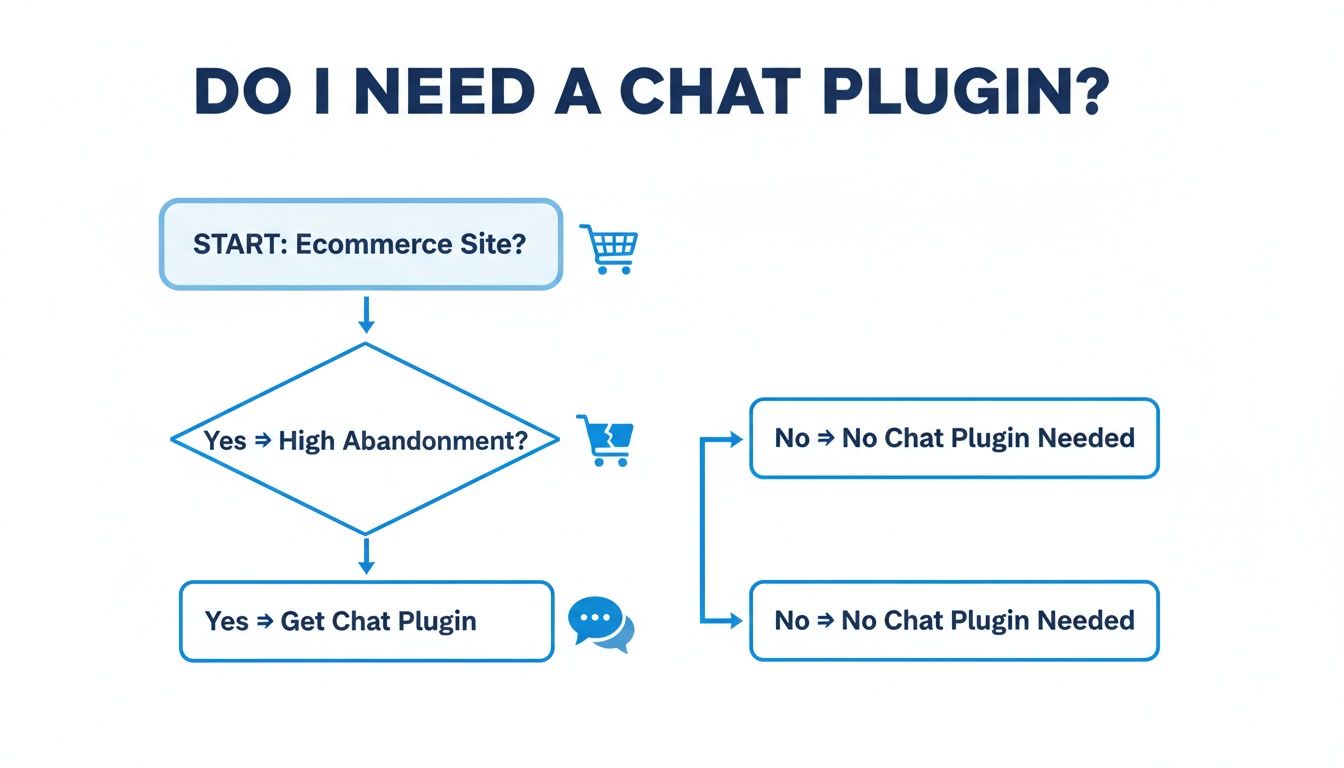
As the flowchart shows, if you’re running an online store and wrestling with high cart abandonment rates, a good chat plugin is one of the most direct and effective tools you can deploy. It lets you jump in and solve problems right before the customer gives up.
Must-Have vs. Nice-to-Have Features
When you start comparing chat plugins, it's easy to get distracted by shiny features. To help you prioritise, I've broken down what's absolutely essential for an ecommerce site versus what's good for future growth.
Essential Features for Your Ecommerce Chat Plugin
This table should give you a clear framework. Start with the "Must-Haves." Once you've got those covered, you can start looking at the "Nice-to-Haves" to see which plugin will grow with you.
Diving Deeper: What Really Makes a Difference
Let's unpack a few of those points. When I say seamless WooCommerce integration, I mean the plugin can instantly pull up order history or check if a product is available in blue without a human needing to look it up. That's what separates a basic widget from a tool that genuinely helps customers.
The same goes for AI and automation. You want an AI that you can train on your specific return policies, product details, and FAQs. A good one can autonomously handle over 70% of all customer questions, which is a game-changer for your support workload.
And don't overlook customisation and performance.
The best chat plugin is one your customers don't even realise is a plugin. It should blend perfectly with your site's design and brand voice, offering help so naturally that it feels like an integrated part of the shopping experience.
Performance is just as important. In the UK, where WordPress powers a staggering 43% of all websites, site speed is a huge focus. A heavy chat plugin can drag down your page load times, which is bad for users and bad for SEO. Always go for a modern, lightweight tool that won't get in the way.
Finally, you need to know if it's actually working. Any decent plugin will give you robust analytics. You have to track conversation volume, how many issues get resolved, and—most importantly—the direct impact on your sales. Understanding these numbers is the key to refining your approach and getting a real return. We actually have a whole guide on using chatbots for customer service that explores how to use this data to your advantage.
Installing and Setting Up Your Chat Plugin
So, you’ve picked out the perfect WordPress plugin chat for your e-commerce store. Now it's time to get it live. The good news? Modern plugins are built for founders, not developers. You can go from zero to a fully functional chat widget in well under an hour, without touching a single line of code.
The whole process kicks off right inside your familiar WordPress dashboard. Forget about downloading zip files or fussing with servers—this is a simple search and a one-click install.
Finding and Activating Your Plugin
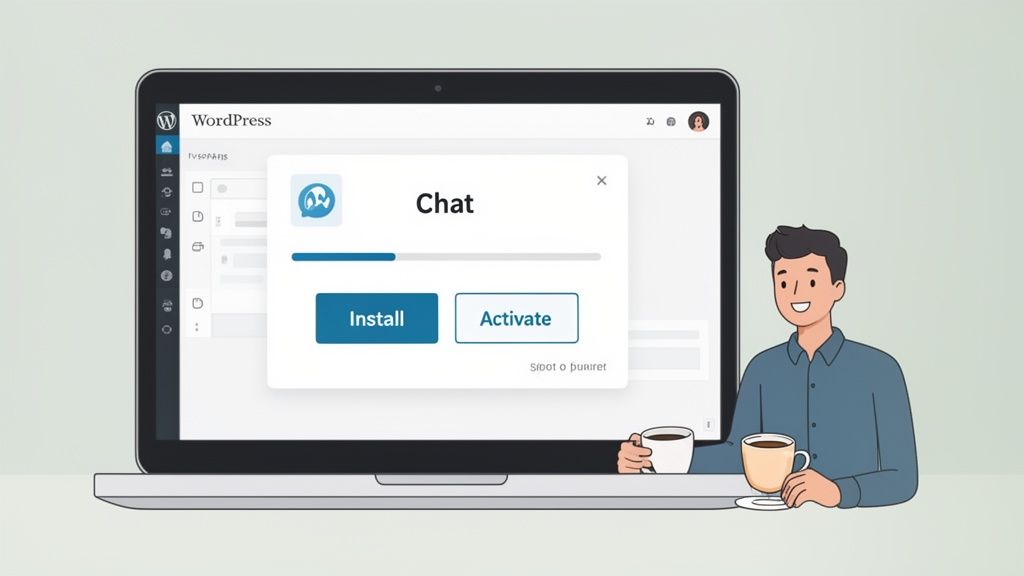
First, log into your WordPress admin area. On the left-hand menu, find the "Plugins" option and click “Add New.” This will take you to the official WordPress plugin directory, which is basically an app store for your website.
Just type the name of the chat plugin you've chosen into the search bar. When you find it, hit “Install Now” and then “Activate.” That’s it. The plugin is now officially part of your site.
Your Initial Configuration Checklist
With the plugin active, you’ll usually see a new menu item pop up in your WordPress sidebar. This is your command centre for all things chat. The initial setup just involves tweaking a few core settings to get your widget ready for customers.
Here’s what to tackle first:
- Connect Your Account: Most plugins will prompt you to create a free account or log in. This is what syncs your WordPress site with the chat service, giving you a central place to manage conversations and settings.
- Set Your Availability: This is crucial. Define your business hours to tell the plugin when your team is "online" for live support. Outside of those hours, it can switch to "offline" mode, taking a message or letting an AI chatbot handle the query.
- Assign Team Members: If you’re not a one-person show, this is where you can invite your team. You can assign roles and decide exactly who gets notified when a new chat comes in.
The most critical first step is customising your welcome message. This is the very first thing a customer sees, so make it count. A generic "Hi, how can I help?" is fine, but a brand-aligned message like, "Hello! Got a question about our products? We're here to help you find the perfect fit" is so much better.
For instance, a great welcome message immediately sets the tone and shows customers you're ready to assist. If you need some inspiration, our post on examples of auto-replies has some creative ideas to get you started.
Once you’ve finalised these initial settings, your new WordPress plugin chat is officially open for business and ready to help you drive more sales.
Customising Your Chat to Drive Conversions
An out-of-the-box chat widget is a missed opportunity. To turn your WordPress plugin chat from a simple icon into a genuine sales asset, you need to infuse it with your brand's personality and strategic goals. This goes way beyond just matching your brand's colours.
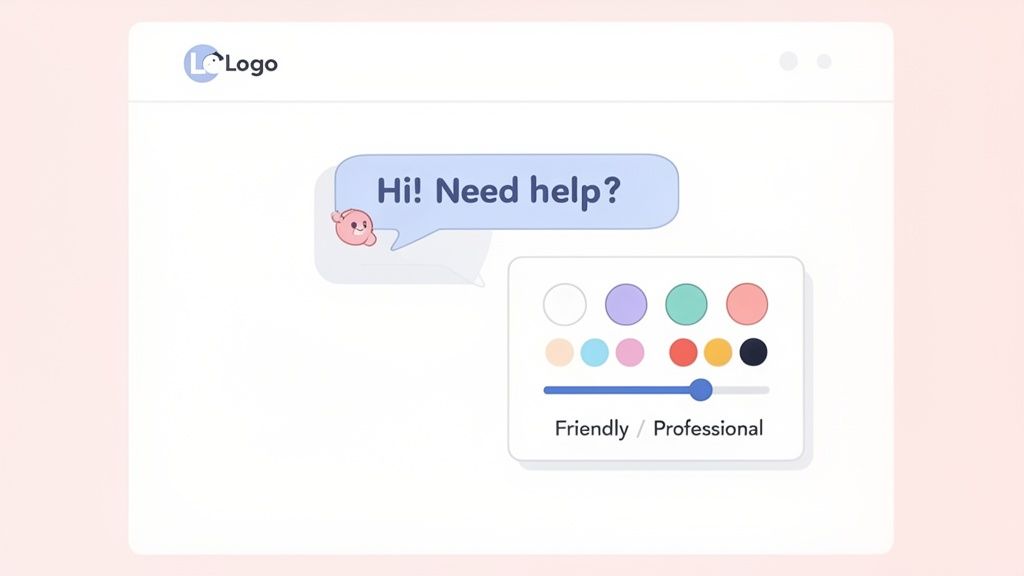
Think of the chat widget as a digital extension of your sales team. This is where you decide if that team member is formal and professional or friendly and casual. A chat experience that feels native to your site will always convert better than one that feels like a generic, third-party add-on.
Aligning the Chat with Your Brand Voice
Your brand’s voice is one of its most powerful assets. A premium watch brand would never use emojis and slang, while a youthful streetwear company might. Your chatbot has to follow the same rules.
Most modern chat plugins let you set a specific tone of voice, which directly shapes the AI’s responses and reinforces your brand identity with every interaction. You can often pick from presets or give the AI custom instructions to guide its personality.
- Professional: Ideal for high-end goods or B2B e-commerce. Think formal language that focuses on expertise and precision.
- Friendly & Casual: Great for direct-to-consumer brands that want to build a relatable, community-focused feel.
- Witty & Humorous: Can be incredibly effective for brands with a strong, distinct personality, but use it carefully so you don't alienate customers who just want a straight answer.
The goal is simple: the customer should feel like they are talking to your brand, not just a chatbot. Consistency is what builds an authentic connection and pushes a customer toward a purchase.
Setting Up Proactive Chat Triggers
Waiting for a customer to start a chat is leaving money on the table. Proactive triggers turn your chat plugin from a passive support tool into an active sales driver, delivering automated messages based on specific user behaviours.
Think about the critical moments in a customer's journey. Is a visitor lingering on a high-value product page for more than a minute? Have they added items to their cart but not checked out? These are the moments to engage.
You can set up targeted messages for these exact scenarios. For example, a trigger on a product page could say, "Have any questions about the features or sizing? I can help!" At checkout, it might offer assistance with shipping options. These subtle nudges are incredibly effective at overcoming hesitation. For some great ideas, check out our guide on crafting the perfect welcome message for a website.
Training Your AI for Smarter Conversations
The real power of an AI chat plugin is its ability to learn. The best tools let you "train" the AI by uploading your business's unique knowledge, transforming a generic bot into an expert on your store.
You can usually upload key documents directly into the system:
- FAQ Pages: Instantly gives the AI the answers to your most common questions.
- Policy Documents: Allows it to accurately explain your shipping, return, and warranty policies.
- Product Data: Enables it to answer detailed questions about materials, dimensions, and compatibility.
By feeding the AI this information, it can handle a huge percentage of enquiries on its own, freeing up your team for more complex sales or support issues. It ensures every customer gets an accurate, instant answer, 24/7. This is what separates a basic widget from a truly intelligent sales and support engine.
Alright, your chat plugin is installed and live on your site. Don't pop the champagne just yet, though. Getting a WordPress plugin chat set up is the easy part. The real work is turning it into a sales machine, and that starts with the data. If you’re not tracking performance, you’re just flying blind.
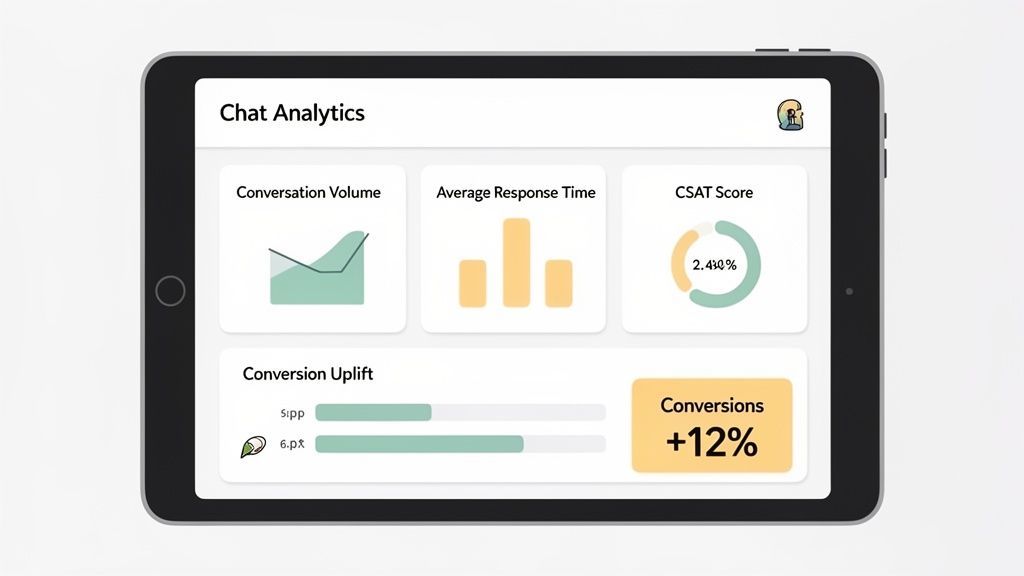
Think of your plugin's analytics dashboard as your new command centre. This is where you move from just offering a support channel to strategically optimising every interaction for sales.
Key Metrics to Monitor
It's easy to get lost in a sea of data. Instead of trying to track everything, zero in on the numbers that actually tell you if customers are happy and if your efforts are driving growth.
To start, keep a close eye on these KPIs:
- Conversation Volume: This is your pulse check. How many chats are you getting? Are your proactive messages actually starting conversations, or are they being ignored?
- First Response Time: In the world of online shopping, speed is everything. A quick first reply—whether from a bot or an agent—sets the tone for the entire experience.
- Customer Satisfaction (CSAT) Scores: Many plugins have a simple thumbs-up/down survey at the end of a chat. This is the most direct feedback you'll ever get. Pay attention to it.
- Resolution Rate: What percentage of chats are fully resolved by your AI or the first agent who picks it up? A high rate here means your system is efficient and customers aren't getting bounced around.
Ultimately, the most crucial metrics are the ones that tie directly to your bank account. You need a chat plugin that clearly shows how conversations impact your conversion rates and Average Order Value (AOV). This is how you prove its ROI and justify the investment.
To get the full picture, you also need to be tracking key ecommerce performance metrics alongside your chat data. This connects the dots between your support efforts and the overall health of your business.
Analysing Conversations for Gold
Numbers only tell half the story. The chat transcripts themselves are an absolute goldmine of customer insight. I always recommend spending time each week actually reading through the conversations. This is where you'll find recurring problems, common questions, and pain points you never knew existed.
This qualitative feedback is unbelievably valuable. For instance, if you notice five different customers asking whether a particular jacket is waterproof in a single week, that's your cue. Add "waterproof" to the product description immediately. You've just removed a major hurdle to a sale without lifting a finger.
Looking at the UK market, where WordPress holds a massive 45% share of the CMS landscape, the impact is clear. In 2026, UK sites that integrated chat saw conversion rates jump by an average of 22%. Many of these tools even offer free analytics for up to 1,000 contacts, which has helped businesses push their AOV up by as much as 20%.
This continuous cycle of tracking data, analysing what customers are saying, and tweaking your approach is the very essence of effective [https://www.marvyn.co/blog/conversion-rate-optimization-for-ecommerce]. By using real data to refine your chatbot’s answers and your team’s responses, you turn your chat plugin from a simple customer service tool into a powerful engine for growing your sales.
Of course. Here is the rewritten section, crafted to sound completely human-written, following the specific style, tone, and formatting requirements provided.
Common Questions About WordPress Chat Plugins
It’s smart to have questions before adding any new tool to your tech stack. When it comes to a WordPress chat plugin, you’re right to be concerned about site speed, compatibility, and just how intelligent these things really are. Let’s tackle the most common questions we hear from founders and store managers.
Will It Slow Down My Website?
This is always the number one concern, and for good reason. A slow website kills the user experience and sinks your SEO rankings. But the short answer is no—a modern, well-built chat plugin is designed to be incredibly lightweight.
They load asynchronously, which is just a fancy way of saying the chat widget loads separately from the rest of your site’s content. Your pages can render completely without waiting for the chat tool to catch up. The best plugins add a negligible amount to your page size, often less than 100kb.
The takeaway here is simple: a high-quality chat plugin won’t slow you down. Check reviews for any mentions of performance and run a quick speed test yourself with a tool like Google PageSpeed Insights before and after you install it. The proof is in the data.
Can It Handle Multiple Languages?
Absolutely. For any ecommerce store with global ambitions, this is a non-negotiable feature. The best chat plugins, especially those driven by proper AI, come with automatic language detection and real-time translation for dozens of languages.
When you’re looking at your options, don’t just tick a box. Dig into their multilingual support. You need a plugin that can instantly understand what a customer is asking in their native language and translate your chatbot's answers back to them. This is what it takes to offer seamless, professional service to an international audience and is a cornerstone of scaling your business globally.
What if the AI Chatbot Gets Stuck?
This is where a feature called ‘smart escalation’ comes in. A well-designed AI knows its limits. It's programmed to recognise when it’s out of its depth or when a customer simply asks to speak to a person. It won’t get stuck in a frustrating, repetitive loop.
Instead, it gracefully hands the conversation over to a live human agent. And here’s the crucial part: the best systems provide your team member with the full chat transcript. This means your customer never has to repeat themselves. It’s a smooth transition that blends AI efficiency with an essential human touch.
How Does It Connect with WooCommerce?
The integration is usually seamless. The most popular chat plugins for WordPress were built specifically with WooCommerce in mind. This deep connection is what lets the chatbot access your product catalogue, check stock levels in real time, and pull up a customer's order history to answer "Where is my order?" without anyone lifting a finger.
Setting it up is typically as simple as authorising the connection from the plugin’s dashboard. One click is all it takes to turn a basic chat widget into a powerful ecommerce assistant that can actually help customers and drive sales.
Ready to turn your website visitors into loyal customers with a chat assistant that works 24/7? Marvyn AI is a free, fully autonomous AI chatbot that installs in one click and starts driving sales immediately. By answering over 70% of support queries and providing consultative guidance, Marvyn frees your team to focus on growth. Get started for free at Marvyn.co.