Automation for Your Shopify Store: automation customer service in 2026
Picture this: your Shopify store is finally getting traction, orders are coming in, but so is an endless flood of emails asking the same things over and over. "Where's my order?" "What's your returns policy?" It's a classic sign of growth, but it can quickly feel like you're drowning.
Automation customer service isn't about firing your support team or giving customers a cold, robotic experience. It's about hiring your most reliable employee—a digital expert who works 24/7, never calls in sick, and instantly resolves all those repetitive questions. For a growing DTC brand, making this shift from manual overload to automated efficiency isn't just a nice-to-have; it's how you scale without breaking.
Why Automated Customer Service Is No Longer Optional
In e-commerce, speed is everything. Today's customers expect answers now, not in a few hours. Any friction or delay, and they're gone—often to a competitor. This is where automated customer service flips the script, turning your support from a reactive cost centre into a proactive tool for growth. It’s not about replacing people; it’s about freeing them up.
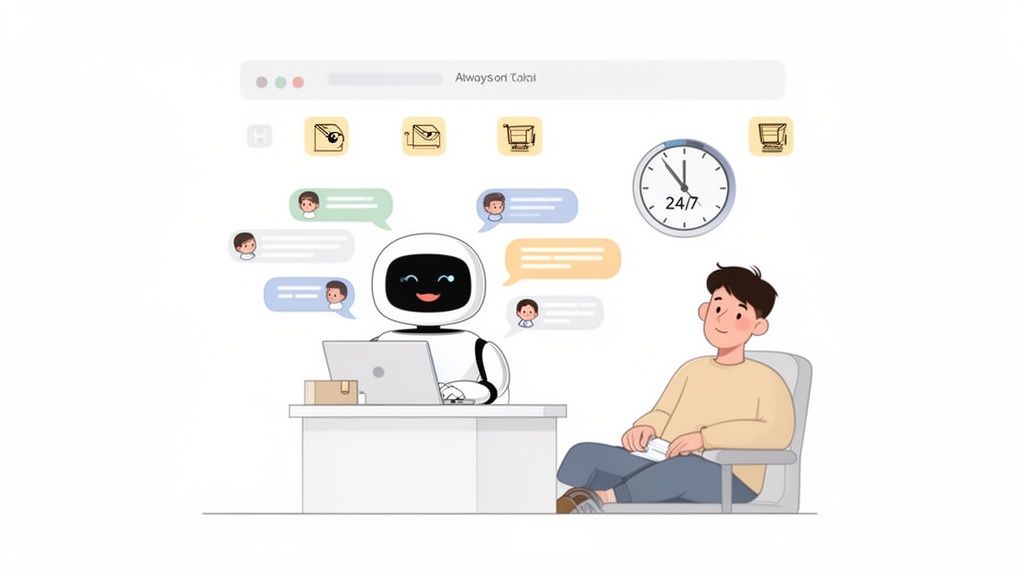
Think about it. Your best human agent can only handle one, maybe two, conversations at a time. A well-trained AI, on the other hand, can handle thousands of conversations simultaneously. It can answer "Where is my order?" or "How do I start a return?" instantly, accurately, and without getting tired.
This frees up your real team to focus on the conversations that actually require a human touch—the complex issues, the high-value customer queries, and the situations that need genuine empathy and creative problem-solving.
The Growing Need for Automation in Ecommerce
The pressure on direct-to-consumer brands is relentless. As you grow, so does your ticket volume. The old-school solution—just hiring more agents—is not only expensive but also inefficient. It doesn't solve the root problem: most of the questions are the same.
This is why we're seeing a massive shift. In the UK, a remarkable 72% of organisations have adopted AI in at least one part of their business, with customer service leading the charge. By 2025, AI-powered chatbots are projected to manage 65% of all customer service interactions within these organisations, a huge leap from just 45% in 2023. The numbers speak for themselves; automation is the answer to managing spiralling support demand.
For a Shopify store, this means that while you’re asleep, an automated system is guiding a customer in a different time zone through their pre-purchase questions, helping them find the right size, and closing the sale. It's a 24/7 sales associate and support agent rolled into one.
This constant availability is exactly what modern shoppers expect. They don't shop on a 9-to-5 schedule, so why should your support be limited to it? To get a better sense of how this technology is reshaping business operations everywhere, it's worth exploring the broader concept of AI automation.
More Than Just Answering Questions
But truly effective automation customer service goes way beyond a glorified FAQ bot. A smart system integrates directly with your Shopify store to provide personalised, action-oriented support that actually drives revenue.
Here's a quick look at how an automated system compares to the manual grind.
Manual Support vs Automated Service: A Quick Comparison
This table breaks down the day-to-day reality of running support manually versus using a purpose-built AI like Marvyn AI.
The difference is stark. One model is a bottleneck, the other is a growth engine.
A modern AI can do so much more than just respond to queries. It becomes an active part of the shopping experience.
- Proactive Engagement: It can spot a visitor lingering on a product page and jump in to offer help or suggest a complementary item, just like a great retail assistant would.
- Personalised Recommendations: By asking a few smart questions about what a shopper is looking for, it acts as a personal stylist, guiding them to the perfect product based on their needs.
- Seamless Escalation: For the rare query that's too complex for AI, it doesn't just give up. It intelligently gathers all the context and passes the full conversation to a human agent, so the customer never has to repeat themselves.
This kind of sophisticated, white-glove service used to be reserved for huge brands with massive support teams. Now, it's easily accessible for any Shopify store owner who wants to build a more resilient, customer-first business.
If you're looking to elevate your support game even further, have a look at our complete guide on customer service best practices.
So, what's the actual return when you automate customer support for your Shopify store? It's easy to get lost in the buzzwords, but the real ROI isn't some fuzzy metric. It’s a concrete mix of financial, operational, and customer experience wins that can genuinely change how your business runs.
When you let AI handle the repetitive stuff, the first thing you’ll notice is the impact on your finances. You aren't just deflecting tickets; you're changing your entire cost model. Instead of hiring more support agents every time you scale, technology handles the volume. That turns a climbing, unpredictable overhead into a fixed, manageable cost.
But this isn't just about saving money. Smart automation actually makes you money, turning your support channel into a sales engine that works for you 24/7.
Financial Wins Beyond Cost Savings
The money side of automation is a two-for-one deal. It cuts down your operational costs while actively bringing in more revenue—a rare combo that goes straight to your bottom line. Think of it less like cutting a budget line and more like investing in a high-performance growth tool.
- Reduced Support Overhead: By automating up to 70% or more of common questions, you slash the cost of each customer interaction. This is how you scale your business without having to scale your support team right alongside it.
- Increased Average Order Value (AOV): An AI assistant can act like a personal shopper. When a customer asks about a dress, the AI can suggest matching shoes or accessories, nudging the cart value up.
- Higher Conversion Rates: Instant answers to pre-sale questions build confidence and kill friction. A shopper wondering about shipping times or what a product is made of gets an immediate response, which means they're far less likely to get frustrated and leave.
Operational Gains That Free Your Team
Beyond the balance sheet, automation brings massive operational wins. It smooths out workflows, gets rid of backlogs, and delivers a level of consistency that’s almost impossible to get from a purely manual team. Your whole operation just runs better.
The core operational benefit is simple: your team stops being firefighters and starts being architects. They spend less time on repetitive, low-impact tasks and more time on strategic initiatives that improve the customer journey.
This shift creates a ripple effect. With AI handling the front line, your team is free to focus on complex escalations, build real relationships with customers, and proactively spot areas to improve. You also suddenly have 24/7 support, making sure customers in any time zone get help the moment they need it.
A Superior Customer Experience
At the end of the day, the most important return is a happier customer. Automation delivers the instant gratification modern shoppers expect. No more waiting hours for a simple tracking link or a question about your returns policy. They get accurate answers, right now.
This is having a huge impact. UK customer satisfaction hit a record high in early 2026, with 83% of experiences rated 'right first time'. This success is clear in sectors like retail, where automation is a key driver. In fact, 91% of businesses using AI support reported higher satisfaction thanks to better service and shorter waits.
Here’s a practical example. Imagine a customer lands on your Shopify store late at night. They're looking for a specific skincare product for sensitive skin.
- Before Automation: They browse, feel unsure about which product is right, and leave. You just lost a sale.
- With Automation: An AI chatbot pops up: "Hi! Looking for something specific today?" The customer mentions their sensitive skin. The AI instantly pulls up a curated list of hypoallergenic products, explains the key ingredients, and even links to positive reviews. Confident in their choice, the customer adds a product to their cart and checks out.
In that scenario, the AI didn't just answer a question—it acted as a consultative [AI sales agent](https://www.marvyn.co/blog/ai-sales-agents), guiding the customer to the right solution and closing the sale. This is the real power of automating customer service: it’s not just support, it’s growth.
Essential Automated Workflows for Every Shopify Store
Theory is one thing, but seeing automation actually work for your Shopify store is where the magic happens. This isn't just about deflecting tickets; it's about building specific, high-impact workflows that solve genuine problems for both you and your customers, creating a much smoother shopping experience from the moment they land on your site.
Let’s break down the four workhorse automations that every DTC brand should have in place. These handle the bulk of repetitive questions, freeing up your team to focus on conversations that actually drive the business forward.
Proactive Pre-Sales Guidance
Think of this as your digital shop assistant. Instead of just sitting there waiting for a customer to get stuck, the AI proactively jumps in to help, especially when someone seems hesitant or confused. It's a game-changer for turning browsers into buyers.
A great pre-sales workflow can:
- Offer personalised recommendations: By asking a few simple questions like, "What's your budget?" or "What occasion are you shopping for?", the AI can point shoppers toward the perfect product.
- Answer product questions instantly: Queries like, "Is this jacket waterproof?" or "What are the dimensions of this table?" get immediate answers pulled straight from your product data.
- Build confidence and remove friction: Getting quick, accurate information removes any doubt a shopper might have and helps them click "buy" with confidence.
Imagine a customer is lingering on a page for a technical gadget. The AI can pop up with, "I see you're looking at our new wireless headphones. Do you have any questions about compatibility or battery life?" That simple, proactive step is often the difference between a sale and an abandoned cart.
Instant Order Tracking
The most common question any e-commerce store gets is, without a doubt: "Where is my order?" (or WISMO). These queries clog up your inbox and eat up a huge amount of your team's day, yet the answer is always the same. This makes it the single best candidate for automation.
An instant order tracking workflow connects directly to your Shopify admin and shipping carriers. When a customer asks about their order, the chatbot simply asks for their order number or email. It then pulls the real-time status and tracking link instantly, with zero human effort.
This one workflow alone can deflect up to 50-60% of your total support tickets. It's the lowest-hanging fruit in customer service automation and provides immediate, measurable relief for your support team.
The process flow below shows exactly how automation drives ROI by cutting costs, increasing speed, and ultimately boosting sales.
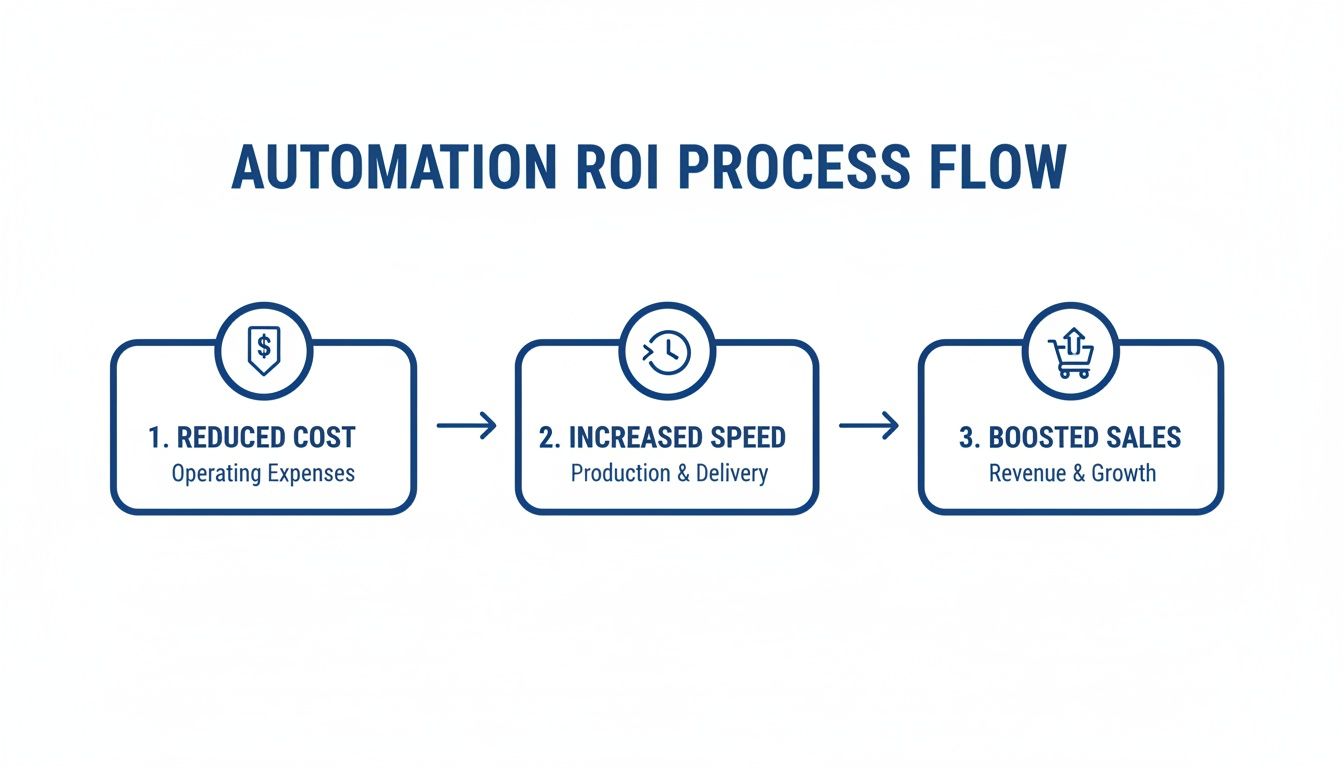
This visualises a clear path from operational efficiency to real financial growth. For more hands-on automation recipes, you might find our guide on examples of auto-reply messages useful.
Self-Service Returns and Exchanges
Returns are just a part of running an e-commerce business, but they don't have to be a manual headache. A self-service returns workflow gives customers the power to start a return or exchange on their own, all based on the rules you’ve already defined in your store policy.
Here’s how it typically works:
- A customer opens the chat and says they want to make a return.
- The AI asks for their order number and checks the purchase date against your return window.
- If it's eligible, it walks them through the process, generates a pre-paid shipping label, and gives them instructions—all right there in the chat.
This doesn't just save your team hours of admin work; it creates a far better customer experience. Shoppers get the quick resolution they expect without having to wait around for an email response.
Intelligent Escalation to Human Agents
Let's be realistic: no AI is perfect, and some issues will always need a human touch. This is where intelligent escalation comes in. This workflow makes sure that complex, urgent, or high-value conversations are passed seamlessly to a person.
A smart system knows when to hand things over. It looks for triggers like:
- A customer expressing serious frustration or anger.
- A complex technical problem the AI isn't trained to solve.
- A high-value shopper asking detailed pre-sale questions about a large order.
When an escalation happens, the AI doesn't just bail on the conversation. It gathers all the important info—the customer's name, order details, and the complete chat history—and hands it all to a live agent. This way, the customer never has to repeat themselves, and your agent has all the context they need to jump in and solve the problem fast. For anyone wanting to dig deeper into setting up these kinds of rules, this guide on Mastering Shopify Flow can provide some incredibly valuable insights.
How to Implement AI Customer Service on Shopify
Setting up AI-powered customer service on your Shopify store isn't the daunting technical project you might think it is. Modern tools, especially those built directly for Shopify, have made the process incredibly straightforward.
This isn't a roadmap for developers; it's a practical guide for busy founders and managers. We'll walk through a simple, high-impact setup using a modern Shopify app as our example. The goal is to get you live in minutes, not weeks, and start seeing a return almost immediately.
Step 1: Install and Sync in One Click
The first step really is the easiest. Most AI chatbots designed for Shopify, like Marvyn AI, are found right in the Shopify App Store. Installation is literally a single click. There’s no code to fiddle with or complex configurations to navigate.
Once you click install, the magic happens. The AI immediately begins syncing with your store’s data, learning everything it needs to know to be helpful. This includes:
- Your entire product catalogue: It learns every product, variant, price, and description.
- Your store policies: It reads and understands your shipping, returns, and privacy policies from your site.
- All public pages: It indexes your About Us page, FAQs, and any other key content.
This instant knowledge transfer means your AI is ready to answer a huge range of customer questions right out of the box. You don’t have to manually teach it a thing about your products or policies to get started.
Step 2: Customise Your Chatbot’s Brand Voice
Your brand has a personality, and your AI should match it. Gone are the days of generic, robotic responses. The next step is to align the chatbot’s look and tone with your brand, which you can typically do in a simple dashboard.
Here, you can usually adjust:
- Colours and Logo: Match the chat widget to your site’s colour scheme and upload your brand logo.
- Tone of Voice: Choose a personality that fits your brand. Is it friendly and casual, witty and fun, or more formal and professional?
- Welcome Message: Craft a greeting that grabs your visitors' attention and encourages them to engage.
Think of this as giving your new digital team member its uniform and a quick lesson in how to talk to your customers. It’s a small step that makes the automation feel like a natural part of your brand, not a bolted-on extra.
This customisation creates a seamless experience for your shoppers, reinforcing your brand with every single interaction. For a deeper dive into how these tools work under the hood, you might find our guide on the fundamentals of chatbots for customer service useful.
Step 3: Enhance Knowledge and Go Live
While the initial sync provides a solid foundation, you can make your AI even smarter. The third step is to upload any other documents you have—think of detailed FAQ spreadsheets or internal training guides you’ve already created. This helps fill any knowledge gaps and allows the AI to answer more specific or niche questions.
Here’s an example of the one-click install page from the Shopify App Store.
This screen shows just how easy it is to add a powerful AI tool to your store. That "Add app" button is where the process begins.
Once you’ve customised the look and topped up its knowledge, it’s time for a quick test. Open the chat widget on your own site and fire a few common questions at it: "Where is my order?", "What's your returns policy?", "Do you ship to the UK?". This final check ensures everything is running just right.
With that, you’re ready. Just set the chatbot live and let it start helping your customers. The entire process, from installation to launch, can be done in under 30 minutes, putting a powerful automation and sales tool to work on your site immediately.
Measuring Success in Customer Service Automation
So, you’ve set up your customer service automation. That’s a great first move, but how do you know if it's actually working? The old saying, "If you can't measure it, you can't improve it," has never been more true. To really see the impact on your Shopify store, you need to look past surface-level numbers and dig into the key performance indicators (KPIs) that tell the whole story.
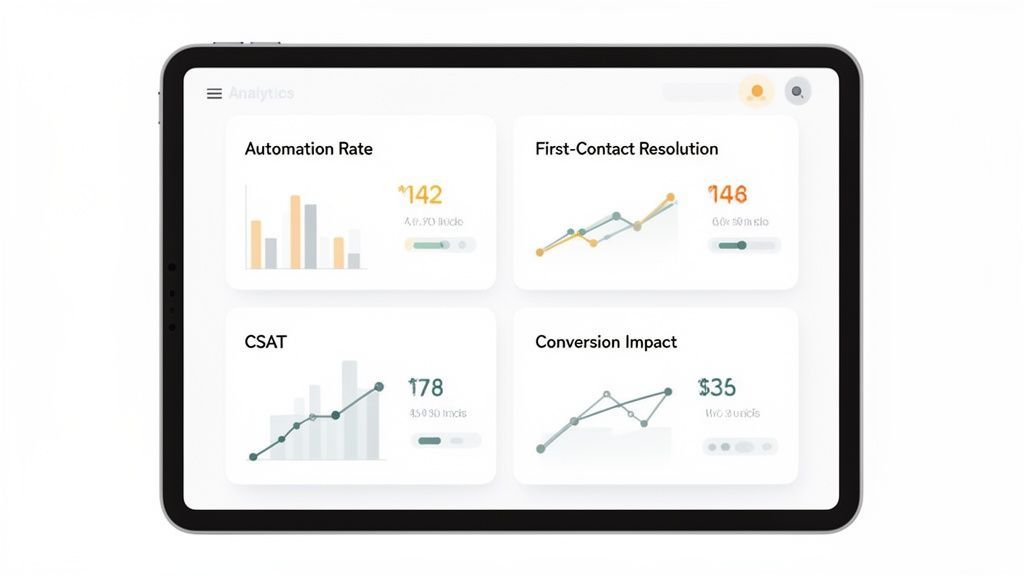
This means moving beyond guesswork and embracing a dashboard-driven approach. Your AI chatbot's analytics should be your single source of truth, showing you not just what the bot is doing, but how it’s affecting your bottom line. We’re not talking about vanity metrics here; this is about tracking the real, tangible value automation brings to your team and your customers.
Key Metrics That Truly Matter
To really get a feel for how your automation is performing, you should focus on four critical areas. These KPIs give you a clear, 360-degree view, covering everything from efficiency and customer happiness to direct financial impact. They show you exactly where your investment is paying off.
- Automation Rate: This is the big one. It’s the percentage of customer conversations your AI resolves completely, without any human help. A high automation rate—ideally 70% or more—is a direct measure of efficiency. It proves the bot is successfully handling the routine stuff, freeing up your team for more complex work.
- First-Contact Resolution (FCR): This metric tracks how many problems get solved in a single interaction, whether that's with the bot or a human agent. Good automation gives FCR a serious boost by providing instant, correct answers to common questions. This stops the endless follow-up emails and keeps customers from getting frustrated.
- Customer Satisfaction (CSAT): Don't just assume automation is working because your ticket volume has dropped. You have to ask your customers directly. A good AI platform will automatically prompt customers for feedback after a chat, giving you a clear CSAT score for bot-only interactions.
- Sales Impact: This is where you connect the dots between support and revenue. You need to track metrics like conversion rates from bot conversations and the average order value (AOV) of customers who chatted with the AI. A great chatbot acts like a 24/7 sales assistant, and you should see that reflected in your sales numbers.
Refining Your Strategy with Data
Tracking these metrics isn't a one-and-done task. It’s an ongoing process of tweaking and improving. For instance, if you spot your AI consistently fumbling questions about a specific product, that's your cue to feed it more detailed information on that item.
This cycle of continuous improvement is quickly becoming the norm. By the end of 2025, an estimated 80% of UK customer care organisations are expected to use generative AI to automate routine questions and improve first-contact resolution. While 75% of consumers still want to talk to a person for complex issues, the trend is undeniable.
Success isn't just about deflecting tickets; it's about creating a better, faster, and more profitable customer experience. Your analytics dashboard is your roadmap to achieving this, showing you what’s working and what needs a tune-up.
Regularly reviewing your data lets you fine-tune your bot’s knowledge base and conversational flows. By digging into conversation logs, for example, you can spot new FAQs to add or find ways to make existing answers even better. This proactive approach ensures your automation strategy grows right alongside your business and your customers' needs. If you want to get a deeper sense of customer sentiment, you can learn more about how to calculate your Net Promoter Score.
Diving into customer service automation can feel like a huge step, and it’s only natural to have a few questions swirling around. Many Shopify store owners I talk to worry if an AI will clash with their brand’s personality, or if it’s just too technical to bother with.
Let’s clear the air. This section tackles those common hesitations head-on with straightforward answers, giving you the confidence to see what automation can really do for your store.
Will An AI Chatbot Make My Brand Feel Impersonal?
It's a fair question, but a modern AI is designed to be an extension of your brand, not some cold, robotic replacement. You get to customise its personality and tone of voice, so it can be as friendly, witty, or professional as you are.
The real goal isn't to get rid of human interaction, but to make it better. By letting the AI handle all the routine, repetitive questions, you free up your team to give faster, more thoughtful support on the complex issues. This actually makes your overall customer experience feel more personal and effective, not less.
Is Setting Up Automation Difficult for a Non-Technical Person?
Not anymore. Modern solutions built specifically for Shopify, like Marvyn AI, are designed for founders, not developers. Installation is usually just a single click from the Shopify App Store, with absolutely no coding needed.
The AI gets to work right away, learning from your product catalogue, policies, and pages automatically. Customising its look and feel is all done through a simple, intuitive dashboard. Honestly, you can be up and running in just a few minutes.
The best automation tools are built for merchants, not coders. The whole point is to give you a powerful system you can launch without needing a technical background.
This streamlined approach means you can stay focused on growing your business, not wrestling with complicated software.
How Can a Chatbot Increase Sales Instead of Just Answering Questions?
A great AI chatbot is basically a 24/7 sales assistant. It doesn't just sit there waiting for questions. It can proactively greet shoppers, ask what they’re looking for, and provide personalised product recommendations based on their answers.
Think about all the pre-purchase questions that cause people to hesitate—sizing, materials, shipping times. By answering those instantly, the AI slashes friction and cuts down on abandoned carts. It turns passive browsing into an active, guided shopping experience that drives revenue around the clock, even while you sleep.
What Happens If the AI Cannot Answer a Question?
A well-designed system has a "smart escalation" protocol built in. The moment the AI recognises a question is too complex, emotionally charged, or a high-value sales opportunity, it seamlessly hands the conversation over to a human agent.
Most importantly, the agent gets the full chat history. The customer never has to repeat themselves. This hybrid approach gives you the incredible efficiency of automation for the simple stuff and the expert touch of your team exactly when it counts. It’s truly the best of both worlds.
Ready to see how a fully autonomous AI can transform your Shopify store? Marvyn AI automates over 70% of customer service queries and turns browsers into buyers with consultative sales guidance. Get started for free and go live in minutes. Learn more at https://www.marvyn.co.