Master Response Time Monitoring for Better Conversions
A shopper lands on your Shopify store from Instagram, taps into a product page, and has one quick question before buying. They open the chat widget, ask about sizing, and wait. The page hesitates. The bot pauses. The answer arrives just slowly enough to make the whole experience feel uncertain.
That moment is where response time monitoring stops being a technical report and becomes a sales issue.
For Shopify merchants, speed isn't only about homepage load time. It's about how fast collection pages render, how quickly product filters react, how long checkout steps take to confirm, and whether an AI chatbot feels helpful or awkward. Every lag creates doubt. Doubt kills momentum. Momentum is what turns browsing into revenue.
What Is Response Time Monitoring?
Response time monitoring is the practice of measuring how long your store takes to respond when someone tries to do something. That could mean opening a product page, adding an item to cart, loading checkout, calling an app API, or asking your chatbot a question.
A lot of teams treat this like an infrastructure task. That's too narrow. For an e-commerce store, response time monitoring is quality control for the buying journey.
Think like a shop floor manager
In a physical shop, customers notice whether staff are attentive. If someone asks where to find a size or whether an item is in stock, a fast, confident answer keeps the sale moving. A distracted assistant who disappears into the back room for too long doesn't just frustrate the customer. They make the whole shop feel unreliable.
Your website works the same way.
- Fast response: The store feels organised, trustworthy, and easy to buy from.
- Slow response: The store feels risky, even if the products are good.
- Inconsistent response: The experience feels random, which is often worse than being predictably average.
That applies to pages and apps, but it matters even more for conversational tools. If a shopper asks a chatbot about delivery or compatibility, they expect something close to a real exchange. Delay breaks that illusion immediately.
What you're actually measuring
Response time monitoring usually looks at several layers at once:
- Front-end speed
How quickly the page appears usable to the customer.
- Backend speed
How long your server, Shopify app, or third-party service takes to process a request.
- API speed
How quickly systems talk to each other when your theme, chatbot, search tool, or checkout extension requests data.
- User-visible delay
The part customers feel, which is what matters most commercially.
Slow systems don't only fail when they go down. They fail when they make customers wait just long enough to reconsider.
Store owners who take customer experience seriously usually end up caring about monitoring anyway, because support complaints, abandoned carts, and weak conversion often start with friction that feels small in isolation. If you're already reviewing your support stack and customer journey, it helps to understand how response speed fits into the broader picture of customer service software for ecommerce.
Why Milliseconds Mean Money in E-commerce
Most performance discussions get stuck in technical language. The commercial reality is simpler. Speed protects buying intent. Slowness interrupts it.
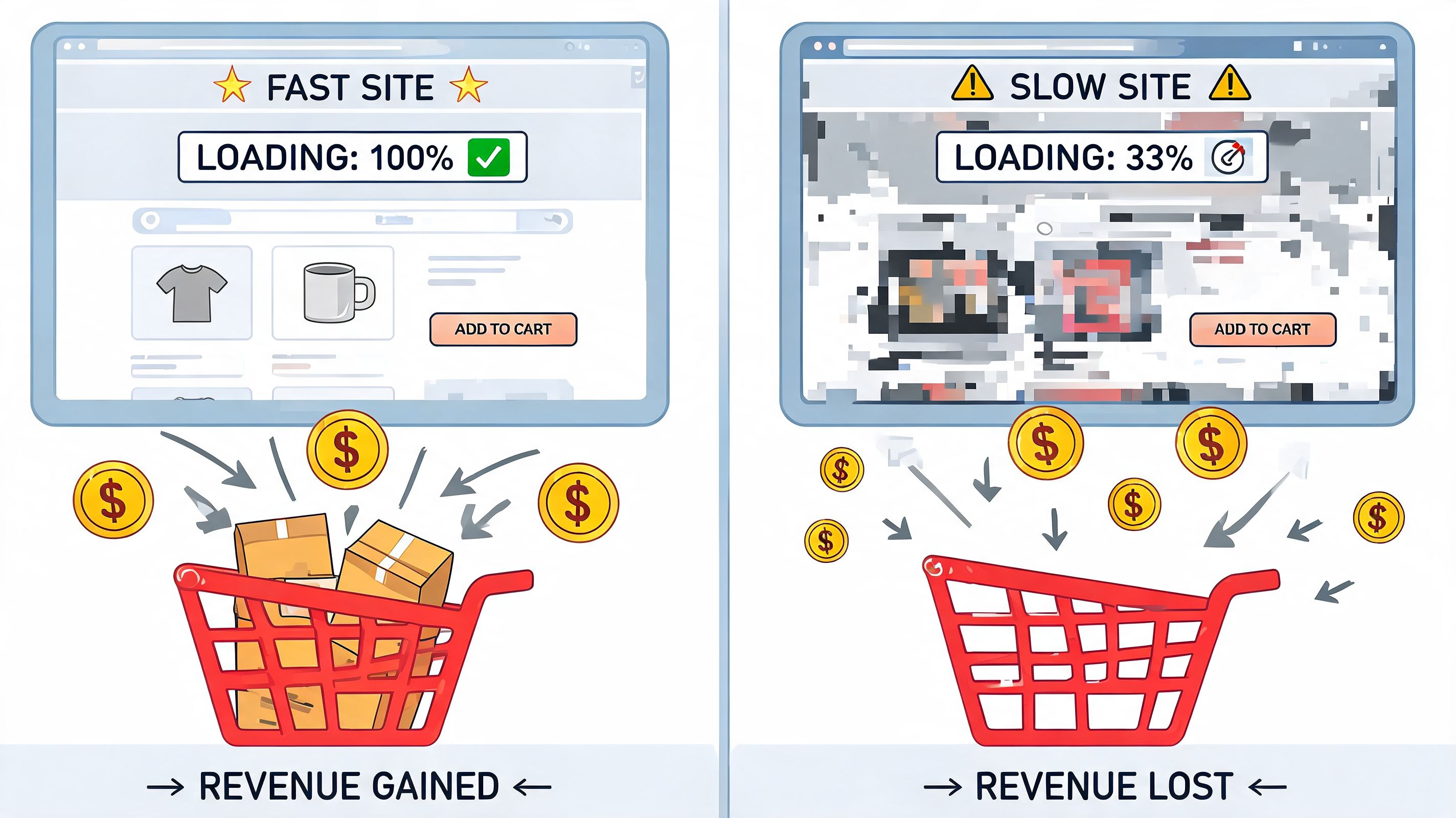
A customer who has decided to explore your product is in a narrow window of attention. They're comparing, checking details, and judging whether your store feels dependable enough to trust with their payment details. Response delays chip away at that confidence.
Delay changes behaviour before it shows up in a report
The obvious cost is abandonment. The less obvious cost is that customers start behaving differently before they leave.
They stop opening more product pages. They skip optional upsells. They don't ask the pre-sales question that might have pushed them toward a higher-value purchase. They become defensive buyers, not enthusiastic ones. That affects conversion rate, but it can also affect average order value because people buy less confidently when the experience feels slow.
This is especially important on mobile. For UK Shopify merchants, response time monitoring should be tied to real-user monitoring and service-level objectives because latency only matters when it's translated into customer outcomes. UK-focused guidance notes that even small latency increases, such as moving from 200 ms to 500 ms, can reduce checkout completions and increase support-ticket volume under high concurrency, especially for mobile-first users on variable UK 4G, 5G, and broadband networks, according to SolarWinds guidance on response time monitoring.
Slow stores create hidden support costs
When the store hesitates, customers compensate. They refresh. They retry. They open chat. They email support. They ask whether an order went through. That means latency doesn't only hurt sales. It increases operational noise.
I've seen this pattern repeatedly in e-commerce operations. A team thinks they have a support problem, but what they really have is a speed problem wearing a support disguise.
A useful way to catch that connection is to review performance and conversion together rather than in separate dashboards. If you're tightening the commercial side of your store, tools and frameworks like MetricMosaic for eCommerce analytics can help you think more clearly about how behavioural metrics line up with technical friction.
Practical rule: If customers start asking questions they shouldn't need to ask, check speed before rewriting your FAQs.
Why this belongs in your conversion work
Many merchants still treat speed as a developer concern and conversion rate as a marketer concern. That's a mistake. They're part of the same system.
If your product pages are persuasive but slow, persuasion arrives late. If your chatbot is smart but sluggish, it won't feel smart. If checkout is well designed but inconsistent under load, your design work won't rescue it.
That's why response time monitoring belongs inside your broader ecommerce conversion rate improvement strategy, not in a separate technical bucket. The stores that handle this well don't obsess over speed for its own sake. They monitor it because they know every delay sits in the path of revenue.
Three Ways to Measure Response Time
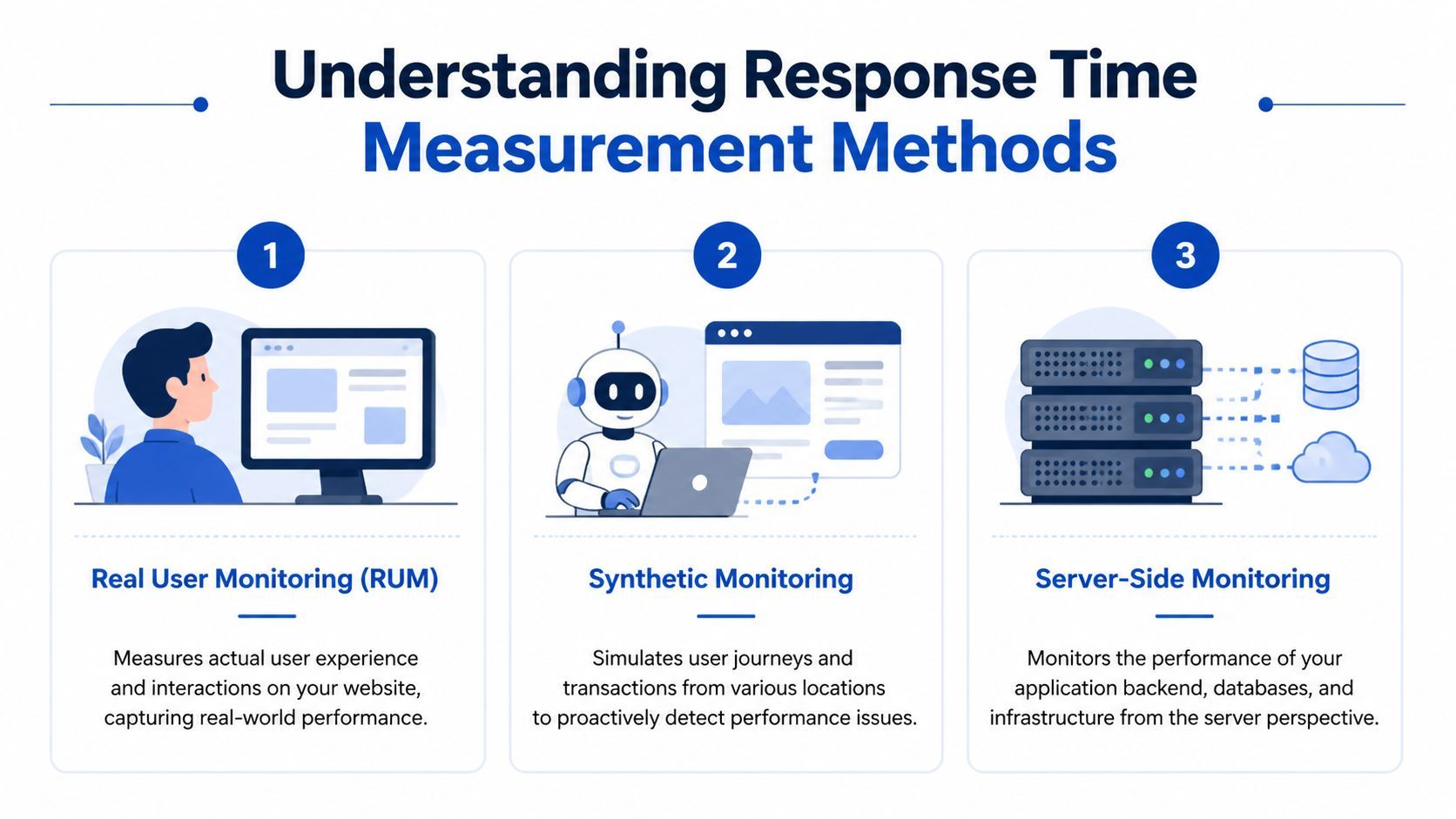
There isn't one perfect monitoring method. Good teams combine a few because each one answers a different question.
If you only use one, you'll miss something important. Real customers reveal actual experience. Synthetic tests reveal repeatable problems. Server-side visibility reveals root causes.
Real User Monitoring
Real User Monitoring, or RUM, measures what actual visitors experience on your store. It records what happens in real browsers, on real devices, over real networks.
The simplest way to think about RUM is this. You're watching real shoppers move through the shop instead of testing the shop when it's empty.
RUM helps answer questions like:
- Which devices feel slow: Mobile users often expose problems desktop testing hides.
- Which pages underperform: Product detail pages, search results, and cart are common hotspots.
- Which geographies struggle: Useful if your customers browse from different regions than your hosting setup.
- Which sessions suffer from friction: You can compare fast sessions against sessions that bounce or abandon.
RUM is excellent for understanding lived experience. What it doesn't do well on its own is tell you whether a key journey is broken right now before customers report it.
Synthetic monitoring
Synthetic monitoring is the opposite angle. Instead of waiting for customers, you run scripted tests on purpose. Think of it as sending secret shoppers through the same route over and over.
You can tell synthetic checks to open the homepage, search for a product, add to cart, or hit a chatbot endpoint from selected locations. That makes this method strong for consistency and early warning.
It’s also where many merchants get practical value fastest, because synthetic monitoring gives you a stable baseline.
- Good use case: Monitoring your product page, cart, and chatbot endpoint every few minutes.
- Better use case: Running checks from UK vantage points if your customer base is concentrated in the UK.
- Weak use case: Using synthetic checks alone to claim you know what all customers feel.
If you're building a more disciplined QA and release process around performance-sensitive changes, this kind of monitoring fits well alongside broader strategies for reliable web software, especially when new apps, scripts, or theme updates affect the storefront.
Application Performance Monitoring
Application Performance Monitoring, or APM, looks inside the system. This is your stockroom view. It tells you what the app server, database calls, queues, and external services are doing when response times drift.
This matters when the store feels slow but the front-end symptoms don't show you why. APM can expose whether the delay is coming from a product recommendation app, a search request, a slow database query, or a third-party API lookup.
For Shopify merchants, this is often most relevant when custom apps, middleware, headless components, or chatbot services are involved. The more moving parts you have, the more you need internal visibility.
RUM tells you what customers felt. Synthetic tells you what should have happened. APM tells you why it didn't.
Monitoring methodologies compared
Which blend works best for Shopify stores
A smaller merchant with a standard theme and a few apps may get plenty of value from RUM plus synthetic checks. A larger brand with custom integrations usually needs all three.
If I had to keep it practical, I'd use this order:
- Start with RUM if you want to know whether customers are feeling pain.
- Add synthetic monitoring if you want alerts before complaints arrive.
- Use APM when your stack has enough complexity that guessing wastes time.
For stores focused on systematic conversion rate optimisation for ecommerce, this layered approach is usually the difference between spotting a symptom and fixing the cause.
Key Metrics for Effective Monitoring and Alerting
Once response time monitoring is running, the next problem appears quickly. Teams collect too much data and watch the wrong numbers.
The goal isn't to stare at a dashboard full of lines. The goal is to identify the few signals that tell you whether customers can move smoothly from interest to checkout.
Metrics customers can feel
Some performance metrics are highly technical but commercially useful once translated into plain English.
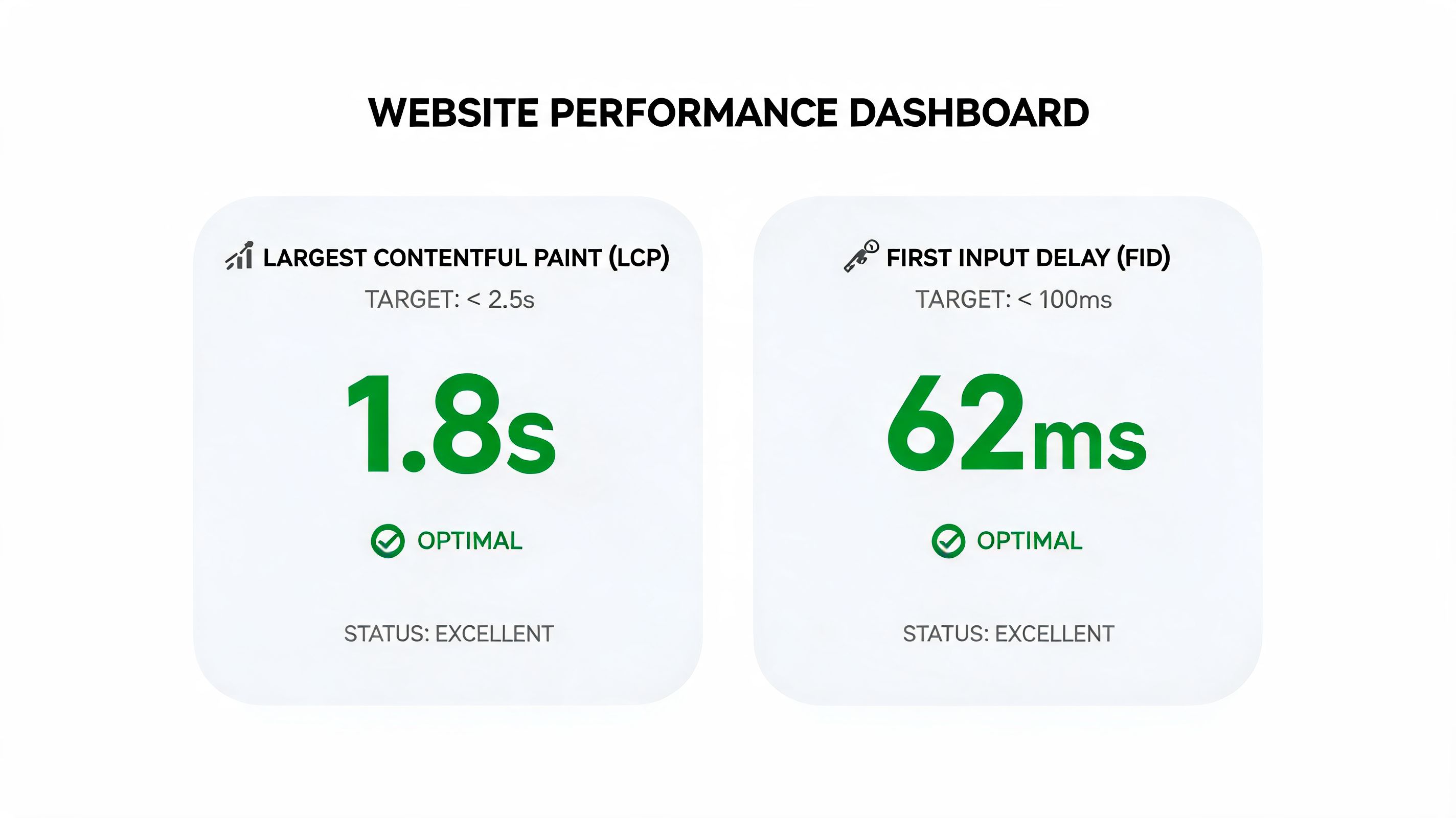
- Largest Contentful Paint
This tells you when the main content feels visible. On a product page, that's often the moment the customer believes the page has loaded.
- Interaction to Next Paint
This reflects how quickly the page responds after a customer interacts. If someone taps a size selector or opens a cart drawer and the interface hangs, this is the kind of delay they're experiencing.
- Time to First Byte
This is an early server response signal. If it's slow, the issue often starts before the page can even render properly.
- API response time
This matters whenever your store relies on app calls, search, recommendations, or chatbot responses.
For Shopify merchants, these metrics shouldn't sit in separate technical silos. They should be reviewed against support spikes, checkout friction, and behavioural drop-off.
Break latency into parts
One of the most useful monitoring habits is separating end-to-end latency into components instead of treating all slowness as one issue. Guidance relevant to UK merchants notes that effective monitoring should break delays into network latency, server processing time, and rendering or client-side delays. It also notes that UK-to-hosting-region network latency is typically around 20 to 80 ms for UK to EU or US paths, and recommends synthetic thresholds such as 95th-percentile latency below 400 ms for alerting and auto-scaling in some setups, according to this response time analysis reference.
That breakdown matters because the fix depends on the source:
- Network latency problem: review geography, CDN behaviour, and routing.
- Server processing delay: inspect apps, backend logic, and expensive calls.
- Client-side rendering drag: check scripts, theme bloat, and browser work.
Why averages mislead
Averages hide pain.
If most customers get a quick response but a meaningful minority hit serious delays, the average can still look acceptable while revenue suffers. That's why percentiles matter.
- p50 shows the middle experience.
- p95 shows what slower customers are experiencing near the edge.
- p99 reveals the ugly tail where the worst sessions live.
For store operators, p95 is often the most useful alerting line because it catches sustained degradation without overreacting to every random blip.
Watch the tail, not just the average. Customers who hit the slow end of the curve are the ones who open support tickets and abandon carts.
Build alerts that people will trust
Bad alerting creates noise. Good alerting creates action.
A simple approach that works:
- Set one business-critical synthetic check
Use a product page, cart, or chatbot endpoint customers rely on.
- Use a percentile threshold
A p95 target is usually more meaningful than an average response figure.
- Tie alerts to revenue paths
Product, cart, checkout, and pre-sales chat deserve priority over low-traffic pages.
- Review alongside customer signals
Match response-time spikes against abandonment patterns and support demand.
Merchants who care about retention as much as acquisition should also connect these metrics to the broader ecommerce customer experience, because customers don't separate technical lag from brand quality. They experience both as one thing.
Monitoring Your AI Chatbot for Peak Performance
A chatbot can answer the right question and still lose the sale if it answers too slowly.
That's what makes chatbot monitoring different from general page-speed work. With a product page, users tolerate some loading if the page eventually appears complete. In a conversation, delay feels personal. It breaks rhythm. It makes the bot seem confused, even when the underlying answer is correct.

The moment trust breaks
A shopper asks, “Will this fit in hand luggage?” or “Which version is best for sensitive skin?” If the bot responds quickly, the experience feels consultative. If it hangs, the customer starts doubting both the answer and the store.
That matters more for high-consideration purchases, bundles, and products where pre-sales reassurance drives the sale. In those moments, a fast chatbot behaves like a strong shop assistant. A slow one behaves like someone scrolling through a manual while the customer waits.
What to measure in chatbot response time monitoring
Chatbot performance needs a slightly different lens from standard page monitoring.
Track these signals:
- Time to first response
How long it takes before the shopper sees the system begin answering.
- Total response generation time
How long the complete answer takes to arrive.
- Dependency delays
Whether product search, policy lookup, or recommendation logic is slowing the reply.
- Escalation lag
How long it takes to hand off to a human when the bot can't resolve the query.
- Failure patterns
Timeouts, blank states, repeated retries, or partial answers.
A store owner doesn't need a huge observability setup to start. Basic endpoint logging, chatbot event timestamps, and a simple dashboard can already show whether delays cluster around specific intents such as shipping questions, compatibility checks, or product recommendations.
For merchants comparing conversational tools, it's worth understanding what separates a helpful assistant from a slow widget. This overview of the best AI chat bot options for ecommerce is useful for framing that decision around customer experience rather than novelty.
Use conversations as a monitored sales path
Organizations monitor checkout because they know it matters. They should monitor pre-sales chat the same way when chat influences purchase decisions.
That means treating a conversation like a conversion path:
- Question asked
- Bot starts responding
- Full answer delivered
- Customer clicks product or checkout
- Conversation ends or escalates
If the lag is between steps two and three, you have a conversational performance problem. If the lag appears after product lookup, the issue may be your catalogue query or app dependency.
A quick visual overview helps if you're operationalising this across the team:
A chatbot isn't only judged by answer quality. It's judged by conversational timing.
The stores that get strong results from AI support don't only train the bot well. They monitor it like a revenue-facing system.
A Simple Playbook for Troubleshooting Latency
When a store feels slow, teams often jump straight to tools or blame hosting. That wastes time. Start with the symptom, then work backwards through the path the customer took.
If the page starts slowly
If the first visible load feels delayed, look at server response, heavy theme code, and app scripts that load early.
Actions that usually help:
- Check your theme changes: Recent app installs, tracking scripts, and visual widgets often add more drag than merchants expect.
- Review server-side caching and CDN behaviour: If content that should be fast keeps arriving late, caching rules are worth examining.
- Test key templates separately: Homepage, collection, product, cart, and blog pages often behave differently.
If the page loads but interactions lag
This usually points to front-end work. The page is there, but using it feels sticky.
Try this:
- Audit JavaScript-heavy features: Sliders, popups, reviews widgets, and personalisation tools often compete for browser time.
- Check mobile first: Issues show up more clearly on real phones than on office desktops.
- Remove before you optimise: Turning off one weak app can outperform hours of code tweaking.
If chatbot replies are slow
Treat the chatbot like a chain of dependencies, not a single black box.
Start with these checks:
- Inspect the chat endpoint
Find out whether the delay starts before the bot begins generating a reply.
- Review connected lookups
Product search, order status, shipping policy retrieval, and external APIs can all slow responses.
- Look for timeout patterns
Repeated retries or partial responses often signal dependency issues rather than language-model problems.
- Test common question types
Shipping, returns, compatibility, and recommendation prompts often reveal where the slow path lives.
If performance degrades after launches or traffic peaks
This usually means the system is fine under normal load but not resilient when demand rises or code changes stack up.
A disciplined response looks like this:
- Compare before and after deployments: Theme edits and app releases frequently introduce regressions.
- Watch external dependencies: One third-party service can drag the whole flow.
- Check for expensive pattern matching or validation logic: In some systems, poorly designed regular expressions can create severe slowdowns, so this guide to preventing Regex DoS exploits is worth reviewing if your stack includes custom input processing.
If you're not sure where to begin
Use a short triage order:
- First, identify the affected revenue path.
- Second, confirm whether the issue is visible to real users or only synthetic tests.
- Third, isolate whether the bottleneck is network, backend, or browser-side.
- Fourth, change one thing at a time and re-test.
Most latency problems become manageable once you stop describing them as “the site is slow” and start naming the exact journey that's suffering.
If your Shopify store relies on fast answers to win sales, Marvyn AI is built for that job. It gives merchants a fully autonomous AI chatbot that answers product, shipping, and returns questions in seconds, guides shoppers toward the right purchase, and helps turn customer conversations into revenue without adding support overhead.