B2B Ecommerce Solution: A Complete 2026 Guide

You’ve built a strong B2C store. Orders are flowing, your brand looks sharp, and customers understand how to buy from you in a few clicks. Then the wholesale emails start.
One buyer wants net terms. Another asks for volume pricing. A distributor needs a custom catalogue. Someone in Europe asks whether you can support account-specific pricing and multilingual service. Your team handles it with inbox threads, spreadsheets, draft orders, and a lot of manual follow-up. That works for a while. Then it doesn’t.
That’s the point where many founders start searching for a b2b ecommerce solution and immediately get pushed toward a platform decision. In practice, that’s often the wrong starting point. The actual question isn’t “Which platform should I buy?” It’s “What system do I need so B2B buyers can place complex orders without dragging my team into every transaction?”
Beyond the Shopping Cart What Is a B2B Ecommerce Solution
A B2C storefront is built like a retail shop. The price is public, the path to purchase is short, and most customers follow the same rules. B2B works more like a private showroom. Different buyers see different prices, different terms, different product access, and different approval paths.
That’s why a b2b ecommerce solution isn’t just a website feature or a wholesale app. It’s an operating system for how businesses buy from you online. It includes the storefront, but it also includes account rules, pricing logic, quoting workflows, payments, customer data, product data, and the systems behind them.
Why discount codes stop working
A discount code feels like a quick wholesale fix. It rarely lasts.
B2B buyers usually need things that standard B2C checkout wasn’t designed for:
- Customer-specific pricing: one account pays one rate, another gets contract pricing
- Account structures: a buyer, approver, finance contact, and branch manager may all sit under one company
- Repeat ordering: they want fast reorders, bulk ordering, or CSV-style order entry
- Operational clarity: stock, lead times, invoices, and order status need to be visible
- Service expectations: they still expect fast help when the order is complex
That last point matters more than many founders realise. Post-Brexit, 73% of UK B2B buyers now expect 24/7 multilingual self-service capabilities, which puts pressure on stores that still rely on manual support for pricing and account queries, according to WizCommerce on B2B ecommerce expectations.
A B2B buyer doesn’t want to “contact sales” for every routine task. They want to handle routine tasks themselves and bring sales in only when the order actually needs judgement.
The solution is an ecosystem
When founders hear “B2B solution”, they often imagine a single platform replacing everything. Sometimes that’s right. Often it isn’t.
A better definition is this: a b2b ecommerce solution is the connected ecosystem that lets business customers buy on their own terms without creating operational chaos for your team. That usually involves ecommerce, CRM, inventory, payments, and service working together. If you want a useful primer on how customer data fits into that picture, CRM in ecommerce is worth reviewing before you talk to vendors.
Core Architecture of a Modern B2B Platform
The easiest way to understand B2B architecture is to think about a commercial building.
The buyer sees the lobby. That’s the frontend. Your staff works across secured floors. That’s the backend. The lifts and service corridors move people and materials around. Those are your APIs and integrations. The building only works when those parts are designed together.
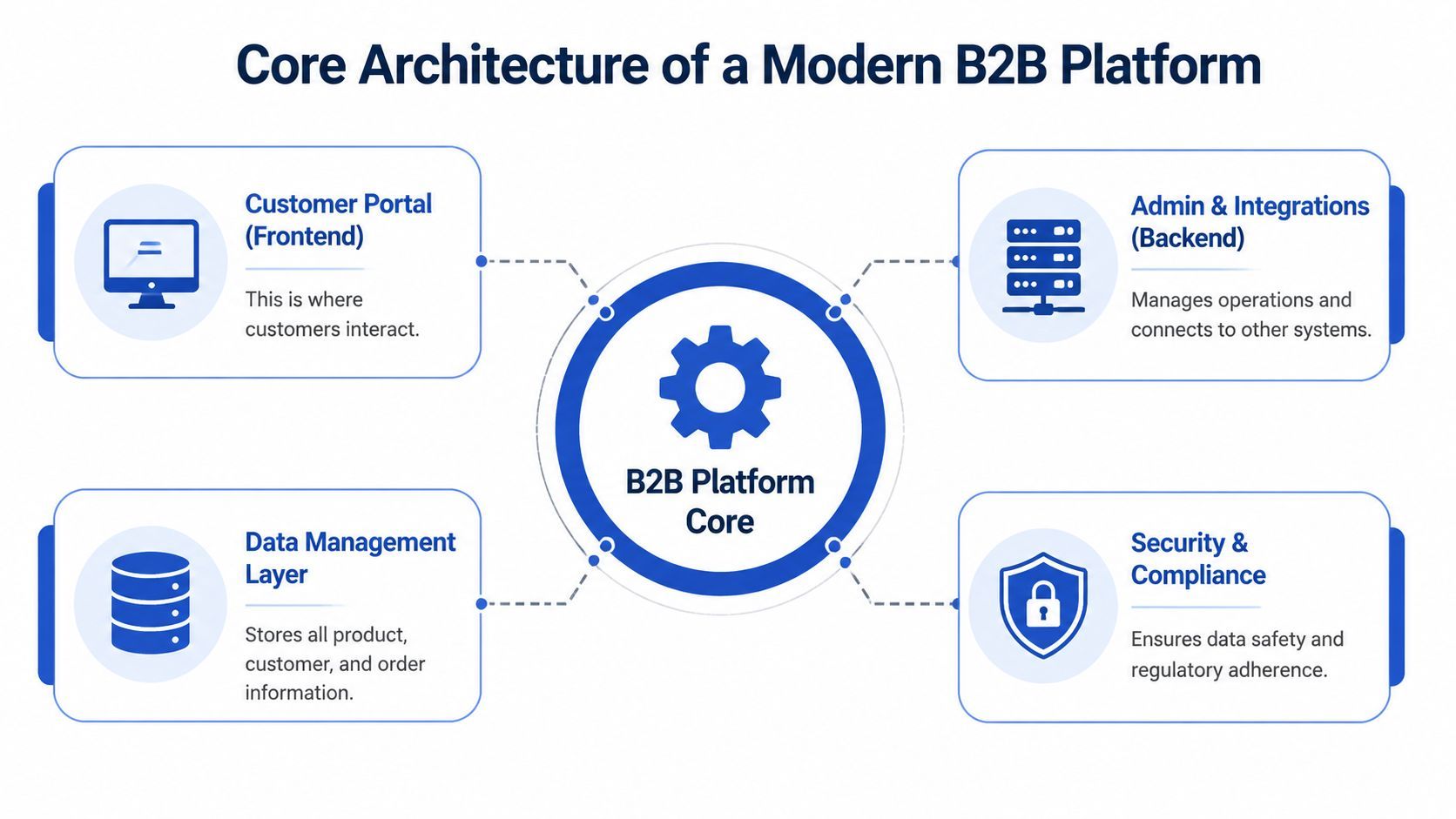
The four layers that matter
Headless, composable, monolithic
These terms get thrown around in demos as if everyone should already know them. Here’s the practical version.
Monolithic platforms bundle the frontend and backend together. They can be easier to launch, but they become restrictive when you need unusual account logic, custom workflows, or specialised integrations.
Headless commerce separates the customer-facing layer from the backend engine. That gives you more freedom to build the experience buyers need without breaking the operational core.
Composable architecture goes one step further. Instead of buying one giant suite, you assemble best-fit components such as search, quoting, CRM sync, or product information management around a central commerce stack.
For growing Shopify merchants, composable usually makes more business sense than a full rebuild. You keep what already works and add the missing B2B capability where it matters.
Why API-first matters
Most B2B problems are data problems wearing a UX disguise.
If pricing is wrong, stock is stale, or customer-specific terms aren’t reflected online, buyers lose trust fast. In the UK B2B sector, integrating ERP systems with ecommerce platforms through REST APIs can reduce order processing times by up to 60%, and 68% of UK manufacturers using legacy systems face data silos that cause a 30% error rate in pricing and inventory synchronisation, according to Aleran’s guide to B2B ecommerce solutions.
That’s why I push founders to ask vendors blunt questions about integrations before they get impressed by storefront demos.
Ask things like:
- Which systems sync natively: ERP, CRM, PIM, OMS, accounting
- How often data syncs: real time, scheduled, or manual
- What happens when sync fails: alerts, retries, manual overrides
- Who owns middleware: the vendor, your agency, or your team
- How inventory is governed: source of truth, oversell prevention, backorder logic
If stock accuracy is already a pain point, this guide to inventory management software for ecommerce helps frame the conversation properly.
Practical rule: never buy a B2B platform based on the frontend alone. Buy it based on how cleanly it moves data between systems.
Essential Features Your B2B Solution Must Have
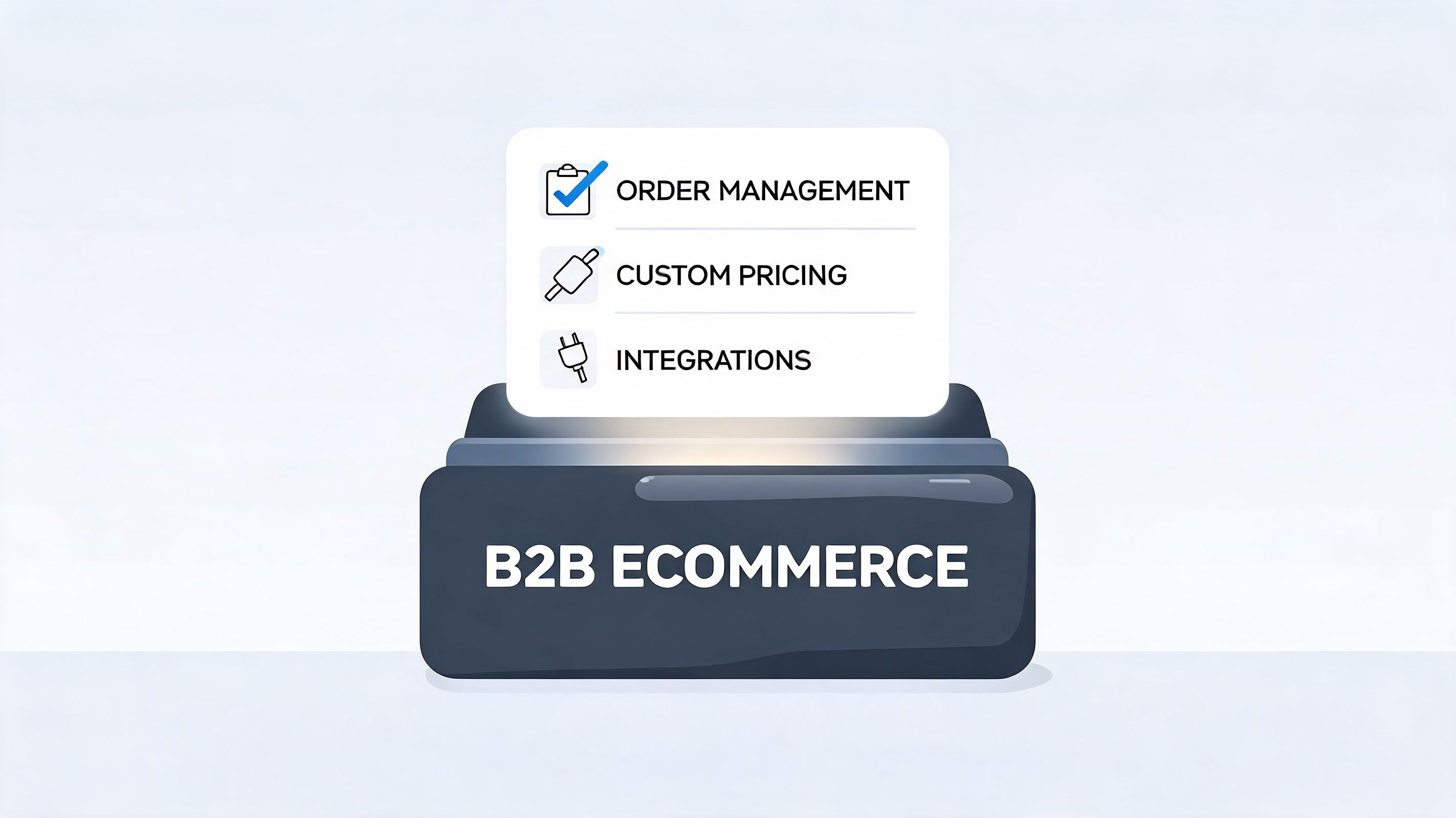
A B2B buyer doesn’t judge your store the same way a retail customer does. They care less about novelty and more about whether the buying process matches how their company purchases.
That means your feature checklist should follow the buyer’s workflow, not a vendor’s feature grid.
Client and account management
Many B2C-first brands often come unstuck. They can take an order, but they can’t represent the customer correctly.
A solid B2B setup needs:
- Company accounts with roles: buyers, approvers, finance teams, branch users
- Customer-specific pricing: contract pricing, tiered discounts, account-level visibility
- Custom catalogues: different customers see different products or product bundles
- Tax and exemption handling: especially important for trade and reseller scenarios
- Account dashboards: order history, invoices, saved carts, reorder tools
If a platform can’t model the account properly, every downstream process becomes manual. Your sales and support teams end up translating business logic by hand.
Complex ordering and quoting
B2B buyers often know exactly what they want. They don’t want to click through a polished retail journey one SKU at a time.
Good ordering tools include:
- Quick order forms for SKU-based entry
Best for repeat buyers who already know part numbers.
- Request a quote workflows
Critical when pricing depends on volume, contract terms, or shipping context.
- Purchase order support
Many business buyers still purchase through internal finance processes rather than consumer-style card checkout.
- Saved lists and reordering
Repeat purchasing should feel frictionless.
For the payment side, many B2C stores need to rethink checkout entirely. Net terms, invoice workflows, and account-specific payment methods affect conversion in B2B just as much as card acceptance affects conversion in retail. This overview of payment in ecommerce is useful if you’re redesigning checkout around business buyers rather than consumers.
A helpful design cross-check is Titan Blue Australia’s ecommerce design tips. It’s consumer-focused in places, but the underlying lesson holds up in B2B too. If buyers can’t find, understand, and act quickly, they won’t convert.
Sales team enablement
B2B ecommerce shouldn’t sideline your reps. It should remove the repetitive work so they can focus on higher-value conversations.
Look for:
- Sales rep impersonation: reps can log in as an account to help troubleshoot or complete an order
- Shared account notes: context stays with the customer, not inside inboxes
- Quote-to-order workflows: reps can turn negotiated deals into clean online purchasing paths
- Visibility into account activity: abandoned baskets, repeat ordering patterns, support friction
Here’s a practical walkthrough that shows how B2B capabilities tend to stack together in practice:
Support and self-service features
This is the area founders underestimate most.
Your buyers don’t just need products. They need answers around lead times, policies, compatibility, contract pricing, shipping rules, and account status. If every question routes through a human, your B2B channel doesn’t scale.
The best B2B self-service doesn’t remove people. It removes preventable waiting.
Tangible Business Benefits and Real-World Use Cases
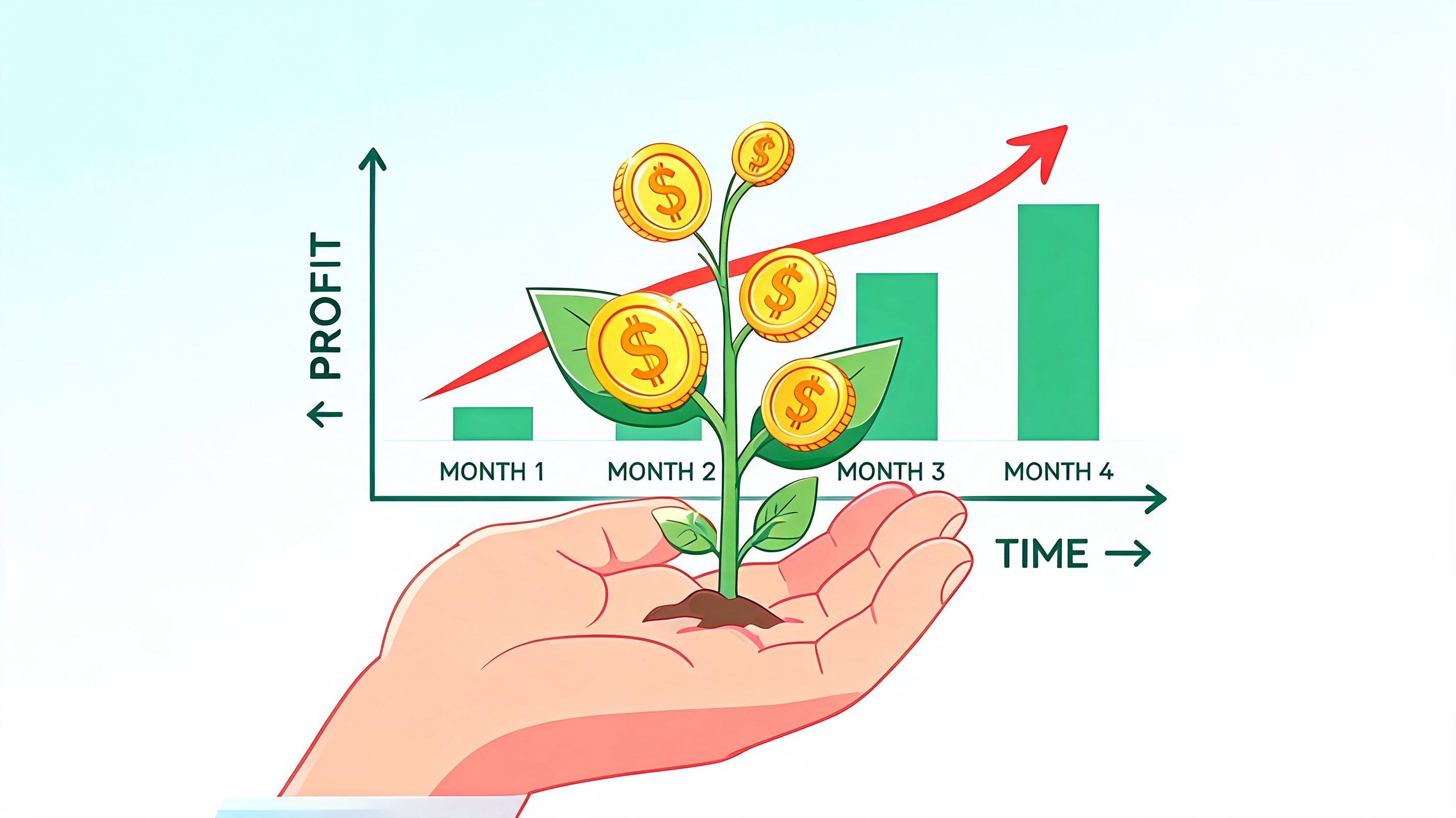
Features only matter if they change business outcomes. In B2B, the payoff usually shows up in three places: cleaner operations, larger orders, and less friction for repeat buyers.
According to the 2026 NetSuite UK Enterprise Report, B2B ecommerce platforms with native AI-driven personalisation and optimized mobile commerce see 35% higher conversion rates, and 82% of UK B2B buyers will abandon a purchase if the mobile experience is slow or complex, as outlined in NetSuite’s B2B ecommerce strategy guide.
That’s not just a design issue. It’s a revenue issue.
Use case one, manufacturer reordering portal
A manufacturer selling through distributors often spends too much time handling predictable reorders. The buyer already knows the products. The sales team already knows the account. Yet the order still arrives by email.
A proper B2B portal changes that. The distributor logs in, sees contract pricing, checks availability, repeats a previous order, and places it without back-and-forth. The manufacturer gets fewer manual touches, fewer keying errors, and better visibility into what each account is buying.
This is the kind of use case where self-service doesn’t reduce relationship value. It protects it. Your team stops wasting time on admin and spends more time on account growth.
Use case two, CPG brand running corporate gifting
A consumer brand expanding into B2B gifting often discovers that the order isn’t the hard part. The hard part is managing branded requirements, buyer approvals, delivery details, and account-specific pricing.
A reliable solution lets the buyer work through those variables in a structured environment rather than through scattered emails. The result is a cleaner order path and fewer mistakes around packaging, quantities, and billing.
That matters because gifting buyers usually come back seasonally or at campaign moments. If the first experience is messy, repeat business gets harder.
Use case three, parts supplier helping technicians find the right item
Here, guided commerce matters.
A parts supplier may carry a large catalogue with products that look similar but fit different machines, use cases, or service conditions. If the buyer chooses incorrectly, your team pays for it later through returns, support load, and lost confidence.
A better B2B experience narrows the catalogue around account relevance, application logic, and product guidance. That turns the site from a passive ordering portal into an active sales assistant. For teams exploring that model, AI sales agents is a useful lens for understanding how automation can support pre-sales guidance rather than just post-sales support.
What changes financially
The pattern is simple. When buyers can self-serve routine complexity, your team scales without adding the same amount of manual work.
How to Evaluate and Implement Your B2B Solution
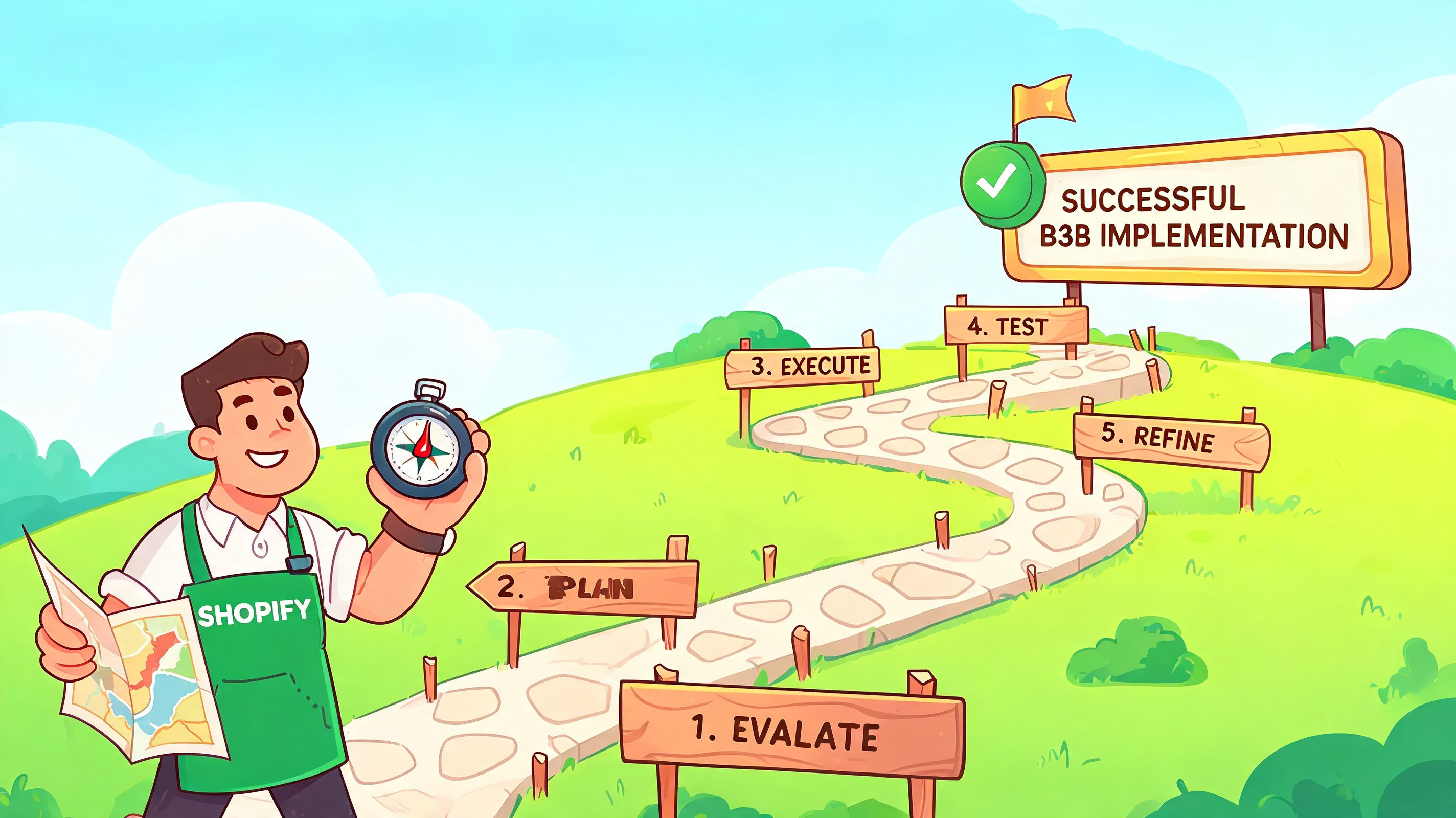
Most founders approach this decision backwards. They start by comparing platforms, feature lists, and agency proposals. Start with constraints instead.
What systems do you already rely on? Where does B2B friction happen? Which requests force your team into email, spreadsheets, or custom workarounds? Until those answers are clear, it’s easy to overspend on software that looks complete but doesn’t solve the bottleneck.
Evaluate based on operating fit
For a Shopify brand, the central question is rarely “Can this platform do B2B?” Many can. The better question is “Can this solution fit our current operation without creating a second business inside the business?”
Use this checklist when evaluating options:
- System compatibility: can it work with Shopify, your ERP, CRM, PIM, Sage, Xero, or other accounting tools already in use?
- Commercial flexibility: does it support account pricing, quotes, PO workflows, and catalog segmentation?
- Service model: can buyers get answers without waiting on your team?
- Implementation dependency: how much custom development is required for launch and for future changes?
- Ownership after launch: who maintains pricing rules, product logic, and workflow updates?
If every answer depends on a developer or agency retainer, your operating cost stays high even if the platform fee looks acceptable.
When a full migration is justified
A platform rebuild can be the right move. I’d usually consider it when:
- your core catalogue or account logic can’t be represented in Shopify at all
- your data model is badly fragmented across legacy systems
- your B2B revenue path now deserves its own operational stack
- your roadmap includes complex procurement workflows that patchwork tools can’t support cleanly
But that isn’t most growing brands. Most are in the middle ground. The store works. The B2C engine is healthy. The B2B problem sits in the gaps around quoting, account logic, support, and system sync.
The practical contrarian move
For many UK SMEs using legacy accounting tools like Sage, a full B2B overhaul is too expensive or too risky at the wrong stage. A more practical route is to layer targeted automation on top of the existing store.
That approach has real support in the market. For UK SMEs relying on legacy accounting systems like Sage, a full B2B platform overhaul can be prohibitive. A more practical view is to use AI-driven tools to bridge the gaps. AI chatbots that sync with product catalogues can handle self-service quoting and personalised pricing, reducing integration costs by up to 70% for UK brands transitioning from DTC to B2B, according to Mirakl’s perspective on B2B growth and omnichannel strategies.
That matters because many B2B pain points happen before checkout:
- “Do you offer trade pricing?”
- “Can I get a quote for this quantity?”
- “Which variant fits our use case?”
- “Do you support our market and language?”
- “Can you explain your terms, shipping rules, or returns for business orders?”
You don’t always need a giant replatforming project to answer those well. Sometimes you need a better sales and service layer.
If your B2B demand is real but your infrastructure is still B2C-first, augmenting your stack is often the smarter move than replacing it.
A sensible implementation path
A low-risk rollout usually follows this sequence:
- Audit the manual work
Identify which B2B requests consume the most time or create the most delay.
- Fix data foundations
Clean up product data, account rules, pricing logic, and inventory visibility.
- Add buyer-facing tools
Introduce quoting, account segmentation, reorder paths, and self-service support in the areas with the most friction.
- Integrate key systems
Connect commerce to accounting, CRM, ERP, or product data systems where operational errors happen.
- Train the commercial team
Sales and support need clear rules for when the system handles the request and when a human steps in.
The winning implementation isn’t the one with the longest feature list. It’s the one your team can operate confidently six months after launch.
Measuring Success and Proving ROI for Your B2B Platform
If you only measure B2B ecommerce by online revenue, you’ll miss half the return.
A strong b2b ecommerce solution creates two kinds of value at the same time. It drives more sales through better buying experiences, and it lowers the cost of serving those accounts.
Track operational metrics first
Start with metrics that show whether the system is removing manual work:
- Order processing time: how long it takes from buyer action to internal readiness
- Manual intervention rate: how often staff still need to correct, enter, or clarify orders
- Support ticket volume: especially pre-sales and order-status queries
- Quote turnaround time: how quickly a buyer gets what they need to proceed
- Repeat order rate: whether buyers are coming back through self-service
For support leaders, the right KPI set is usually more useful than a generic dashboard. This breakdown of KPIs for customer service is a solid reference point when you want to connect service efficiency to commercial impact.
Then measure revenue quality
B2B growth is rarely about raw order count alone. Look at:
If you also need to prove marketing contribution around these journeys, especially where sales and ecommerce overlap, B2B SaaS marketing attribution offers a useful framework for tying channel effort back to revenue more credibly.
A simple ROI model
Use two buckets.
Hard savings include reduced admin time, fewer support contacts, cleaner order capture, and less rework across sales and operations.
Commercial gains include larger baskets, better repeat purchasing, improved conversion, and stronger retention because the buying experience feels easier.
The strongest ROI case usually combines both. That’s why the best B2B investments don’t just make the site look more enterprise-ready. They make the business easier to buy from.
The direction of travel is clear. B2B commerce is moving toward the same convenience buyers expect in B2C, but with the account logic, service depth, and operational control that business purchasing demands.
If you’re running Shopify and need a practical way to support B2B buyers without a costly rebuild, Marvyn AI gives you a fast sales and service layer that can answer product questions, guide pre-sales decisions, support multilingual conversations, and automate a large share of customer support around the clock. It’s a simple way to make your existing store behave more like a real B2B buying environment.