Elevate Your Store with crm in ecommerce: A 2026 Growth Playbook
Think of a CRM in e-commerce as your store’s digital brain. It remembers every single interaction a customer has with your brand—what they browsed, what they bought, what they left in their cart, and even what they asked your support team. It’s a lot more than just a fancy address book. It’s the tool that turns one-time buyers into loyal fans.
What Is CRM in Ecommerce and Why Does It Matter?

Imagine trying to personally remember every customer’s name, their last purchase, and their favourite colour. Impossible, right? A Customer Relationship Management (CRM) system does this for you, acting like a dedicated personal shopper for every single person who visits your site. It’s one central hub that collects and organises all your customer data, making it genuinely useful.
Here’s another way to think about it: without a CRM, your customer data is like a library with books scattered all over the floor. Good luck finding anything. With a CRM, every book is perfectly catalogued, letting you pull up a customer's complete history in seconds. This is the foundation for creating the kind of hyper-personalised experiences that shoppers now expect as standard.
From Data Points to Real Relationships
For Shopify founders and direct-to-consumer brands, a CRM is the great equaliser. It gives you the power to compete with huge retailers by offering those same tailored interactions, but without needing a massive team to pull it off. Instead of just blasting out generic marketing emails, you can slice your audience into specific groups based on their behaviour and build automated workflows that actually feel personal.
This is how you turn raw data into predictable revenue. It’s no surprise that in the UK, 71% of businesses—including small online stores—are now using CRM systems. The results speak for themselves: they’ve seen an average sales boost of 29% and a productivity jump of 34%.
A CRM bridges the gap between what your customers do and why they do it. It turns anonymous clicks into named individuals with unique preferences, enabling you to build genuine loyalty.
When you understand the why behind each purchase, you can start anticipating what they’ll need next and create a much more engaging journey.
Why It’s No Longer Optional
In today's market, a great product just isn't enough to stand out. The customer experience is everything, and a CRM is the engine that drives it. It gives you the ability to:
- Anticipate Customer Needs: By looking at past behaviour, you can make smart predictions about what a customer might want next. This opens up natural opportunities for upselling and cross-selling. To dig deeper, check out our guide on what are customers' needs and how to meet them.
- Automate Personalised Communication: You can automatically send targeted emails for abandoned carts, follow up after a purchase with helpful tips, or recommend products based on what someone was just looking at. All without lifting a finger.
- Improve Customer Support: When a customer gets in touch, your support team instantly has their entire history right in front of them. This means faster, smarter, and way more helpful resolutions.
Ultimately, using a CRM in your e-commerce business is about moving beyond just making sales. It's about building a community of loyal customers who feel seen and valued, which is the only way to make sure your brand is still thriving years from now.
The Real-World Benefits of a CRM for Your Shopify Store
Alright, let's cut through the abstract concepts and talk about what a CRM actually does for your bottom line. Integrating a CRM in ecommerce isn't about hoarding data; it’s about turning all that customer information into real, profitable actions for your Shopify store. It’s the difference between guessing what your customers want and knowing for sure.
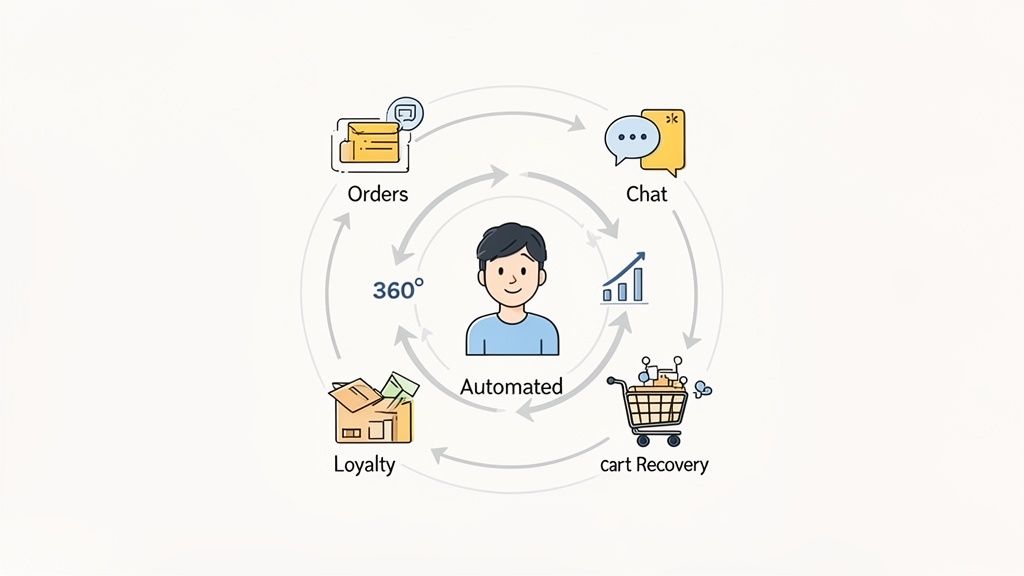
Instead of just having "better data," you get a complete, 360-degree view of every single shopper. This unified profile shows you who your best customers are, what they’ve bought, what they've browsed, and what they’re likely to buy next. This is the bedrock of creating shopping experiences so personal they build genuine loyalty.
Drive More Sales Through Personalisation
Let's be honest: generic, one-size-fits-all marketing just doesn't cut it anymore. A CRM lets you slice your audience into super-specific groups based on their actual behaviour, preferences, and purchase history. This means you can send the right message, to the right person, at exactly the right moment.
For example, imagine you could pull up a list of everyone who bought running shoes but never purchased socks. With a CRM, you can send that specific group a targeted email offering a discount on performance socks. It's a cross-sell that feels helpful, not pushy, and it leads directly to a higher conversion rate and increased average order value (AOV).
The real magic of a CRM is how it turns anonymous transactions into ongoing relationships. It gives you the power to treat every customer like they’re your only customer, building the kind of brand loyalty that fuels sustainable growth.
This kind of personalised approach makes shoppers feel seen and understood, giving them a powerful reason to come back again and again. It shifts your entire focus from chasing one-off sales to building long-term customer lifetime value (CLV).
Automate Revenue Recovery and Engagement
Think about it: how much potential revenue is just sitting in abandoned carts on your Shopify store right now? A CRM helps you claw a huge chunk of that lost income back, and it does it automatically. By tracking user behaviour in real-time, it can trigger abandoned cart flows that do the selling for you.
And these aren't just your basic "You left something behind!" emails. Modern CRM workflows are much smarter than that:
- Tailored Incentives: You could offer a small discount or free shipping, but only to first-time shoppers who abandon their cart.
- Product-Specific Content: If someone leaves a high-value item behind, your automated follow-up could include glowing customer reviews or a video showing off its best features.
- Smart Timing: Send a gentle reminder after one hour, a follow-up with social proof after 24 hours, and maybe a final, can't-resist offer after three days.
This kind of automation goes way beyond just cart recovery. You can set up welcome emails for new subscribers, post-purchase check-ins to ask for reviews, and "win-back" campaigns to re-engage customers who haven't shopped in a while.
Enhance Your Customer Support Instantly
Finally, a centralised CRM completely changes the game for your customer service. When a shopper gets in touch—whether it's with a human agent or an AI chatbot—that agent has their entire history right in front of them. No more asking for order numbers or making the customer repeat themselves.
This empowers your team to solve problems faster and more effectively. For instance, if a VIP customer messages you about a delivery issue, your support agent can see their high lifetime value and immediately offer a replacement and a store credit. It’s a move that ensures they stay a happy, loyal advocate for your brand. This level of service is made possible through effective automation in customer service, turning potentially bad experiences into powerful opportunities to build even stronger relationships.
Actionable Ecommerce CRM Workflows You Can Implement Today
Alright, theory is one thing, but turning that theory into actual revenue is what matters. Understanding the benefits of a CRM in ecommerce is a good start, but the real magic happens when you put it to work. Let's get past the concepts and build a few practical, automated workflows you can set up for your Shopify store right now.
These aren’t just abstract ideas. They’re proven blueprints for using the customer data you already have to drive sales, build loyalty, and create a real community around your brand. Each workflow uses specific data points as a trigger for sending the right message at the right time—all on autopilot.
The Automated Welcome Series
That first interaction a new subscriber has with your brand is absolutely critical. A well-crafted welcome series can be the difference between a casual browser and a first-time buyer. The goal here isn’t a hard sell on day one; it's about starting a relationship.
This whole sequence kicks off the moment someone signs up for your newsletter or creates an account.
- Email 1 (Immediate): Send a warm welcome that confirms their subscription. This is your chance to share your brand's story and what you stand for, setting the tone for everything that follows.
- Email 2 (Day 2): Show off your best-selling products or share some social proof, like customer testimonials or user-generated content. This builds trust and shows them what makes you special.
- Email 3 (Day 4): Now's the time for a small, one-time incentive. Think 10% off their first order or free shipping. It's often the final nudge they need to make that first purchase.
The Post-Purchase Follow-Up Sequence
A customer's journey doesn't stop at the checkout. The time immediately after a purchase is a golden opportunity to tackle buyer's remorse, encourage a second purchase, and get some valuable feedback. This workflow is triggered by an 'Order Fulfilled' event in your Shopify admin.
The smartest ecommerce brands know the first sale isn’t the finish line. It’s the starting line for building Customer Lifetime Value, and a post-purchase workflow is your first lap.
A simple but incredibly effective sequence could look like this:
- Email 1 (2 Days Post-Delivery): Check in to make sure their order arrived safely. You can also include some helpful content related to their purchase, like a user guide or a few styling tips.
- Email 2 (10 Days Post-Delivery): It's time to ask for a product review. This timing gives them enough time to have actually used the product, and a positive review is powerful social proof for your next customer.
- Email 3 (21 Days Post-Delivery): Suggest complementary products based on what they bought. If they purchased a coffee machine, you could recommend your signature blend of coffee beans. If you want to dive deeper into automated messages, you can learn about setting up an effective auto-reply system in our guide.
The VIP Segmentation and Loyalty Workflow
Your best customers deserve to be treated like royalty. A VIP workflow automatically finds your most loyal shoppers based on criteria you set and enrols them into an exclusive programme. It makes them feel valued and keeps them coming back. Many of these actionable CRM workflows lean heavily on marketing automation; if you're looking at different tools, this marketing automation platform comparison is a great resource.
This workflow is triggered when a customer hits certain milestones, such as:
- Spending over a specific amount (e.g., £500) in the last 12 months.
- Making a set number of purchases (e.g., 5 or more).
Once a customer gets tagged as a VIP in your CRM, you can automate exclusive perks. This could be anything from early access to new product drops and members-only discounts to a special birthday gift. These simple, automated workflows turn your CRM from a static list of names into a dynamic engine for growth, building relationships that last.
How to Integrate a CRM with Your Shopify Store
Connecting a CRM to your Shopify store sounds like a big, technical job, right? Something you’d need a developer for. The good news is, that’s not the case anymore. Modern tools have turned what used to be a major headache into a task you can knock out in just a few clicks.
The real magic of a CRM integration is seamless data synchronisation. You want information flowing freely between your Shopify store and your CRM, like a constant conversation. When a customer buys a t-shirt, their details, order history, and what they bought should pop up in your CRM instantly. This ensures you're always working with up-to-date, reliable data.
Choosing Your Integration Path
For most Shopify store owners, there are a few common ways to get a CRM hooked up. The path you take really boils down to your budget, your comfort level with tech, and what you need the CRM to do. All roads lead to the same destination: a central hub for all your customer data, unlocking the true power of a CRM in e-commerce.
The easiest and most direct route is to head straight to the Shopify App Store. You'll find that many CRMs and marketing platforms have built dedicated Shopify apps to handle the entire process for you.
- Native Shopify Apps: These are purpose-built for Shopify. You can often install them with a single click, and they get to work immediately, syncing your customer data, order history, and product catalogue without you lifting a finger.
- Ease of Use: This is the perfect "plug-and-play" option for founders who just want to get on with it. There's no code involved, letting you dive straight into building customer segments and automated workflows.
As you explore your options, it's smart to look for an all-in-one solution. Researching the best CRM with email marketing platforms can help you find a system that not only manages customer data but also handles your marketing communications seamlessly.
CRM Integration Approaches for Shopify
To help you decide, here’s a breakdown of the common methods for getting a CRM working with your Shopify store. Each has its own pros and cons depending on your specific situation.
For most stores, the choice comes down to a native app for simplicity or a third-party connector for flexibility. A custom build is really only for those with very specific, complex needs.
Using Third-Party Tools for Custom Workflows
But what if you need to connect your CRM to other tools you use? Maybe you have a separate helpdesk platform or specialised accounting software. This is where third-party integration platforms like Zapier shine.
A third-party connector acts like a universal translator between your different apps. It listens for a "trigger" in one system (like a new order in Shopify) and then performs an "action" in another (like creating a new contact in your CRM).
This approach gives you amazing flexibility. You can create highly personalised workflows that match exactly how your business runs. You can set up automated recipes, often called "Zaps," that shuffle data between hundreds of different applications, creating a unified system without writing a line of code.
This infographic shows what a typical customer journey looks like when it's powered by CRM workflows, from that first welcome email to building real, long-term loyalty.
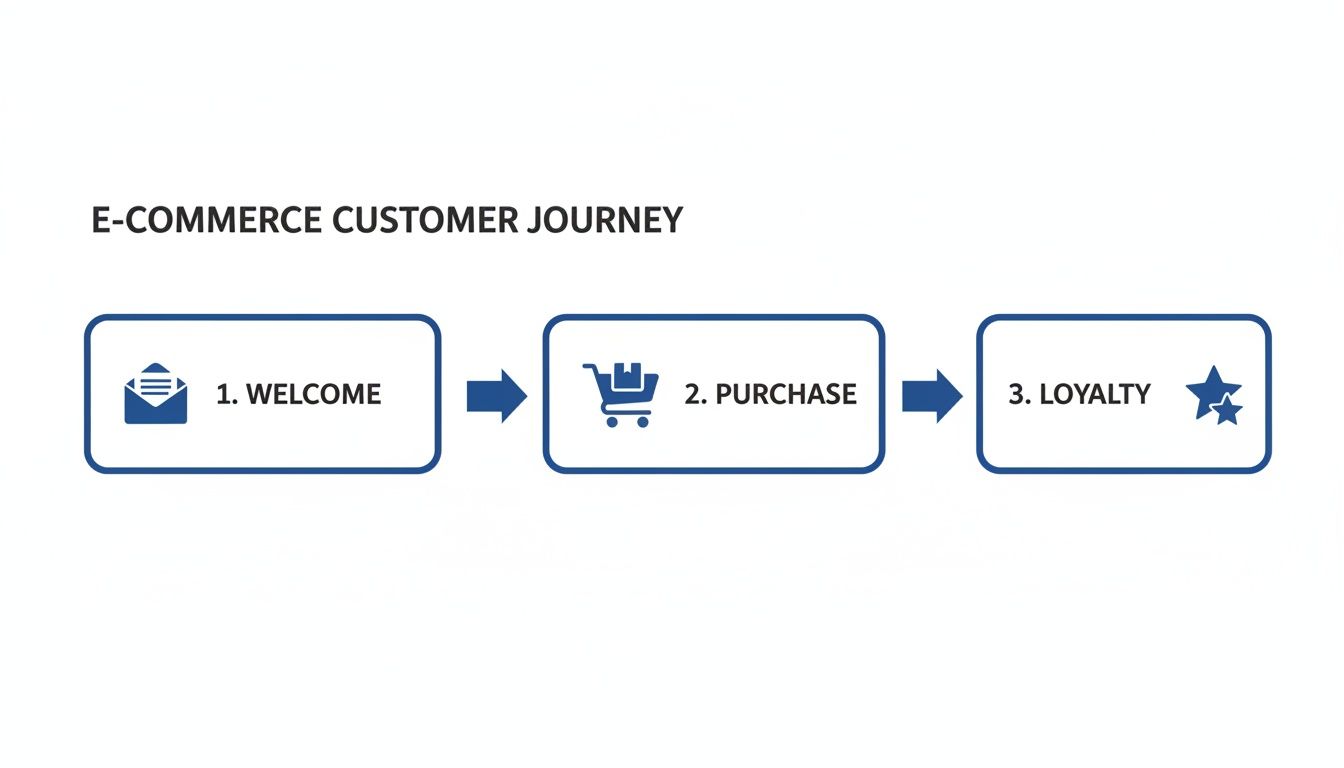
The flow shows how a CRM helps you communicate at just the right moments, turning one-off purchases into a connected and ongoing relationship.
Whether you go for a direct app from the App Store or use a connector like Zapier, the end goal is the same. You're creating a single source of truth for all your customer data. This is what gives you the power to really understand your audience, personalise their experience, and ultimately, grow your brand.
AI Chatbots vs. Traditional CRMs in Modern Ecommerce
As you grow your store, you’ll hear a lot of noise about different tools. The confusion between AI chatbots and CRMs is a big one. It's a fair question, but they aren't the same thing. In fact, they do two completely different jobs.
Getting this right is key to building a tech setup that actually works for you instead of against you.
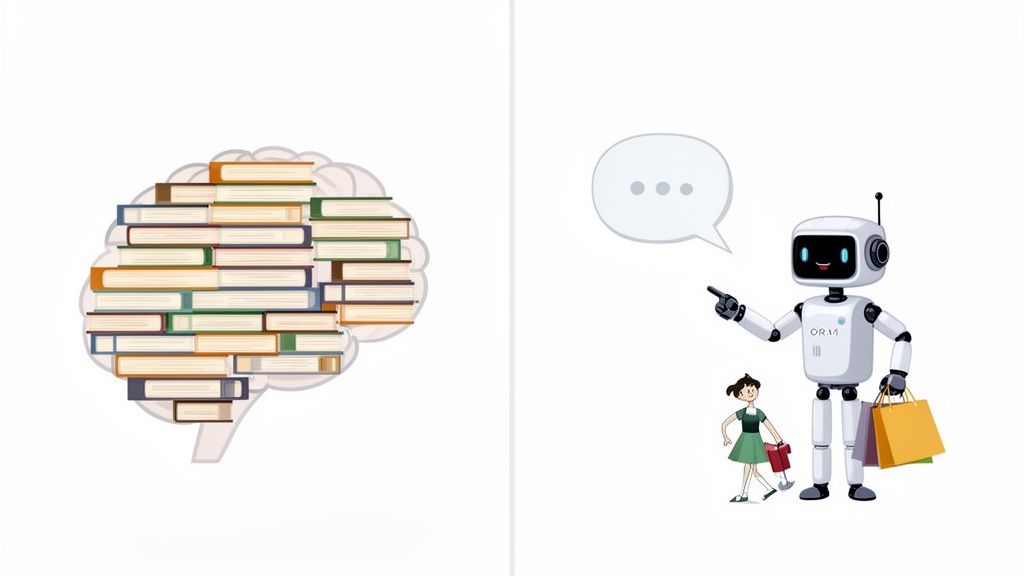
Think of your CRM in ecommerce as your brand's central brain. It’s a massive, perfectly organised library holding every scrap of information you have on your customers: what they bought, when they bought it, what they looked at, and every support ticket they’ve ever sent. It’s the ultimate "system of record," giving you a deep, historical view of every relationship.
But a library on its own is passive. The books just sit there, waiting for someone to pull them off the shelf. That's where an AI chatbot comes in.
The Chatbot as the System of Engagement
An AI chatbot is like the expert librarian who actually talks to your customers. It zips through the aisles of your CRM, finds the exact piece of information needed in a split second, and uses it to give instant, personalised help. The chatbot is your active "system of engagement."
Your CRM holds the "what"—what a customer bought, what they looked at. The chatbot uses that data to power the "now"—the real-time conversation happening on your site. This is how you turn a static customer profile into a dynamic, helpful interaction that solves problems and drives sales, 24/7.
A CRM knows a customer bought a blue jacket last winter. An AI chatbot uses that information to recommend a matching scarf when they return to your site a year later. One stores the memory; the other brings it to life.
This partnership is what creates a customer experience that actually feels special. The CRM provides the deep intelligence, and the AI chatbot provides the active, conversational layer that delivers it.
How They Work Together in Practice
Let’s run through a real-world scenario. A customer lands on your Shopify store and asks your AI chatbot, "Do you ship to Manchester, and can I get this by Friday?"
Here’s how the two systems work together seamlessly:
- AI Chatbot Fields the Question: The chatbot instantly understands what the customer is asking for—separating the query into location and delivery speed.
- CRM Provides Context: The chatbot can ping the CRM to see if this is a new or returning customer. If they’re a VIP, the bot might even be programmed to offer a free shipping upgrade on the spot.
- Chatbot Delivers the Answer: The bot checks your store’s shipping policies (which a smart AI syncs with instantly) and gives a clear answer: "Yes, we ship to Manchester with next-day delivery available for orders placed before 2 PM!"
- CRM Records the Interaction: The entire chat is logged back into the CRM, adding another layer of data to that customer’s profile. This makes future interactions even smarter.
The chatbot handles the immediate need, while the CRM quietly gets richer in the background. If you want to dig deeper into this, you can learn more about how to use chatbots for customer service to build these kinds of experiences.
They aren't replacements for each other; they're two sides of the same coin, working together to drive sales and build relationships that last.
How to Measure Your Ecommerce CRM Success
So, you’ve got a CRM up and running. Great. But is it actually doing anything? A CRM is just a fancy, expensive database until you can prove it’s making you money and keeping customers happy.
If you can’t measure it, you can’t manage it. To see if your CRM strategy is paying off, you need to ignore the vanity stats and zoom in on the numbers that reflect real business health. These are the metrics that tell the true story of your relationship with your customers.
A number going up should mean your workflows are building loyalty. A number going down should be a red flag, telling you it's time to rethink your approach. This is how you turn a data-collecting tool into a growth engine.
The Metrics That Actually Matter
Forget about tracking every click and open rate. Let’s focus on the handful of metrics that truly indicate a healthy, growing online store. For each of these, your CRM acts as the command centre, gathering the data and giving you the levers to pull.
- Customer Lifetime Value (CLV): This is the big one. It's the total profit you can expect from a single customer over their entire time with your brand. When your CLV is climbing, it's the clearest sign that your retention and loyalty efforts are working. Your CRM boosts this by helping you spot your VIPs, automate personalised post-purchase emails, and send offers that get them to come back for more.
- Customer Acquisition Cost (CAC): This tells you exactly how much you're spending to get one new customer. A good CRM should drive this number down. How? By making your existing traffic convert at a higher rate with personalised experiences and by recovering sales you would have otherwise lost. The better you get at keeping customers, the less you have to spend finding new ones.
The real job of your CRM is to push CLV up while pulling CAC down. Get that balance right, and you've found the formula for profitable, sustainable growth.
- Cart Abandonment Rate: This is the percentage of people who add items to their cart but bail before paying. It’s a huge leak in the bucket for most stores. A well-tuned CRM can plug that leak by triggering automated, multi-step abandoned cart sequences. These aren't just generic "You forgot something!" emails; they can include social proof, a small incentive, or answers to last-minute questions that bring shoppers back to complete their purchase.
Ecommerce CRM Performance Metrics
To get a clear, at-a-glance view of your CRM's impact, you need to track these key metrics consistently. This table breaks down what each one measures and why it's critical for understanding your performance.
By keeping a close eye on these figures, you move from guessing to knowing. You get a data-backed picture of what's working and where you need to make adjustments.
Connecting Your Workflows to the Results
It's vital to draw a straight line from your CRM activities to these numbers. For example, if you set up a new welcome series for first-time subscribers, you should be monitoring its direct impact on the conversion rate of that group. If you launch a VIP programme, track the change in CLV specifically for those customers.
You can also keep an eye on metrics like the Net Promoter Score (NPS), which is a fantastic gauge of customer loyalty. A CRM makes it easy to automatically send out an NPS survey, say, 30 days after a customer makes a purchase. If you want to dive deeper, check out our complete guide on how to calculate your NPS score.
By tracking these numbers, you get a clear, data-driven picture of your ecommerce CRM’s success. It allows you to make smart decisions that keep your business moving in the right direction.
Frequently Asked Questions About Ecommerce CRMs
Thinking about adding an ecommerce CRM to your tech stack? It’s a big step, and it’s natural to have questions. Getting this right feels like a major commitment, but once you nail down the core concepts, the whole process becomes a lot clearer.
We've gathered the most common questions we hear from Shopify founders and answered them straight. No fluff. Just the information you need to choose and roll out a system that genuinely helps your brand grow, from cost to scalability.
How Much Should I Expect to Pay for a CRM?
CRM costs are all over the map. You can find everything from free basic plans to enterprise systems that run into thousands of pounds a month. The price nearly always comes down to three things: the number of contacts you have, how many emails you send, and the feature set you actually need.
For a growing Shopify store, your best bet is a platform with a scalable pricing model. This lets you start on a lower-cost plan and only pay more as your customer list gets bigger. Many modern CRMs built for ecommerce offer a free tier to get you started, so you can test the waters without a big financial risk.
What Is the Difference Between a CRM and My Shopify Customer List?
This is a critical distinction, and it’s one a lot of people miss. Your basic Shopify customer list is exactly that—a list. It’s a passive, static record of who bought what and when. A real CRM, on the other hand, is an active, living system that paints a complete picture of each customer.
Think of your Shopify list as a single photograph of your customers. A CRM is the full-length film, showing their entire journey with your brand—what they browsed, what they added to their cart, and every single conversation they’ve had with you.
A CRM takes that basic purchase data and enriches it with browsing behaviour, support ticket history, and email engagement. It then lets you act on that information by segmenting your audience and automating personalised marketing campaigns. It turns a static list into an engine for building real relationships.
Can a Small Store Really Benefit from a CRM?
Absolutely. In fact, a CRM can have an even bigger impact on a small store. As a smaller brand, you can’t outspend the big-box retailers on advertising. Your competitive edge is the quality of your customer relationships.
A CRM is what lets you offer the kind of personal, attentive service that turns casual buyers into a loyal community. It automates the repetitive tasks that would otherwise eat up your day, freeing you up to focus on product, marketing, and the things that actually move the needle. For a small team, a CRM isn't just another tool; it's a force multiplier that helps you do more with less.
Ready to see how an AI-powered CRM can transform your Shopify store? Marvyn AI is a FREE, fully autonomous chatbot that turns browsers into buyers by automating over 70% of customer service and driving consultative sales. Get started in minutes on the Shopify App Store and watch your conversions grow.