Boost Sales: Perfect Your Frequently Asked Questions Page

Your inbox already tells you whether your frequently asked questions page is doing its job.
If customers keep asking about delivery times, returns, sizing, stock availability, or what happens after they place an order, the problem usually isn’t volume. It’s access. Shoppers can’t find a clear answer fast enough, so they leave the product page, open chat, email support, or abandon the basket.
Most Shopify stores treat the FAQ as a tidy-up task. It gets written once, hidden in the footer, and forgotten. That’s a mistake. A good frequently asked questions page reduces repetitive support work, removes buying friction, and gives uncertain shoppers the confidence to complete the order.
The best-performing stores don’t treat FAQs as admin. They treat them as part sales enablement, part support infrastructure, and part trust layer.
Why Your FAQ Page Is a Missed Revenue Opportunity
A weak FAQ page costs you twice.
First, your team answers the same questions over and over. Second, shoppers who never ask leave. They don’t always complain. They just hesitate, postpone, and disappear.
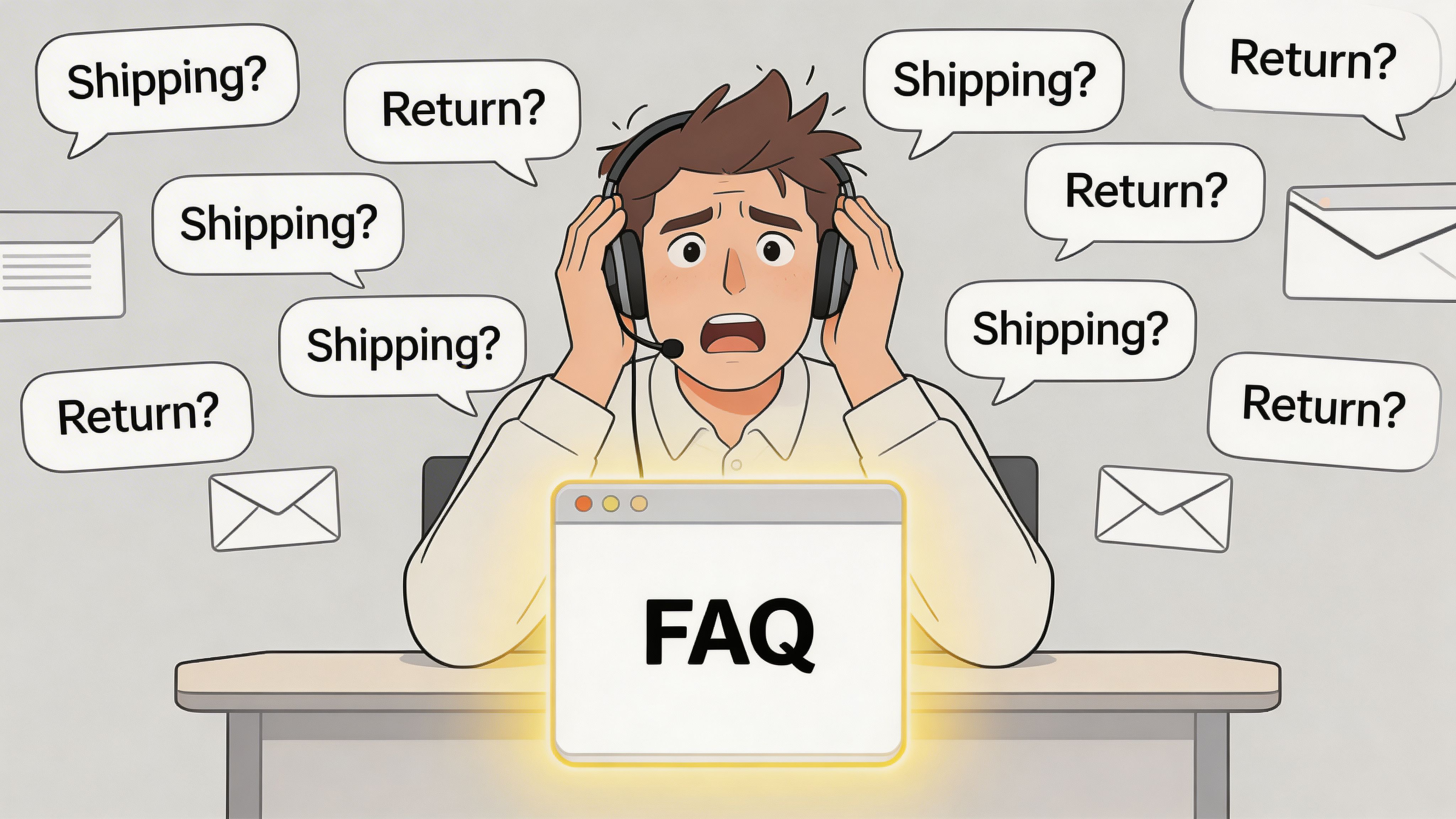
The FAQ page affects revenue before support ever gets involved
Most pre-purchase questions are predictable. Shipping windows. Return rules. Compatibility. Materials. Subscription terms. Customs or VAT confusion. Care instructions. Warranty detail.
If those answers aren’t obvious, the shopper has to do extra work. Extra work lowers intent.
That’s why I tell Shopify owners to stop thinking about FAQs as a support document. It’s a conversion asset. UK businesses with FAQ pages on their sites experience 18% higher average order value, according to UK Shopify analytics and Statista UK ecommerce data cited in this UK ecommerce analysis.
That doesn’t mean any FAQ page will lift AOV. A neglected page full of vague policy text won’t help. The gain comes when the page addresses the exact objections that block checkout.
Practical rule: If a question can stop a purchase, it belongs on your FAQ before it lands in your support queue.
What a bad FAQ page looks like
Most underperforming FAQ pages fail in familiar ways:
- They answer company questions, not customer questions. “What is your mission?” isn’t an FAQ. “Will this fit a narrow hallway?” might be.
- They bury key information. Returns, delivery timing, and payment options sit behind legal pages nobody wants to read.
- They sound defensive. “We are not responsible for delays” increases anxiety. It doesn’t reassure.
- They go stale. Product ranges change. Shipping rules change. Promotions change. The FAQ doesn’t.
A strong FAQ page works much harder. It supports product pages, shortens the path to confidence, and catches buyers who aren’t ready to talk to support.
It should connect to the rest of your buying journey
Your FAQ shouldn’t live in isolation. It should support product detail pages, collection pages, basket questions, and post-purchase reassurance. If you’re already working on reducing friction across the funnel, this guide on how to improve ecommerce conversion rate complements the same goal from a different angle.
Think of the frequently asked questions page as your always-on shop assistant. It handles the obvious questions, clears up policy doubts, and helps serious buyers keep moving. When it’s done properly, support gets quieter and sales get easier.
Planning Your FAQ Content Strategically
The fastest way to create a useless FAQ is to brainstorm it in a meeting room.
The right questions already exist in your data. Customers have been telling you what they need. You just need to collect it properly and prioritise it.
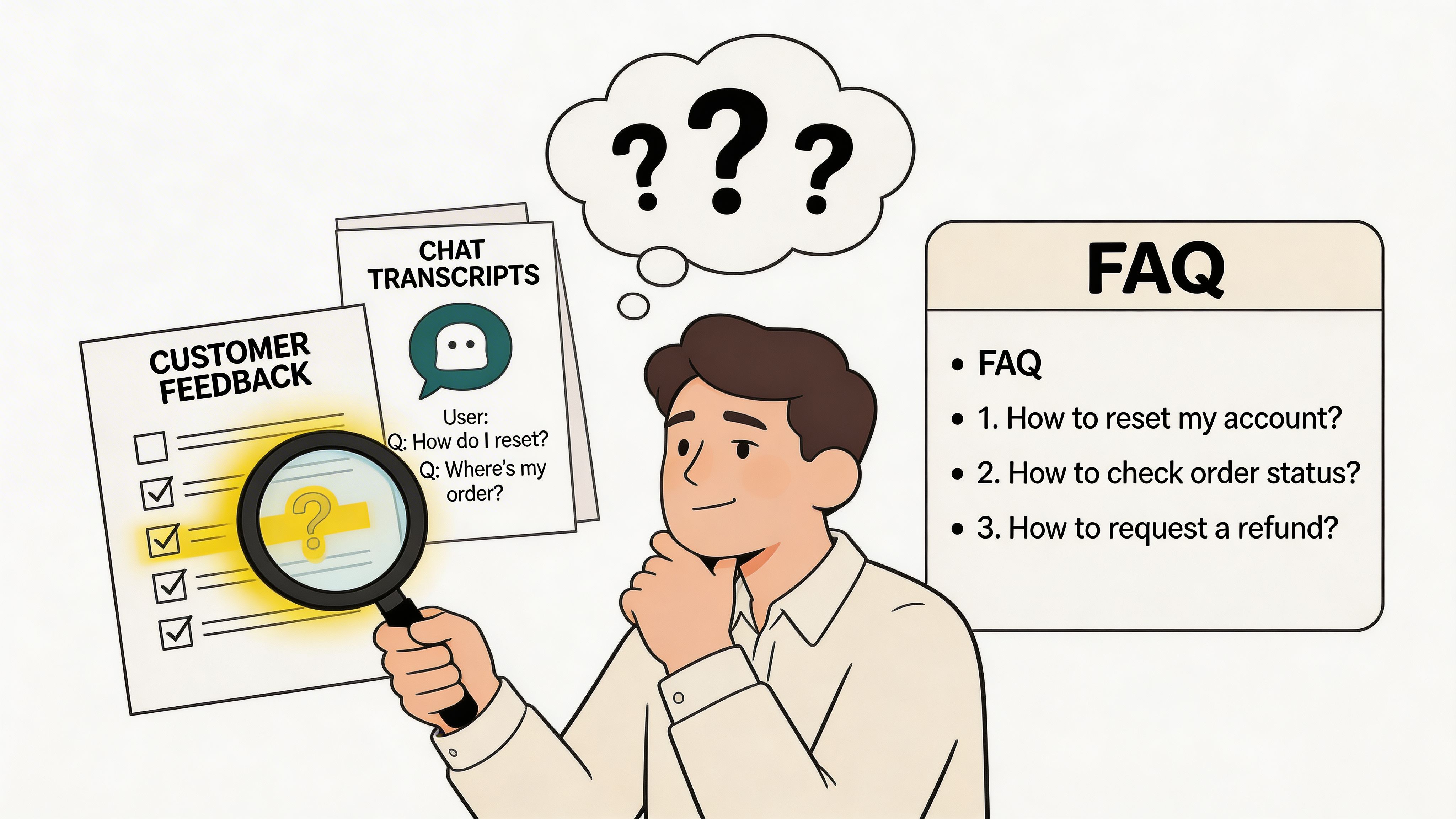
Start with live customer language
Pull questions from places where customers speak naturally, not where your team rewrites them later.
Use this stack first:
- Support tickets
Export the last few months of tickets and tag repeated themes. Look for questions that appear before purchase and immediately after purchase.
- Live chat transcripts
These are especially useful because they show hesitation in real time. A shopper asking “Do you deliver by Friday?” is much closer to conversion than someone browsing your returns page.
- Site search terms
Internal search data reveals what people expect to find but can’t spot in navigation.
- Product reviews and pre-purchase emails
Reviews often expose missing reassurance. If customers praise packaging, fit, or ease of returns, those topics probably belong in the FAQ too.
- Customer-facing team feedback
Ask support and sales which questions they can answer in their sleep. Those are your candidates.
For many stores, this exercise immediately shows why support volume feels repetitive. In the UK ecommerce sector, FAQ pages on Shopify stores reduce customer service tickets by 25-40%, based on UK-specific 2023 data summarised here: FAQ pages on Shopify stores reduce customer service tickets.
Sort questions by buying impact
Frequency matters, but impact matters more.
A question asked less often can still deserve a top spot if it blocks a high-intent customer from ordering. For example, “Can I return opened skincare?” may matter more than a broad “Where are you based?” because one affects purchase risk directly.
Use a simple prioritisation table:
Group by decision stage, not internal department
The most useful FAQ categories mirror how customers think. They rarely think in terms of “operations”, “commercial”, or “legal”.
Better category logic looks like this:
- Before you order
Product details, sizing, ingredients, compatibility, payment options
- Delivery and shipping
Dispatch timing, delivery windows, tracking, international shipping
- Returns and exchanges
Eligibility, timeframes, packaging, refund method
- Orders and account help
Changes, cancellations, address edits, order tracking
- Policies and compliance
VAT, GDPR-related questions, privacy, post-Brexit delivery clarity where relevant
A useful prompt is this: if a customer’s need is still fuzzy, revisit how teams define and uncover it in the first place. This piece on what customers needs is worth reading because better FAQs start with better listening.
Don’t write categories for your business chart. Write them for the shopper’s moment of confusion.
Keep a backlog, not a final draft
Your FAQ is never finished. Create a working backlog in Notion, Airtable, Google Sheets, or your help centre tool. Track each question with:
- Source of the question
- Owning team
- Page where it should appear
- Last review date
- Linked policy or product page
That last point matters. If the answer depends on another page that changes often, you need an update workflow or the FAQ will drift out of date fast.
Writing Answers That Build Trust and Drive Sales
Most FAQ answers fail because they read like legal leftovers.
They’re technically correct, but they don’t help someone feel safe buying. A strong answer does two jobs at once. It resolves the question and lowers the shopper’s anxiety.
Write the answer a human would want to read
Customers scan. They don’t study.
That means your answer should open with the direct response, then add only the detail needed to complete the decision. If there’s an exception, mention it clearly. If there’s a next step, link it.
Compare the difference:
Weak answer
“Please refer to our shipping policy for full information regarding despatch and estimated arrival times which may vary depending on destination and operational factors.”
Stronger answer
“We dispatch most orders within our stated fulfilment window. Delivery timing depends on the service you choose at checkout. If you need your order for a specific date, check the delivery options on the product page or contact support before ordering.”
The second version sounds calmer, clearer, and easier to act on.
Use tone to reduce friction
Shoppers read FAQ answers when they’re unsure. That’s why tone matters.
A few practical writing rules work well:
- Lead with certainty where you can. “Yes, you can return unused items” is better than surrounding the answer with conditions.
- Acknowledge limits without sounding hostile. Explain edge cases plainly.
- Avoid internal jargon. Customers don’t care about your warehouse workflow. They care whether the parcel arrives on time.
- Keep paragraphs short. One idea at a time.
A returns answer shouldn’t sound like a warning. It should sound like a process the customer can understand.
Turn policy-heavy topics into trust-building moments
This is especially important for UK merchants. Regulatory compliance and multilingual FAQ strategies for UK Shopify stores are underexplored, ignoring post-Brexit complexities. Standard resources often focus on concise answers and accordions, but miss UK-specific legal nuances like VAT thresholds and GDPR, which can lead to cart abandonment from policy confusion, as noted in this discussion of FAQ best practices and UK-centric policy gaps.
That means your answers can’t just be tidy. They need to be accurate, location-aware, and easy to understand.
A few examples:
Add helpful paths, not dead ends
Every answer should help the user do something next.
That might mean linking to:
- A product page for specifications, dimensions, or compatibility
- A returns page for the step-by-step process
- A shipping policy for location-specific details
- A support route if the question needs an order-level answer
For consistency, many teams build answer templates or approved phrasing. If your support team already uses macros, adapt the strongest ones into customer-facing FAQ copy. This resource on customer service scripts is useful for shaping short answers that sound human instead of robotic.
One more thing. Don’t over-answer. If a topic needs a full guide, your frequently asked questions page should summarise it and link onward. FAQs work best when they remove friction quickly, not when they become a wall of policy text.
Designing an Intuitive and SEO-Friendly FAQ Page
A good answer still fails if nobody can find it.
Design and SEO decide whether your FAQ page gets used at all. The page has to work for two audiences at once. Human visitors need quick navigation. Search engines need a clean structure they can understand.
Pick a layout that matches your content
There isn’t one correct format. The right layout depends on how many questions you have and how complex the answers are.
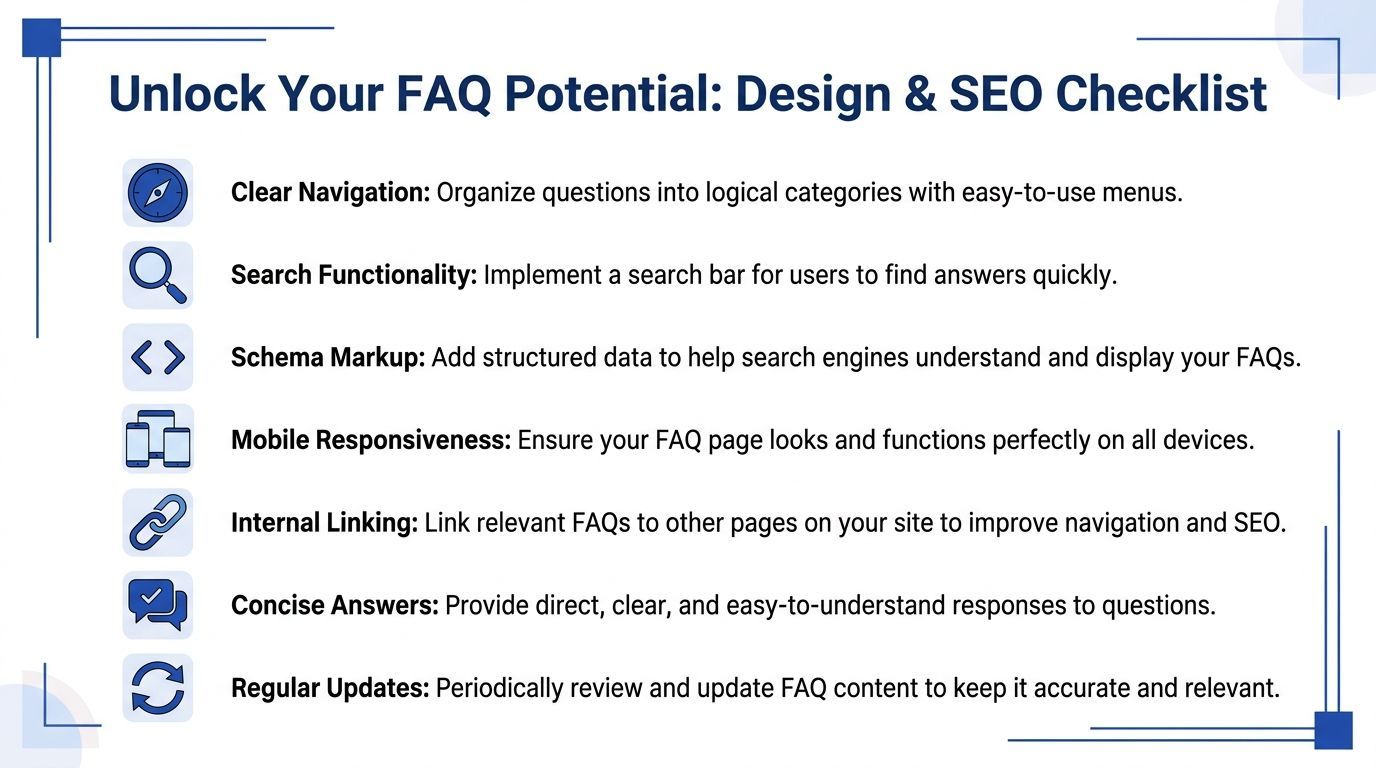
Here’s the practical trade-off:
For most Shopify stores, I prefer a hybrid. Keep one central frequently asked questions page for store-wide issues, then place short contextual FAQs on product pages where objections happen.
Navigation should remove work
If your FAQ page is longer than a screen or two, basic navigation isn’t enough.
Add these elements:
- A visible search bar at the top of the page
- Category jump links so users can skip to the relevant section
- Plain-language headings based on customer wording
- Contact options for edge cases your FAQ can’t solve
- Mobile-friendly spacing so accordions and links are easy to tap
Poor navigation creates a strange outcome. The answer exists, but users still open a ticket because finding it takes too long.
Write for search the same way customers ask
The easiest SEO win is question-based phrasing.
Use real customer language in headings such as:
- How long does delivery take?
- Can I return sale items?
- Do you ship internationally?
- What payment methods do you accept?
That helps both on-page scanning and organic visibility. It also keeps your writing honest. If your heading sounds like a boardroom phrase, your customer probably wouldn’t search it.
A strong FAQ page also supports site architecture. Link from relevant answers to product categories, policy pages, and your broader support content. If your store has grown beyond a single page, it may be time to build a fuller Shopify help centre.
The best FAQ UX feels obvious. Users shouldn’t need to learn how your page works before they can use it.
Add FAQ schema carefully
Schema markup helps search engines interpret your page as a list of questions and answers. If you’re new to the concept, Raven SEO has a clear overview of structured data and why it matters for search presentation.
For FAQ content, the usual implementation is JSON-LD placed in the page template or theme.
A basic example looks like this:
```json
{
"@context": "https://schema.org",
"@type": "FAQPage",
"mainEntity": [
{
"@type": "Question",
"name": "How long does delivery take?",
"acceptedAnswer": {
"@type": "Answer",
"text": "Delivery timing depends on the service selected at checkout and the destination."
}
},
{
"@type": "Question",
"name": "Can I return an item?",
"acceptedAnswer": {
"@type": "Answer",
"text": "Eligible items can be returned according to the terms in our returns policy."
}
}
]
}
```
A few rules matter here:
- Match visible page content. Don’t mark up questions that aren’t shown on the page.
- Keep answers clean. Schema works best with concise, factual text.
- Avoid duplicate markup across many pages unless the content belongs there.
- Review after theme updates. Shopify theme changes can break custom implementations without warning.
Don’t let design fight the answer
A polished FAQ page can still underperform if the design gets clever at the expense of clarity.
Avoid these common mistakes:
- Too many categories with vague labels
- Accordions inside accordions
- Long introductory copy before the first answer
- Light grey text and small tap targets on mobile
- No links to deeper help when the answer needs more detail
The design job is simple. Reduce effort. If users can arrive, scan, search, click, and continue shopping without friction, the page is doing what it should.
Supercharging Your FAQs with AI and Automation
A static FAQ page is useful, but it has obvious limits.
It can’t ask follow-up questions. It can’t adapt to shopper intent. It can’t catch someone hovering on a product page at midnight, unsure whether the item will arrive before the weekend.
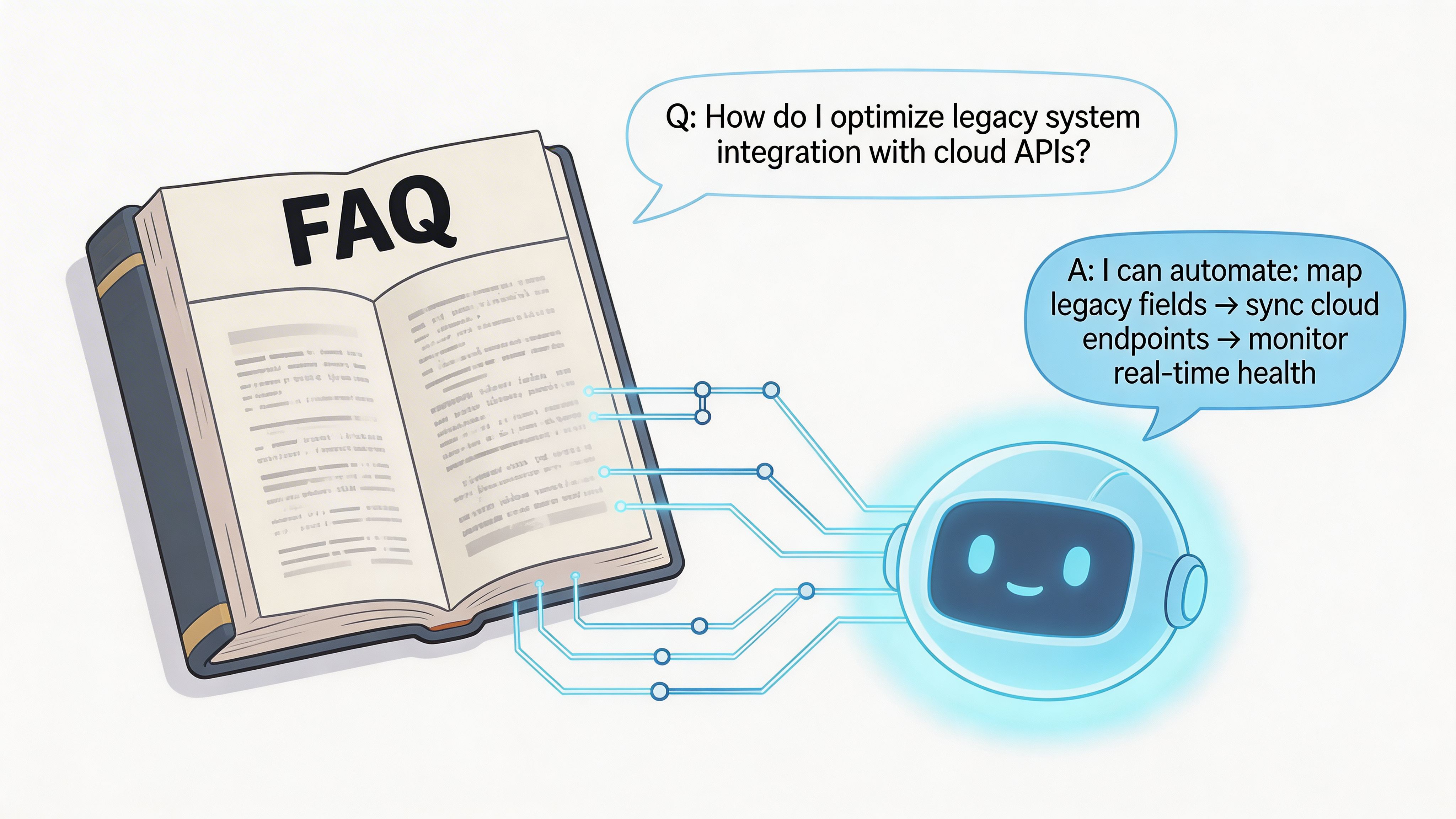
Static answers are only the starting point
Static answers are only the starting point. Many Shopify merchants get stuck at this stage. They build the frequently asked questions page, feel relieved, then realise customers still ask layered questions like:
- “Do you ship this size tomorrow if I order now?”
- “Which option is better for sensitive skin?”
- “Can I return one item from a bundle?”
- “Will this work with the version I bought last year?”
A static page can answer the first layer. It usually can’t handle the next one.
That gap matters because pre-sales conversations are often conditional. Shoppers don’t just want policy text. They want guidance.
Where AI changes the value of FAQ content
The most useful role for AI isn’t replacing the FAQ. It’s turning FAQ content into an interactive source of truth.
Integration of AI chatbots with static FAQ pages for Shopify merchants in the UK remains poorly addressed. While traditional FAQs reduce tickets by 20-30%, AI-enhanced FAQs cut them by 70% via proactive querying, yet most guides fail to detail one-click Shopify app setups that auto-train on existing policies and FAQs, according to this discussion of AI-enhanced FAQ performance for Shopify merchants.
That difference makes sense in practice.
A strong AI layer can:
- Interpret the question behind the question. “Do I need to size up?” might lead into fit advice, product comparison, and returns reassurance.
- Stay available all day and night. Shoppers browse after hours, especially on mobile.
- Pull from live store information. Policies, product pages, collections, and FAQ content can all inform the response.
- Escalate edge cases. Some issues still need a person. Good automation should recognise that.
Your FAQ page should be the knowledge base. The chatbot should be the delivery layer.
What works and what doesn’t
Not every AI setup improves the customer experience.
What works:
- Using your existing FAQ, policies, and product content as the foundation
- Reviewing answers regularly for tone and accuracy
- Defining escalation paths for refunds, damaged orders, or unusual cases
- Testing on real pre-sales journeys, not just generic support prompts
What doesn’t:
- Letting the tool invent answers
- Training it on outdated pages
- Treating support and sales questions as separate worlds
- Hiding it on one page instead of placing it where hesitation happens
A useful AI assistant should answer, clarify, recommend, and guide. It should feel like a capable sales associate, not a search box with a face.
Here’s a short walkthrough to help visualise how these systems fit into the buying journey:
Think in systems, not pages
The smartest setup is usually a layered one:
- Core FAQ page for evergreen store-wide questions
- Contextual FAQs on product and checkout-adjacent pages
- AI chat trained on those answers plus product and policy content
- Human handoff when the issue needs judgment or account access
If you’re exploring this from a commercial angle rather than a support angle, this guide to AI for sales is a useful next read.
The shift is simple. Instead of publishing answers and hoping customers find them, you make those answers available in conversation. That’s how an FAQ stops being a static page and becomes an active sales and support asset.
Measuring Impact and Maintaining Your FAQ Page
The easiest way to waste a good FAQ is to stop looking at it.
Once the page is live, you need a small operating rhythm around it. Nothing elaborate. Just enough to catch gaps, update stale answers, and tie the page back to support and sales outcomes.
Track behaviour, not vanity
Start with practical signals inside Shopify analytics, GA4, your help desk, and chat data.
Watch for:
- Repeated ticket themes falling over time
If “Where is my order?” drops after clearer delivery answers, that’s progress.
- FAQ exits versus onward clicks
Some exits are good because the answer solved the problem. Others signal frustration. Pair this with click paths.
- Conversion behaviour after FAQ interaction
Users who visit the FAQ and then buy tell you the page is reducing doubt.
- Search terms with poor follow-through
If people search the FAQ but still open chat, your answer may be weak, buried, or missing.
Run a simple review cycle
A quarterly review works well for most stores. Faster-moving catalogues may need monthly checks.
Use a repeatable checklist:
If a support agent has to “clarify the FAQ”, the answer probably needs rewriting.
Assign one owner. Without ownership, the page decays unnoticed. Merchandising changes one thing, operations changes another, and suddenly your FAQ answers a version of the business that no longer exists.
A frequently asked questions page should behave like a living sales asset. Review it, tighten it, and connect it to what customers are asking now.
If you want that FAQ knowledge to work harder, Marvyn AI turns your Shopify content, policies, and FAQs into a 24/7 sales and support assistant. It can help you automate repetitive questions, guide shoppers to the right products, and keep more high-intent conversations moving towards checkout.