How to Sell on Instagram: A Shopify Guide for 2026
You’re probably in the same place most Shopify founders hit with Instagram.
Your posts get saves. Reels pull comments. A few people reply to Stories asking for price, sizing, shipping, or “which one would you recommend?”. Then you open Shopify and realise Instagram is still acting like a content channel, not a sales channel.
That gap is usually not a creative problem. It is an infrastructure problem, an offer problem, or an operational problem.
The brands that figure out how to sell on instagram in 2026 do not treat it like a mood board. They treat it like a connected commerce system. Profile setup, catalogue sync, product tagging, compliance, DM handling, retargeting, and post-click conversion all have to work together. If one part breaks, you get attention without revenue.
For UK Shopify brands, the bar is higher now. You need clean Meta integration, proper consent handling, and a workflow that does not collapse when product questions start arriving in DMs at all hours. The upside is real if you build it properly. The playbook is not complicated, but it does need to be deliberate.
From Likes to Sales Why Instagram Is a Primary DTC Channel
A familiar pattern shows up in almost every account audit.
A brand posts polished content for months. Engagement looks healthy enough. The founder assumes more reach will solve the problem, so they post more often, test more hashtags, and try to make the grid prettier. Sales barely move.
What changed for the brands that broke through was not aesthetic polish. It was commercial intent. They stopped asking, “How do we grow Instagram?” and started asking, “How do we remove friction between discovery and checkout?”
That shift matters because Instagram can sit much closer to the sale than many founders expect. A tagged product, a strong Reel hook, a useful DM exchange, and a clean product page can act like one connected path instead of four separate marketing tasks. That is why I treat Instagram as part storefront, part sales assistant, part retargeting engine.
The practical difference is straightforward:
- Weak approach: Post lifestyle content, hope people click bio link, wait for purchases.
- Stronger approach: Build a shop-enabled profile, tag products intentionally, publish content that answers buying questions, and route traffic into pages built to convert.
- Best approach: Connect all of that to your wider retention and sales system so Instagram supports repeatable revenue, not random spikes.
If your team still separates “social” from “ecommerce”, you end up measuring the wrong things. Likes look good. Revenue stalls.
That is why a sound marketing product strategy matters here. Your content format, merchandising, and customer journey have to support each other. Instagram rewards brands that know what they are trying to sell, to whom, and with what buying trigger.
Instagram is no longer just a place where people notice your brand. For many Shopify stores, it is a place where a purchase decision starts taking shape.
Building Your Foundation for Instagram Sales
A founder approves the content calendar, the team starts tagging products, and nothing useful happens. The shop sits in review, product tags break, or traffic lands on weak product pages that cannot close the sale. In practice, Instagram underperforms long before creative becomes the problem.
For UK Shopify brands, the foundation is operational. Meta wants a real business with matching assets, a clean catalogue, and a website that can support the sale once the click happens. UK brands also need to set this up with current compliance in mind, including clear business information and consumer-facing policies that stand up under the DMCCA, not just Meta review.
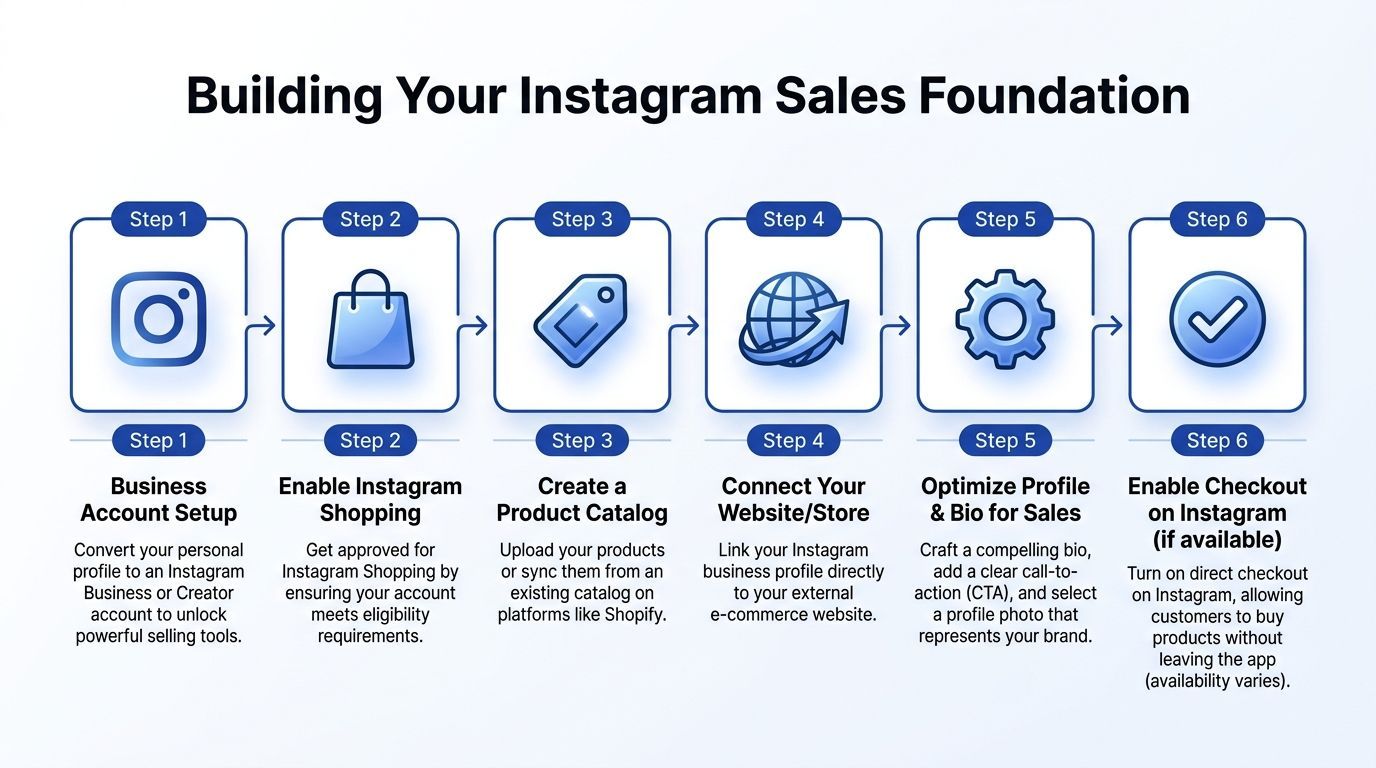
Start with the account and business layer
Set the Instagram account to a professional business profile. Connect it to the correct Meta Business Manager and catalogue. Make sure the business name, domain, contact details, and ownership are consistent everywhere.
If those details drift, approval slows and account troubleshooting gets painful later.
For UK merchants, legal and tax details should be sorted before submission. If the business exceeds the VAT threshold, VAT registration needs to be reflected properly. Business address, returns information, delivery terms, and pricing clarity should also be accurate on-site. That is good operational hygiene anyway, but it matters more now that UK consumer enforcement is tightening.
Use this sequence:
- Convert the Instagram profile properly
In Instagram, go to Settings, then Account type and tools, then switch to a professional account. Choose Business, not Creator, if the account is meant to sell products.
- Align business identity across Meta assets
Instagram, Meta Business Manager, Shopify, and your domain should identify the same company. Small naming differences create avoidable review issues.
- Prepare UK business details before submission
Fix legal pages, company details, tax status, contact information, and fulfilment policies before you ask Meta to review the shop.
Sync Shopify to Instagram the right way
For most brands, the cleanest route is still the Facebook and Instagram sales channel inside Shopify.
The sync itself is usually the easy part. Feed quality is where brands create problems. Instagram exposes messy merchandising fast. Long SEO-style titles look clumsy in tags. Weak images reduce trust. Confusing variants create friction before the shopper even reaches the PDP.
A few practical checks matter more than founders expect:
- Clean product titles: Write for shoppers, not search engines.
- Consistent imagery: Use catalogue images that are ready to sell the product on a small screen.
- Variant clarity: Sizes, colours, bundles, and pack counts need to read clearly inside Meta.
- Landing page hygiene: Tagged products should open to pages with delivery, returns, sizing, reviews, and product benefits visible without a hunt.
I always test the post-click journey on mobile before submission. Teams often verify the feed and ignore what happens after the tap. Instagram can send qualified traffic. It cannot rescue a product page that hides shipping costs, omits returns terms, or buries the value proposition.
Submit for review and expect real scrutiny
Meta reviews the shop, but it is effectively checking whether your business looks legitimate, consistent, and safe to transact with.
That means the review is not only technical. It is commercial and operational too. A half-built profile, empty policy pages, inconsistent branding, or a thin catalogue can all slow approval or limit how well the channel performs once approved.
Use a simple pre-review checklist:
Poor feed imagery also causes problems. It slows trust, weakens tap-through, and makes the whole sales path feel less credible.
Build for performance, not just eligibility
Approval is the starting line.
Once the shop is live, use product tagging selectively. Tag products on content that answers a buying question, shows use in context, or removes friction from the next click. Random tagging turns the feed into a catalogue dump and usually hurts more than it helps.
Profile structure matters here as well. Your bio should state what you sell, who it is for, and where to start. Highlights should do sales work: shipping, returns, FAQs, bestsellers, sizing, and proof. If DMs are part of the purchase path, set them up like a sales touchpoint, not a generic inbox. In 2026, that often means using AI to handle pre-sales questions at speed, qualify intent, and route high-intent shoppers without making them wait. Tools like Marvyn can help automate that layer, especially when the volume of product questions outgrows manual replies.
Instagram performs better when customer data is organised outside the app too. A stronger CRM setup for ecommerce retention and segmentation makes it easier to align retargeting, service, and repeat purchase flows with actual shopper behaviour.
Avoid the setup mistakes that slow sales
The recurring failures are predictable:
- Submitting too early: The team asks for approval before business details and policy pages are finished.
- Using weak catalogue images: Placeholder visuals and inconsistent crops make the shop look unreliable.
- Ignoring UK compliance detail: Pricing transparency, returns clarity, and business identity need to hold up under both Meta review and UK consumer rules.
- Treating the product page as an afterthought: The tag earns attention. The PDP closes the sale.
One more point from Sprout Social’s guide to selling on Instagram. Setup choices affect far more than account approval. Product tags, catalogue quality, and the path from post to checkout shape whether Instagram functions like a sales channel or just another content stream.
Build the system once, properly. It saves weeks of patching, and it gives your paid, organic, and automated sales activity something solid to run on.
Crafting Shoppable Content That Converts
A shopper lands on your Reel, taps the product tag, opens the PDP, then stalls because one question is still unanswered. Content wins or loses the sale before traffic volume matters.
On Instagram, creative needs to sell. Polished posts help, but conversion content does a specific job. It shows the product in use, answers the hesitation, sets expectation on price or fit, and gives the shopper a clear next action. For UK Shopify brands, that also means staying aligned with what the customer will see after the click. If the content implies one offer and the PDP, returns terms, or delivery details say another, conversion drops and compliance risk goes up under the DMCCA.
Start with content built around buying decisions, not brand aesthetics.

Use posts, Stories, and Reels for different buying moments
Each format supports a different stage of intent. Treating them the same usually produces nice-looking content with weak sales output.
Shoppable posts for consideration
Static posts and carousels work best when the shopper is comparing options, checking fit, or deciding whether the product suits them. These formats give you room to slow the scroll with substance.
High-performing carousels usually do one clear job:
- Show the product in context
- Answer objections
- Compare options
- Explain who it is for
- Demonstrate the result
Visual quality still carries weight, especially for physical products. If your team needs a sharper benchmark, this guide on product photography that sells is useful because it focuses on imagery that helps a customer decide, not just imagery that looks expensive.
Product tags work best when the post already creates intent. Tagging every image out of habit makes the shop feel pushy and lowers trust.
Stories for decision-stage traffic
Stories convert best close to the point of decision. Use them for restocks, limited drops, FAQs, quick demos, polls, and direct objection handling.
Keep them practical. If shoppers keep asking about sizing, shipping times, returns, shade differences, or what is included, answer those questions in Stories and save the strongest ones to Highlights. That reduces friction before the click and cuts repetitive pre-sales volume. Brands that handle high DM volume often pair this with automated reply flows or AI support tools such as Marvyn, so common questions get answered without losing the sale window.
Strong Story sequences often include:
- Price clarity: Show what is included, what costs extra, and what the customer gets.
- Use-case framing: Show where the item fits in real life.
- Risk reduction: Address shipping, returns, sizing, setup, or compatibility.
- Social proof: Share customer reactions in a format that feels native to the platform.
Stories should feel like a sales conversation happening in real time.
Reels open the sale
Reels are often the first conversion touchpoint because they carry reach and demonstration at the same time. They work especially well when the product needs movement, comparison, or explanation.
Sprout Social’s benchmark, cited earlier in the article, found higher engagement on Reels than standard feed posts. The useful conclusion is simple. Put your sales case in the format that holds attention longest.
Use Reels for:
In practice, a straightforward walkthrough often beats a polished brand film. Shoppers buy faster when uncertainty drops.
This example format is worth studying in motion:
Non-visual brands can still sell well on Instagram
A lot of Instagram advice still assumes the product is naturally photogenic. Many UK Shopify brands sell services, subscriptions, supplements, tools, or utility-led products that do not carry themselves visually.
That does not make Instagram a poor sales channel. It changes the creative brief.
Sked Social has reported on non-visual brands succeeding on Instagram through educational carousels, behind-the-scenes content, and consultative Reels rather than aspirational lifestyle creative alone. The right question is not whether the product looks exciting. The right question is whether the content makes the decision easier.
For non-visual brands, stronger content usually looks like:
- Educational carousels: Break down mistakes, options, use cases, or buying criteria.
- Behind-the-scenes demos: Show what changes before and after using the product.
- Consultative Q&A Reels: Turn recurring objections into short-form answers.
- Service walkthroughs: Explain what the customer gets, how delivery works, and who it suits.
For service-led or digital-first offers, clarity does the selling.
Write captions that complete the sale
Captions should finish the work the creative starts.
The best ones usually have three parts:
- A clear hook
Speak to the shopper’s problem, need state, or moment of intent.
- A decision aid
Explain why this product is right for a specific type of buyer.
- A next step
Tell them to tap the tag, view the product, or reply with a question.
Strong captions sound like a capable sales assistant. Weak captions sound like a brand workshop.
Keep aspirational content if it supports the brand. Just do not let it dominate the mix. Instagram revenue usually comes from content that removes doubt, sets expectations, and makes the path to checkout feel obvious.
Driving Targeted Traffic With Paid and Organic Strategies
Content without distribution is a shelf no one walks past.
The strongest Instagram sales accounts combine organic trust-building with paid amplification. Treat them as one system. Organic identifies what resonates. Paid puts budget behind what already has buying intent.
That sounds obvious, but many brands split ownership. The social team publishes one thing. The paid team launches another. The result is fragmented learning and weaker conversion.
Organic works best when it creates buying signals
Organic growth on Instagram is less about broad exposure and more about repeated relevance.
Comments, saves, replies, shares, profile visits, and DM questions all signal different stages of intent. A useful post that gets fewer likes but more product questions can be more valuable than a high-engagement lifestyle post that generates no commercial follow-up.
Good organic strategy usually includes:
- UGC with context: Customer content works better when it explains why the product was chosen.
- Micro-influencer partnerships: Prioritise creators who can speak credibly to your buyer, not just creators with polished feeds.
- Founder presence: For many DTC brands, founder explanation still converts better than polished brand voice.
- Community response loops: Replying to comments and DMs gives you raw sales copy for future posts and ads.
The practical move is simple. Watch what people ask, not just what they like.
Paid should amplify proven winners
Once a post, Story, or Reel shows strong buyer intent, move it into Meta Ads Manager.
Do not start with entirely new ad creative if organic has already surfaced a clear message. Instead, take the content that attracted product-page visits, DMs, or meaningful saves and build a campaign around that angle.
A reliable structure looks like this:
Retargeting matters more than most brands admit. Many Instagram users will not buy on first contact, especially if the product requires consideration. If they watched a Reel, tapped a product tag, or visited the site without converting, your paid setup should bring them back with a sharper offer or clearer reassurance.
Compliance and targeting need to stay aligned
UK brands need to be stricter than before with data use and disclosure. If you are running retargeting off Instagram activity and site traffic, consent handling cannot be a side note.
That affects list quality, audience size, and what you can activate inside paid flows. It also affects performance. Sloppy compliance does not just create legal risk. It weakens the efficiency of your acquisition system.
A broader ecommerce marketing services mindset helps here. Instagram cannot operate in isolation from email, onsite conversion work, retention, and consent-aware measurement. The traffic strategy gets stronger when all of those pieces inform one another.
Tip: If an ad angle works organically first, keep the original tone as long as possible. Over-produced ad versions often lose the native feel that made the content perform in the first place.
What works versus what wastes budget
I have seen the same trade-off repeatedly.
Organic-first brands often delay paid too long and leave scale on the table. Paid-first brands often spend too early on unproven creative and buy traffic to weak product pages.
The better model is staged:
- Publish content designed to reveal intent.
- Track which formats trigger product interest.
- Promote the strongest performers.
- Retarget non-buyers with clearer messaging.
- Feed the insights back into content and merchandising.
That loop is what turns Instagram from an awareness channel into a sales engine.
Automating the Sales Process to Scale Effortlessly
Most brands can handle Instagram manually when volume is low.
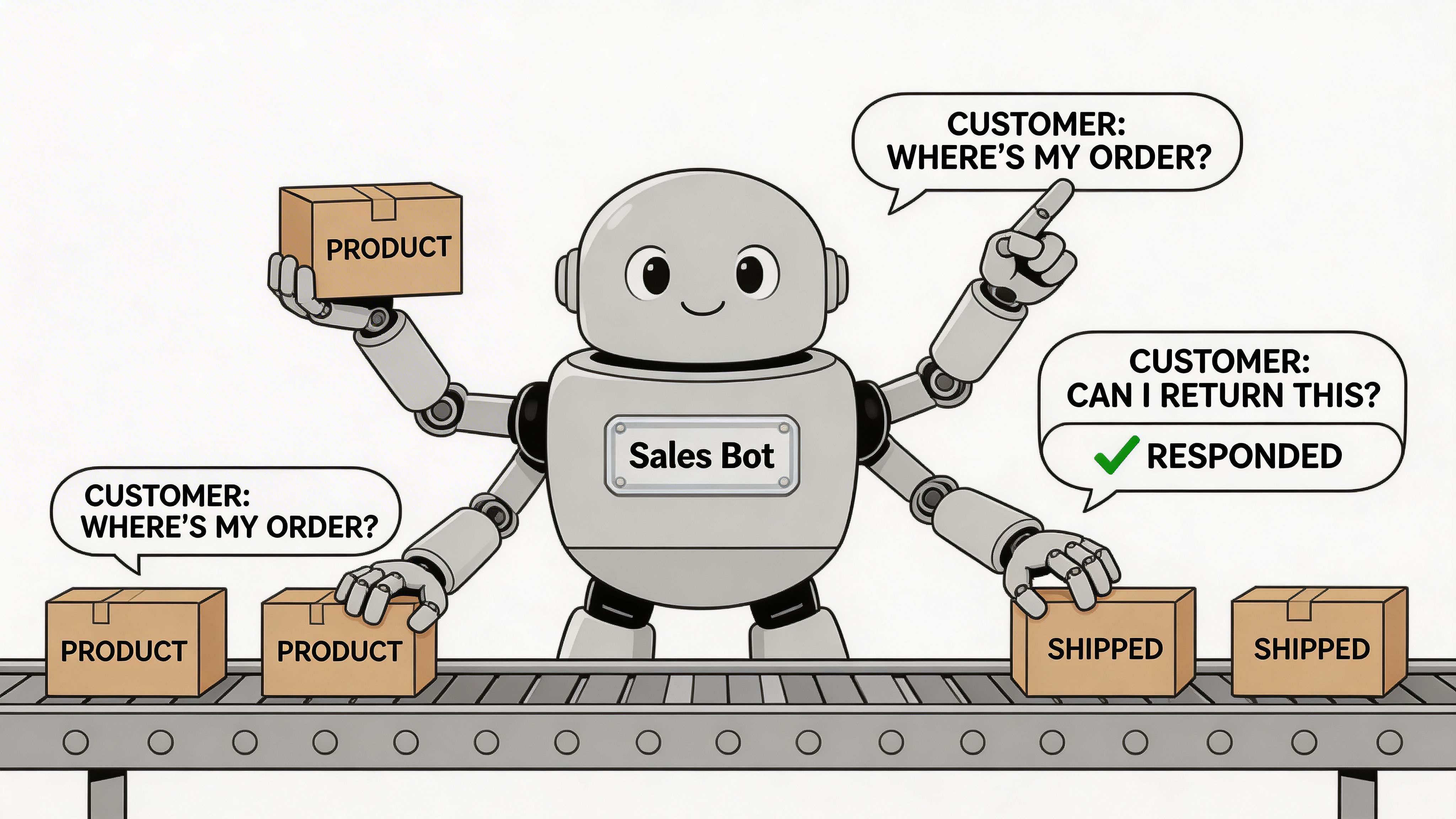
Then a few Reels land, traffic rises, and the account starts filling with the same questions. Price. Shipping. Delivery time. Product fit. Returns. Which option is best. Whether you ship internationally. Whether a bundle is worth it. Whether this works for their situation.
At that point, growth creates operational drag.
If nobody answers quickly, shoppers leave. If the founder answers everything personally, the business stops scaling. If a junior social manager replies with generic scripts, conversion suffers.
Automation solves that, but only when it is treated as a sales layer, not just support deflection.
The primary bottleneck is pre-sale friction
Instagram creates a high volume of pre-purchase questions because the platform compresses discovery and intent. People see a product and want an answer immediately.
Manual teams usually break in three places:
- Response speed drops
Questions sit unanswered for hours.
- Advice quality becomes inconsistent
One team member sells well. Another just sends links.
- Operational knowledge gets trapped in people
Product nuance, policy nuance, and buyer objections are not centralised.
That is why automation has to be more than an FAQ bot. It needs to answer practical questions, qualify needs, and guide buyers toward the right product or next step.
UK compliance pressure makes automation more useful
This matters even more for UK Shopify brands because Instagram selling now sits closer to compliance risk.
A 2025 UK eCommerce report noted that 68% of UK DTC brands on Shopify faced integration delays due to unaddressed DMCCA rules, while brands using AI chatbots like Marvyn AI bypassed 70% of these compliance hurdles by automating product syncing and query handling, and also saw Average Order Value increase by 18%, according to DataFeedWatch’s coverage of Instagram selling errors.
That is an important operational lesson. Automation is not just about handling message volume. It can also reduce the manual complexity that causes UK merchants to stall on integration and customer communication.
What good automation does
A useful system should cover the repetitive but commercially important work that humans often answer too slowly.
Look for automation that can:
- Answer product questions fast
Materials, variants, use cases, shipping, returns, and availability should be handled clearly.
- Guide people to the right product
The flow should ask useful qualifying questions, not just dump links.
- Stay available around the clock
Instagram intent does not arrive only during business hours.
- Escalate when nuance matters
High-friction or unusual queries still need a human path.
One reason merchants explore AI for sales is that the strongest systems behave more like a trained sales associate than a static auto-reply menu. That distinction matters. Buyers do not just want answers. They want confidence.
Key takeaway: If Instagram creates demand faster than your team can answer questions, the constraint is no longer traffic. It is response capacity.
Automation should increase revenue, not just reduce tickets
The wrong implementation focuses only on ticket deflection.
The better implementation improves the path to purchase. That means helping buyers choose, surfacing the right products, reinforcing policy clarity, and reducing the hesitation that causes abandoned carts.
This is especially useful for:
Automation also forces operational discipline. To work well, your catalogue, policy pages, and product information need to be structured and current. That clean-up alone improves conversion.
The practical trade-off is simple. Manual selling can feel personal, but it becomes inconsistent at scale. Automated selling can feel rigid if built poorly, but when configured well it preserves speed and accuracy where buyers need it most.
If Instagram is becoming a meaningful sales channel for your Shopify store, you need a system that can keep up with the demand your content creates.
Measuring Success and Optimising Your Sales Funnel
Once Instagram starts producing traffic and orders, the next problem appears. Teams look at too many metrics and still cannot tell what is working.
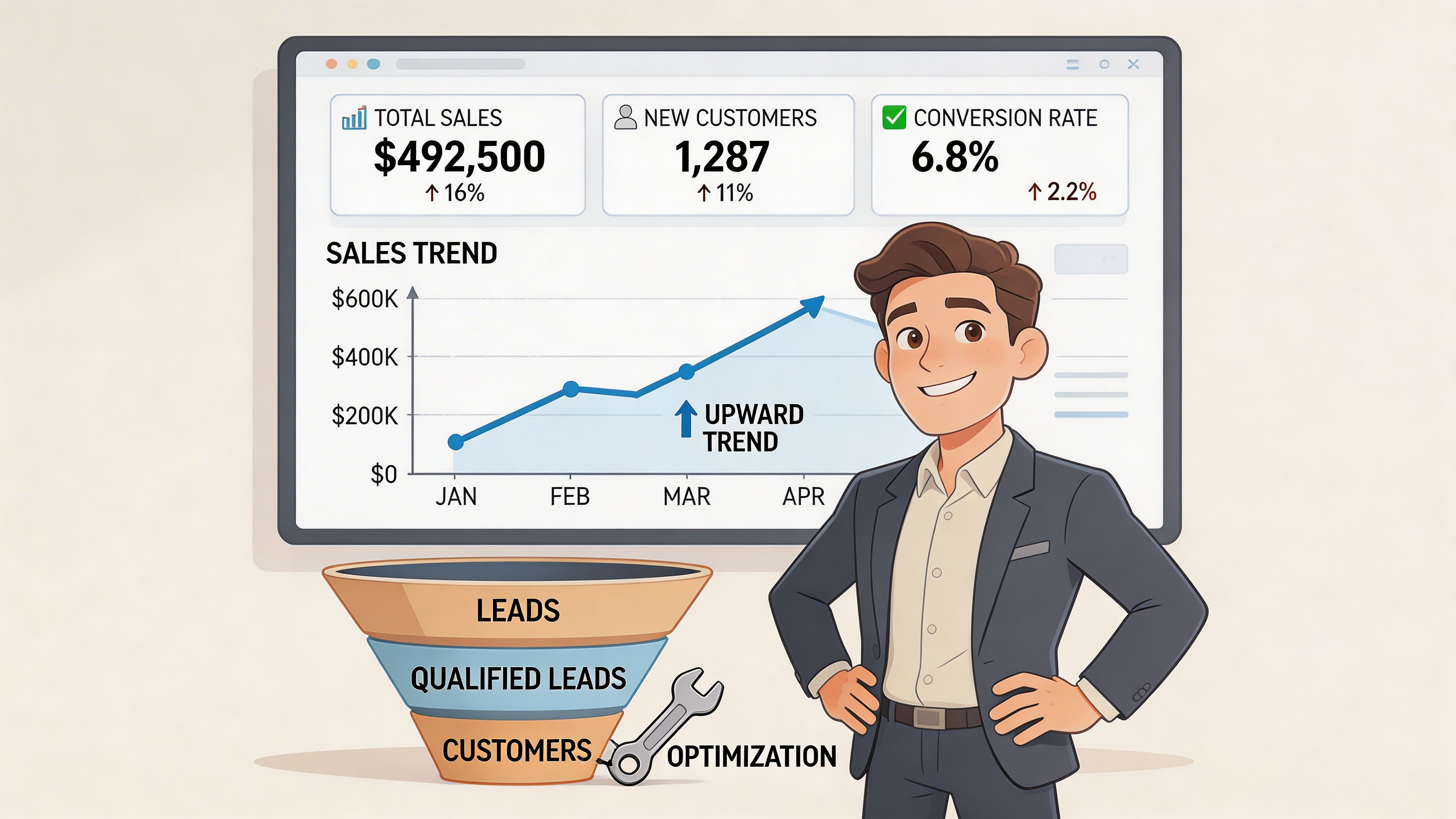
The fix is to measure the funnel in stages.
Instagram Insights tells you whether content creates interest. Shopify tells you whether that interest turns into revenue. Your job is to connect the two without getting distracted by vanity metrics.
Track the funnel from discovery to purchase
A practical measurement model looks like this:
Top of funnel
Inside Instagram, watch for signals that content earns attention from the right people.
Focus on:
- Reach
- Profile visits
- Product tag taps
- Story replies
- Reel engagement
- Saves and shares with commercial relevance
These numbers tell you whether the creative and offer are resonating.
Mid funnel
Many brands stop measuring clearly at this stage.
Look for:
- Product page visits from Instagram
- Add-to-cart activity from Instagram traffic
- Repeat visits from retargeted users
- DM questions tied to specific products or objections
This stage reveals friction. If interest is high but add-to-cart is weak, the product page or offer often needs work.
Bottom of funnel
Here the metrics get more commercial.
Track:
- Conversion rate from Instagram traffic
- Average order value
- Cart abandonment patterns
- Revenue by post, ad, or campaign
- Return on ad spend where paid is involved
Available data recommends tracking via Instagram Insights plus Google Sheets export, aiming for a strong return on ad spend where significant ad budget is involved. Use that as a directional benchmark, not a universal promise.
Interpret the numbers instead of just collecting them
Data only helps if you use it diagnostically.
A simple framework:
This is also where conversion rate optimization for ecommerce becomes directly useful. Instagram may be driving qualified traffic, but the site still has to do its job. If a tagged post performs and the product page leaks trust, Instagram gets blamed for a website problem.
Review winners and bottlenecks every week
Do not optimise Instagram monthly if it is a real sales channel.
A weekly review is better. Keep it focused.
Ask:
- Which posts led to product interest, not just engagement?
- Which products earned the most taps?
- Which objections showed up repeatedly in comments or DMs?
- Which landing pages converted poorly?
- Which ad creative was strongest after retargeting?
Tip: The highest-engagement post is often not the highest-revenue post. Always compare content performance against product-page visits and sales, not just likes.
Reinvest where buying intent is obvious
Once you know what works, push harder there.
That can mean:
- Turning strong organic Reels into paid ads
- Building more content around a product that converts well from Instagram
- Rewriting weak product pages that receive lots of social traffic
- Creating more educational content where DMs reveal uncertainty
- Removing content themes that attract attention but not buyers
That loop is what separates active Instagram shops from passive brand accounts. The goal is not more content. The goal is more efficient revenue from the content that already proves intent.
If Instagram is driving attention but your team cannot keep up with product questions, routing, and pre-sales support, Marvyn AI gives Shopify brands a practical way to turn that traffic into sales conversations. It syncs your catalogue, answers product, shipping, and returns questions, and helps guide shoppers towards checkout without adding support headcount.