Your Guide to Shopify Chat Support and Boosting Sales
Shopify chat support is far more than just a help button tucked away in the corner of your site. It’s an active, real-time sales channel that answers customer questions at the exact moment they're ready to buy. By engaging shoppers when their interest is highest, you can resolve their doubts, prevent them from leaving, and guide them straight to the checkout.
Think of it as placing your best salesperson on every single page of your online store, available 24/7.
Why Shopify Chat Support Is Your Secret Salesperson
Let's reframe how you think about your Shopify store. If it were a physical shop, would you let confused customers wander around and then walk out without anyone offering to help? Of course not. But that’s exactly what’s happening on most websites without a real-time way to talk to shoppers.
Old-school support channels like email just don't cut it anymore. When a customer has a question about sizing, shipping times, or a product feature, they want an answer now. Forcing them to send an email and wait hours for a reply is a guaranteed way to lose that sale to a competitor. That delay is a massive profit killer, especially when it comes to abandoned carts.
Today’s shoppers expect instant answers. A delay of just a few minutes can be the difference between a completed purchase and a customer who clicks away forever. Effective chat support closes that gap.
Turning Conversations into Conversions
This is where Shopify chat support completely changes the dynamic. It’s no longer a passive help desk for post-purchase problems; it becomes a proactive sales engine. By showing up at the perfect moment, it can answer a critical question, clear up confusion, and provide that final nudge a customer needs to click “Buy Now.”
The numbers don't lie. Data from Shopify Inbox, the platform's own chat app, shows it’s a vital sales tool for UK merchants. In November 2023, it converted 17% of pre-purchase conversations directly into sales. More telling, 70% of all conversations on the platform involved customers actively looking to make a purchase. This proves that chat captures high-intent shoppers right when it matters most, a finding you can explore in Shopify's own customer service report.
Combatting Cart Abandonment
For UK merchants, this is especially critical. With mobile shopping dominating, a staggering 78.4% of mobile carts are abandoned. A well-timed chat prompt can be the single most effective tool you have to save that sale. It intercepts a hesitant or confused user, offering immediate help before they give up.
This reframes the entire point of customer interaction. It stops being about just solving problems and starts being about proactively guiding the entire customer journey, from the first click to the final purchase. Integrating a smart chat solution activates a powerful revenue engine that was lying dormant. This proactive approach is a core strength of modern AI sales agents, which can manage these crucial interactions at scale.
An effective chat solution isn’t just good service—it’s smart business.
Choosing Your Chat Model: Live, AI, or Hybrid
So, you’re sold on adding chat to your Shopify store. Great decision. Now for the big question: what kind of chat should you choose? You've got three main paths you can go down: human-powered live chat, a fully automated AI chatbot, or a hybrid model that aims to give you the best of both.
Getting this right depends on your store’s size, your budget, and the kind of experience you want to give your customers. Think of it less like choosing software and more like deciding how to build your sales team. Are you hiring a few expert advisors, an army of tireless assistants, or a smart combination of the two? Each has its place.
The Power and Limits of Live Chat
Live chat is the digital version of having a top-notch sales assistant right there on the shop floor. It's fantastic for building trust, navigating tricky or high-value sales questions, and adding that human, empathetic touch that convinces a hesitant shopper to click "buy." If you sell complex or expensive items, a real person answering nuanced questions can single-handedly make or break a sale.
But that human touch comes with real-world limits. Live chat is only useful when your agents are actually online. This usually restricts support to business hours, leaving customers in different time zones or those who shop late at night completely on their own. Plus, staffing a live chat team gets expensive, fast—especially as your store and conversation volume grow.
This is the critical moment where instant support matters most.
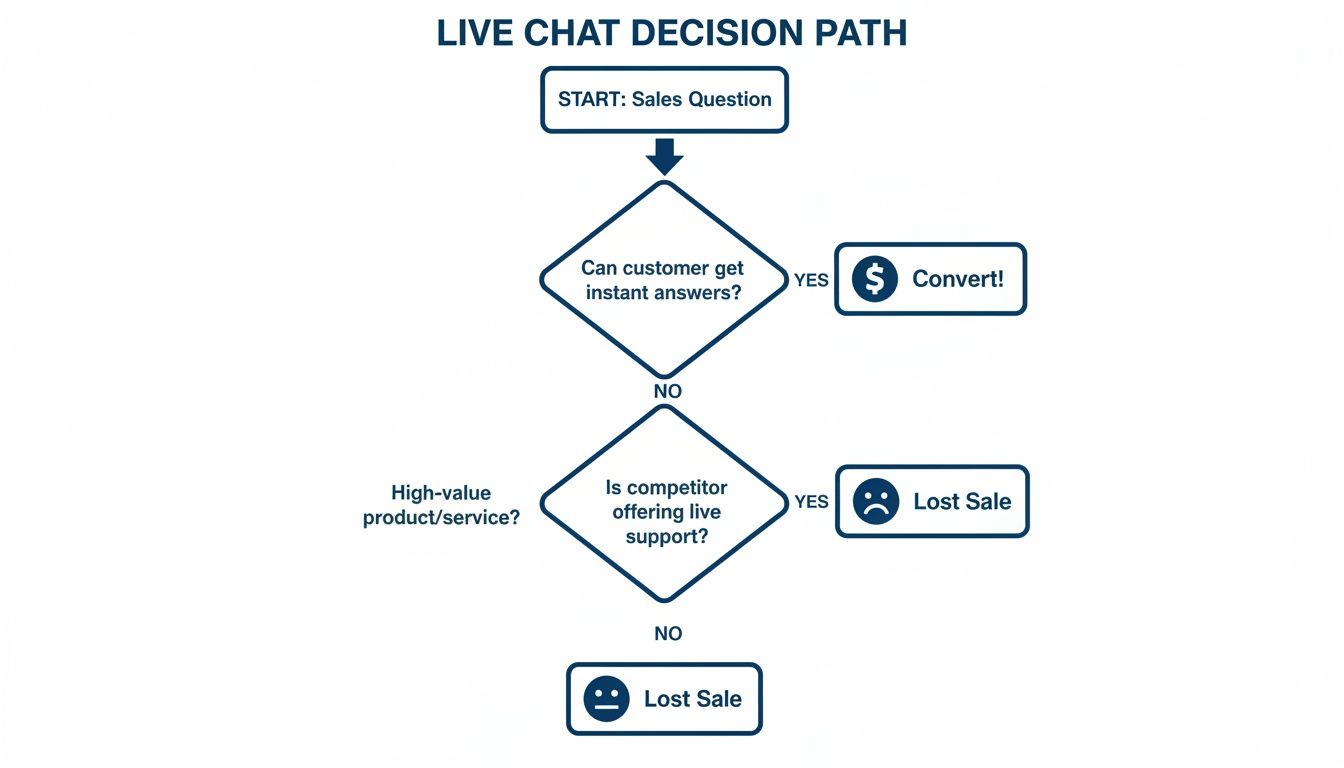
The flowchart tells a simple story: when a customer has a question, an immediate answer leads to a sale. A delay often means they’re gone for good.
AI Chatbots: Your 24/7 Digital Team
This is where AI chatbots completely change the game. An AI chatbot is like having a team of brilliant, tireless employees who work around the clock, never take a break, and can handle thousands of conversations at once. They are incredibly scalable and cost-effective, providing instant answers to most of the routine questions your customers will ever ask.
Modern AI tools like Marvyn AI are lightyears beyond the clunky bots of the past. They plug directly into your Shopify store and learn your entire product catalogue, policies, and FAQs in seconds. This means they can answer questions like, "Do you ship to Manchester?" or "Does this jacket come in blue?" with perfect accuracy, 24/7. The rise of these tools is part of a bigger picture of leveraging AI apps for Shopify stores to fundamentally improve how merchants interact with customers.
By automating all those repetitive queries, AI frees up your human team to focus on the conversations that actually need a human brain. You can find out more about putting these systems to work in our guide on using chatbots for customer service.
The Hybrid Model: The Winning Formula
For most growing businesses, the smartest move isn't an either/or choice. It's about blending AI and human support into a single, seamless system. The hybrid model uses an AI chatbot as the first point of contact—your always-on, frontline support.
This setup really does deliver the best of both worlds:
- Instant Gratification: The AI fields the vast majority of common questions straight away, so no customer is ever left waiting for a reply.
- Cost-Efficiency: You can automate up to 80% of routine queries, slashing your support costs and taking a huge load off your team.
- The Human Touch: When a query is too complex, sensitive, or shows high purchase intent, the AI can smoothly hand the conversation over to a human agent.
This approach ensures you’re efficient without ever sacrificing the quality of your customer experience. A shopper with a simple tracking question gets an instant answer from the bot, while someone needing detailed advice on a £500 purchase can be connected to your best salesperson.
Despite all the advances in AI, you just can't replace the human touch for certain conversations. Survey data shows that 75% of consumers still want to speak to a real person for support. While bots are great for the simple stuff, the remaining complex questions often demand the empathy and trust-building only a human can provide.
Ultimately, a hybrid strategy recognises that AI is a phenomenal tool for efficiency and scale, but it’s the human connection that builds real brand loyalty and closes your most important sales. It creates a smart, layered support system that serves every type of customer, any time of day.
Setting Up Your First Shopify Chat Solution
Getting your first Shopify chat support solution up and running might sound like a technical job, but the good news is, it isn't. The days of needing a developer on speed dial or wrestling with complex code are long gone. Modern tools let you launch a powerful, AI-driven chat system in minutes, straight from the Shopify App Store.
The whole process is designed to be ridiculously user-friendly. It turns what feels like a technical hurdle into a genuinely exciting upgrade for your business. We’ll walk through the typical setup, using a smart and simple solution like Marvyn AI as our guide. The goal? To get you from installation to a live, helpful conversation without the usual headaches.
Step 1: Install and Sync in One Click
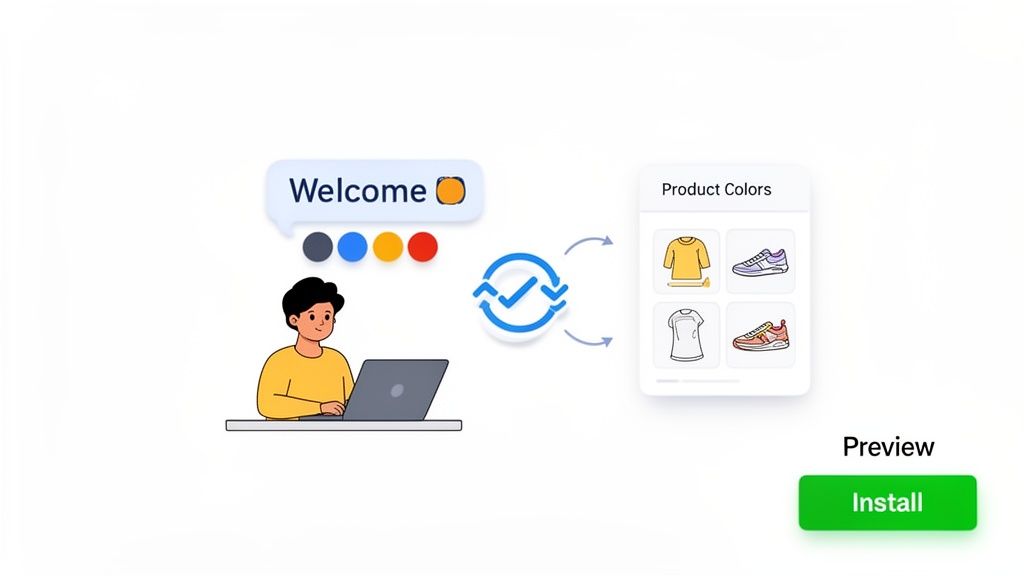
This first step is often the easiest. You’ll find chat apps right in the Shopify App Store, and installation is usually just a single click. Once you hit approve, the real magic starts.
Instead of you having to manually feed it information, a smart AI chat tool automatically gets to work in the background. It syncs with your entire Shopify store in a matter of seconds.
- Product Catalogue: The AI learns every single product, variant, price, and description you have.
- Collections: It instantly understands how you've organised your items into different categories.
- Policy Pages: It reads your shipping, return, and FAQ pages so it can answer customer questions with total accuracy.
This instant training means your chatbot is ready to hold intelligent conversations from the moment it goes live. You don't have to spend hours writing responses or mapping out conversation flows. The AI does all the heavy lifting, becoming an expert on your business in seconds.
Step 2: Customise the Widget to Match Your Brand
Your chat widget shouldn't feel like a generic bolt-on; it should feel like a natural extension of your store. The next step is all about customisation, making sure the look and feel of the chat window lines up perfectly with your brand’s identity.
This is a critical step for keeping your site looking cohesive and professional. Most modern apps give you a simple dashboard where you can easily:
- Change Colours: Match the chat icon and window to your brand’s colour palette.
- Upload Your Logo: Add your logo to the chat header for instant brand recognition.
- Set the Tone of Voice: Choose a personality for your bot—from friendly and casual to something more formal and professional.
This ensures that when a customer starts a chat, the experience feels authentic to your brand from the very first click.
Think of the chat widget as your digital storefront's welcome mat. A well-designed, on-brand widget invites people in and builds trust. A generic or clunky one can feel intrusive and unprofessional.
Step 3: Configure Your Welcome and Go Live
The final step is to craft the perfect first impression. You get to configure the initial message that greets every visitor. Instead of a bland "How can I help?", you can create a tailored welcome that shows off your brand's personality and encourages people to engage.
For example, a fashion store might say, "Hi there! Looking for the perfect outfit? Let me know what you have in mind." This small touch makes the whole interaction feel more personal and proactive.
Once your welcome message is set, you just flick the switch to "On," and your Shopify chat support is live, ready to help customers 24/7. To learn more about getting started, check out our complete guide on adding live chat on a website.
If your store needs custom integrations or advanced features beyond what an app offers, you might need to hire Shopify developers to build a bespoke solution. For the vast majority of stores, however, a solution like Marvyn AI gives you all the power you need, right out of the box.
Best Practices for Conversational Commerce
Simply dropping a Shopify chat support widget onto your site is just the beginning. To really see the magic happen, you need to master conversational commerce—turning that little chat window from a passive help desk into a proactive sales engine that customers actually like using.
This is all about designing conversations that feel human and genuinely helpful, not robotic or pushy. The goal is to move beyond just answering questions and start actively guiding the customer journey. It's the difference between having a tool and having a strategy.
Design Conversations That Feel Human
Your AI’s personality is a big deal. A stiff, formal bot will make customers cringe and close the window, but one that reflects your brand’s voice can create an instant connection. This is the heart of conversational design: making automated chats feel natural.
First, define your tone. Are you a fun, witty brand or more professional and reassuring? Once you’ve nailed that down, focus on writing dialogue that is clear and empathetic. Use short sentences, skip the technical jargon, and make sure the bot can handle common slang and typos. The real win is when a customer forgets they’re even talking to an AI.
Use Proactive Messages Intelligently
Don't just sit there and wait for customers to ask for help. The most effective chat strategies use proactive messages to start conversations at exactly the right moment. This isn't about spamming every visitor, but about offering timely, contextual help that can clinch a sale.
Here are a few high-impact moments to engage proactively:
- On High-Value Product Pages: If someone is lingering on an expensive item for more than 30 seconds, pop up with a message like, "This is one of our best-sellers! Any questions about the features or materials I can help with?"
- At the Checkout Page: A customer hesitating at checkout might just need a small nudge. A quick message offering to clarify shipping costs or even a small, one-time discount code can be incredibly effective.
- On a “404 Not Found” Page: A 404 page is a dead end. Turn it into an opportunity. A message like, “Whoops, looks like that page is gone! What were you trying to find? I can help you track it down,” transforms a frustrating experience into a helpful one.
A well-timed proactive message does more than just offer help; it shows you understand the customer's journey and are there to support them. It’s the digital equivalent of an attentive shop assistant noticing a customer looks a bit lost and asking, "Can I help you find something?"
Create Guided Shopping Flows
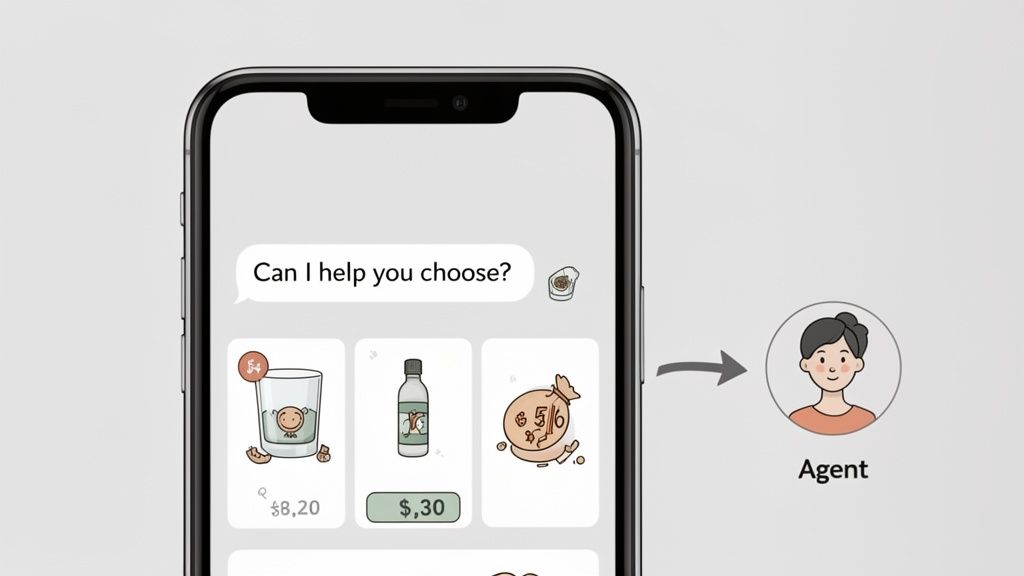
Your chat support can also be your best salesperson, acting as a digital personal shopper. By creating guided shopping flows, your AI can ask a few simple questions to figure out what a customer is looking for and then recommend the perfect products. This is a game-changer for stores with big catalogues or complicated items.
For example, a skincare brand’s bot could ask:
- “What’s your main skin concern? (e.g., dryness, acne, fine lines)”
- “And what’s your skin type? (e.g., oily, dry, combination)”
- “Are you looking for a daily moisturiser or a targeted treatment?”
Based on the answers, the AI can then serve up a curated list of products that are a perfect fit, complete with links to buy. This consultative approach doesn't just improve the customer experience; it’s proven to lift average order value and conversion rates. To help structure these flows, check out our guide on building effective customer service scripts.
Design a Smooth Escalation Path
Let's be real: even the smartest AI has its limits. The final—and arguably most important—best practice is making sure there’s a seamless handover to a human agent when things get tricky. Nothing is more frustrating for a customer than being stuck in a loop with a bot that just doesn’t get it.
Design clear escalation triggers. If the AI fails to answer a question twice, or if the customer starts using words like “frustrated,” “useless,” or “speak to a human,” the system should immediately offer to connect them with a person. This hybrid approach gives you all the efficiency of AI without sacrificing the trust and empathy that only a human can provide for sensitive or complex issues.
Measuring the ROI of Your Chat Strategy
So, you’ve set up a Shopify chat support solution. That’s a great first step. But how do you actually know if it’s making you money? Counting the number of chats your bot handles is a vanity metric. It doesn't tell you anything about your bottom line.
To prove the investment is worth it—and to find opportunities to make it even more profitable—you need to look past simple activity stats. You need to focus on the Key Performance Indicators (KPIs) that tie chat directly to revenue.
Think of it this way: installing chat is like opening a new express checkout lane in your store. You wouldn't just count how many people use it. You'd measure if they bought more, if they finished their purchase instead of walking out, and if they left happy. The exact same logic applies here.
Conversion Rate from Chat
This is probably the most powerful KPI you can track. It answers a simple but critical question: “Of all the customers who chat with us, what percentage actually buy something?”
This metric cuts through the noise and shows the direct influence of your chat interactions on sales. Most modern chat tools will have this built right into their analytics dashboard, showing you precisely how many chat sessions ended in a successful order.
A high conversion rate from chat is the clearest proof you can get that real-time support is smoothing over customer doubts and getting them across the finish line.
Chat-Assisted Average Order Value
It’s one thing to get the sale, but is your chat support actually getting customers to spend more? That’s what Chat-Assisted Average Order Value (AOV) reveals. This KPI compares the average spend of customers who used chat against those who didn't.
You might find your store's overall AOV is £50, but for customers who interacted with chat, it jumps to £65. That £15 lift is huge. It proves your chat isn't just a support channel—it's an active upselling and cross-selling engine. Your agents or your AI are successfully suggesting complementary items or premium versions of products, directly pumping up your revenue per transaction.
A big jump in Chat-Assisted AOV shows your chat is acting like a skilled digital salesperson, not just a problem-solver. It’s guiding shoppers to better, more valuable purchases.
Cart Abandonment Rate Reduction
Cart abandonment is the silent killer of e-commerce profits. This KPI shows how well your chat intervenes to rescue sales that would have otherwise vanished. By using proactive chat messages on the checkout page, you can intercept shoppers who are hesitating and solve their last-minute questions about shipping, payments, or discount codes.
To measure this, you just need to compare the cart abandonment rate for shoppers who engage with a proactive chat at checkout versus those who don't. A lower rate for the chat group shows a direct return. Saving even a small fraction of abandoned carts can add up to thousands in recovered revenue over a year, making it a crucial metric to watch. If this is a key goal, a comprehensive conversion rate optimisation checklist can give you even more strategies to use alongside chat.
Customer Satisfaction Score
Lastly, while it’s not a direct revenue metric, Customer Satisfaction (CSAT) is a massive indicator of your store’s long-term health. Happy customers come back. They spend more over their lifetime and tell their friends about you.
Most chat platforms let you send a quick, automated survey after a conversation, asking the customer to rate their experience. Keeping a close eye on your CSAT score tells you about the quality of your support.
While the industry benchmark for a good CSAT score is around 80%, you should really be aiming for 90% or higher. A consistently high score is confirmation that your chat is creating a positive, helpful experience—and that’s the foundation for loyalty and repeat business.
Choosing the Right Shopify Chat Support App
Walking into the Shopify App Store looking for a chat tool can feel… well, a bit much. The options are endless, and it’s easy to get sidetracked by flashy features that don’t actually solve your core problems.
To pick the right Shopify chat support app, you need to think like you're hiring a new team member. You wouldn't just glance at a CV; you'd want to know if they get on with your team, if they truly understand your business, and if they’ll actually deliver value. The same logic applies here.
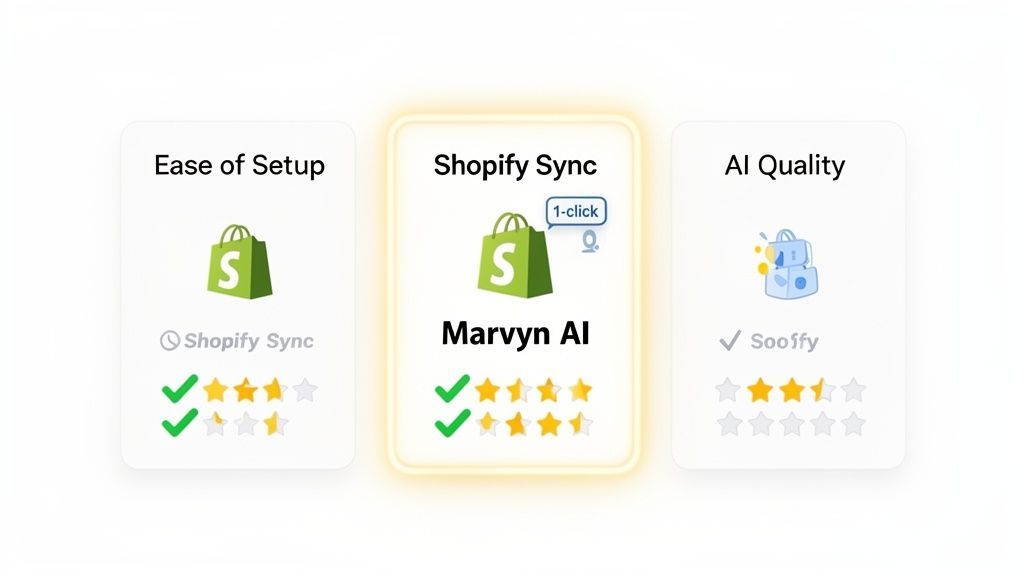
A Practical Evaluation Checklist
When you're comparing apps, measure them against these core pillars. Getting just one of these wrong can lead to serious headaches and wasted time down the road.
- Ease of Setup: How quickly can you get it working? A great solution shouldn't require a developer or hours of manual configuration. You should be able to install it in a click and have it running in minutes, not days.
- Depth of Shopify Integration: This is the big one. The app must sync deeply with your store’s data—your product catalogue, collections, and policy pages. Without that native connection, the AI is just guessing, unable to give accurate, context-aware answers.
- Quality of AI: Is it a genuine AI that understands natural language, or is it just a glorified keyword bot? A smart AI can navigate complex questions and guide a conversation. A basic bot just frustrates customers and creates more work for your team.
- Pricing Model: Watch out for per-conversation fees or expensive monthly plans that slowly eat away at your margins. You want transparent pricing that scales with the value you get, not the number of spam messages you receive.
A Smart Choice for Growth-Focused Brands
For merchants who need a powerful, revenue-driving tool without the steep costs or complexity, Marvyn AI is a standout. It was built from the ground up to solve the most common pain points Shopify store owners face, blending the simplicity of Shopify Inbox with genuinely advanced AI.
The ideal chat solution feels like it was built specifically for Shopify. It works seamlessly out of the box, understands your products instantly, and starts delivering value from day one.
Marvyn AI’s one-click setup and fully autonomous nature make it incredibly easy to use. The second you install it, the AI syncs your entire product catalogue and store policies, ready to answer customer questions with precision. This deep integration allows it to act like a consultative salesperson, guiding shoppers to the right products and driving sales 24/7.
By automatically handling over 70% of customer queries with no per-conversation fees, it offers a powerful and cost-effective way to scale support. This frees you from answering the same questions over and over, so you can focus on actually growing your brand. For any growth-focused store, it’s a smart choice that delivers real efficiency without the usual fuss.
Shopify Chat Support FAQ
As you get ready to decide on a new chat strategy, it’s completely normal to have a few last-minute questions. We’ve put together the most common practical concerns merchants have about adding Shopify chat support, with clear, straightforward answers to help you move forward.
Can I Use Shopify Chat Support if I'm a Solopreneur?
Absolutely. In fact, modern AI chat tools are a game-changer for solo founders and small teams. A fully autonomous tool acts like your first digital employee, instantly handling over 70% of customer questions 24/7, without you needing to lift a finger.
It works around the clock answering questions about your products, shipping details, and return policies. This frees you from getting bogged down in repetitive support tasks, so you can focus your limited time on what really matters—marketing, product development, and growing the business.
Will a Chat Widget Slow Down My Shopify Store?
No, a well-built chat app won't hurt your store's performance or search engine rankings. Modern chat widgets are designed from the ground up to be lightweight and load asynchronously.
Asynchronous loading just means the chat widget loads separately from the rest of your website's content. Because of this, it doesn’t block your main page from becoming visible and interactive, ensuring it won’t negatively affect your PageSpeed scores or your customer's browsing experience.
This keeps your site feeling fast and responsive, which is critical for keeping customers happy and your SEO in good shape.
How Does an AI Bot Learn About My Products and Policies?
The best AI tools are built to integrate deeply and directly with Shopify itself. When you install a modern chat app, it automatically syncs with your entire store's data in seconds.
This process covers everything:
- Your product catalogue: It learns every single item, variant, price, and description.
- Your store policies: It reads and actually understands your Shipping, Returns, and other info pages.
- Your FAQs: It digests any existing frequently asked questions to give consistent answers.
This instant training means the bot can provide accurate, context-aware answers from the moment you switch it on. Best of all, it happens without you needing to do any manual data entry, making the whole setup incredibly fast and simple.
Is It Better to Use Proactive Chat Messages?
Honestly, the most effective strategy is a mix of both. You should always have a visible chat icon available for customers who want to start a conversation on their own terms. That’s the reactive part.
However, using smart proactive messages at key moments—like when a customer is hesitating on the checkout page or looking at a high-value item—can seriously boost engagement and sales. The goal is to be helpful, not intrusive. This is how you turn your Shopify chat support from a simple helpdesk into a powerful sales tool.
Ready to turn your support into a revenue engine? Marvyn AI is a free, fully autonomous AI chatbot that handles over 70% of customer service while driving consultative sales. Get started in one click at https://www.marvyn.co.